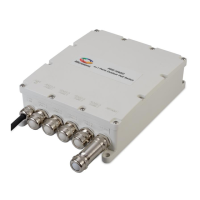
PDS-104G PoE Switch
Power Over Ethernet PowerView Pro User Guide
Copyright © 2016 Microsemi Page 8 of 48
Rev. 1.0 CPG – PoE BU
One Enterprise Aliso Viejo, CA 92656 USA
2 Introducing the Power View Pro (IPv4, IPv6)
Microsemi’s Power View Pro refers to the various management interfaces provided by the unit for remote
management, including Web, SNMP and Telnet. Management can be done over IPv4, IPv6 or both network
protocols. The system provides direct online power supervision, configuration, monitoring, and diagnostics of
Microsemi products via Web (HTTP/HTTPS) / SNMPv2c / SNMPv3 / Telnet / SSH.
2.1 Features
The manager provides a number of unique features along with multiple access options:
Supported network IP protocols:
o IPv4 – IP address is made out of 32 bits (static / DHCPv4).
o IPv6 – IP address is made out of 128 bits (static / DHCPv6).
Access Options:
o HTTP: Web-based friendly configuration interface for managing remote Outdoor Power over
Ethernet device.
o HTTPS - SSL/TLS: Secured Web-based friendly configuration interface for managing remote
Outdoor Power over Ethernet device.
o SNMP:
SNMPv2c for non-secured SNMP management
SNMPv3 for secured plus encrypted management
RFC1213 MIB-II Network statistics
RFC3621 Power over Ethernet (PoE) SNMP MIBs
Private MIB extension for RFC3621 PoE MIB
Various infrastructure and Network MIB's as IP-MIB, TCP-MIB, UDP-MIB, etc.
o Telnet: Remote terminal over IP Network
o SSH: Remote encrypted terminal over Ethernet Network
SysLog Server: Unit sends various log events to remote SysLog Servers.
Easy software update during run time without affecting active PoE ports.
Configuration and real-time monitoring using graphical representations of the remote device
System status display.
Automatic activation / deactivation of PoE ports based on a weekly schedule configuration.
Automatic PoE Ports reset based on a weekly schedule configuration.


 To Next Page