PDS-104G PoE Switch
Power Over Ethernet PowerView Pro User Guide
Copyright © 2016 Microsemi Page 42 of 48
Rev. 1.0 CPG – PoE BU
One Enterprise Aliso Viejo, CA 92656 USA
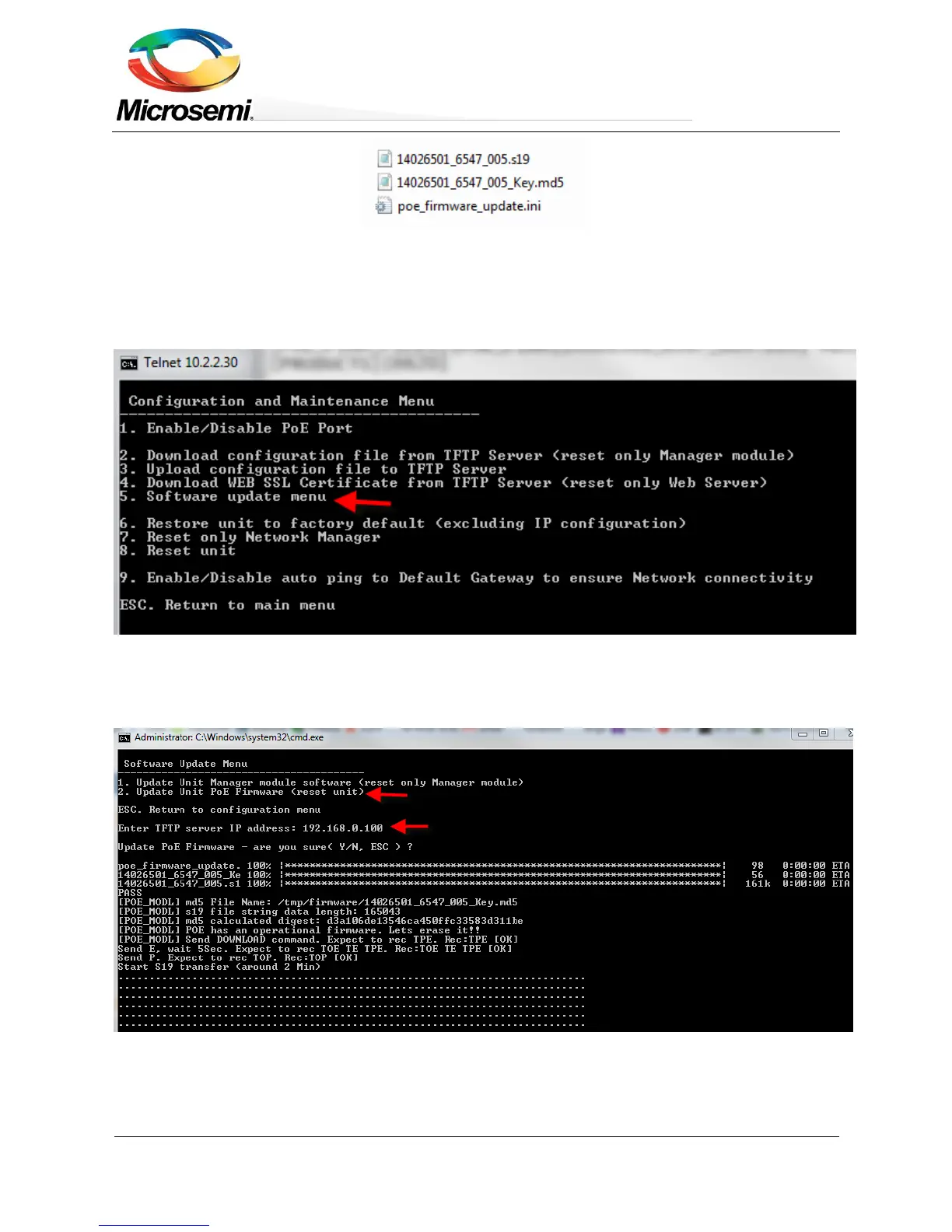
4. Open a Telnet/SSH session with the unit. Type the username and password, and select the
Configuration and Maintenance Menu.
5. Select Software update menu.
Figure 8-3: Selecting Software Update from the Configuration Menu
6. Select Update Unit Manager module software, and type the TFTP Server IP Address (see image
below).
Figure 8-4: Selecting PoE Firmware Update from Software Update Menu
7. The files to be updated will be validated first and only then does the actual software update start. The
Telnet/SSH session will remain open during the entire PoE firmware update process. Upon completion


 To Next Page