TIMING -Time Interval
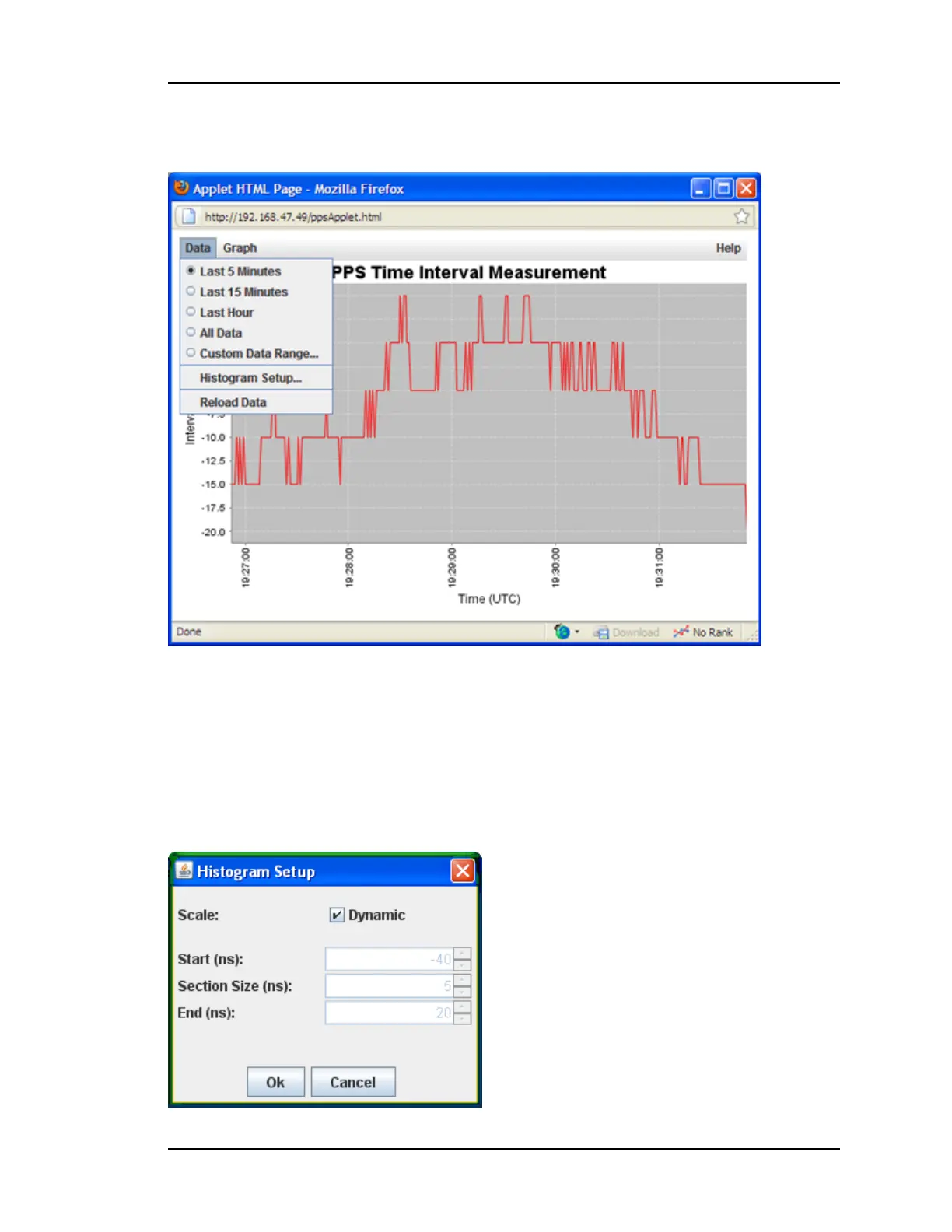
You can also set up the Histogram chart from the Data menu or Reload Data from the data-
base to the chart.
After a test has completed, you can zoom in on portions of the data set by selecting the Cus-
tom Data Range… and changing the Start Date to Display or Stop Date to Display.
You can configure the way the Histogram chart is displayed using the Histogram Setup…
selection in the Data menu. When the Dynamic Scale checkbox is selected, the Histogram
chart sets the first peak of the data in the center and automatically sets the x-axis values
appropriately for an equal Section Size. If this value does not work for your data, uncheck
the Dynamic Scale and manually select values for Start, End and Section Size.
997-01520-02 Rev. F1.......................................................................... Page 69



 To Next Page