19
than 64GB.
The path where the 6363 saves the images is(“\6363_LCR\Screen\”).
The path where the 6364 saves the images is(“\6364_LCR\Screen\”).
The path where the 6365 saves the images is(“\6365_LCR\Screen\”).
The path where the 6366 saves the images is(“\6366_LCR\Screen\”).
The path where the 6367 saves the images is(“\6367_LCR\Screen\”).
Code: Reserved key; it has no functions for now.
Delete: Edit delete key.
Exit: Exit/Return key. Press this key to return to the previous page.
Enter: Confirm key; it conforms edited values or selections.
Knob: Fine tune the voltage/frequency in meter mode.Select the desired item and press
Enter to enable knob fine-tuning.
Arrow Keys: Selects a single item or parameter.
Number Keys: Provided for entering numbers when editing.
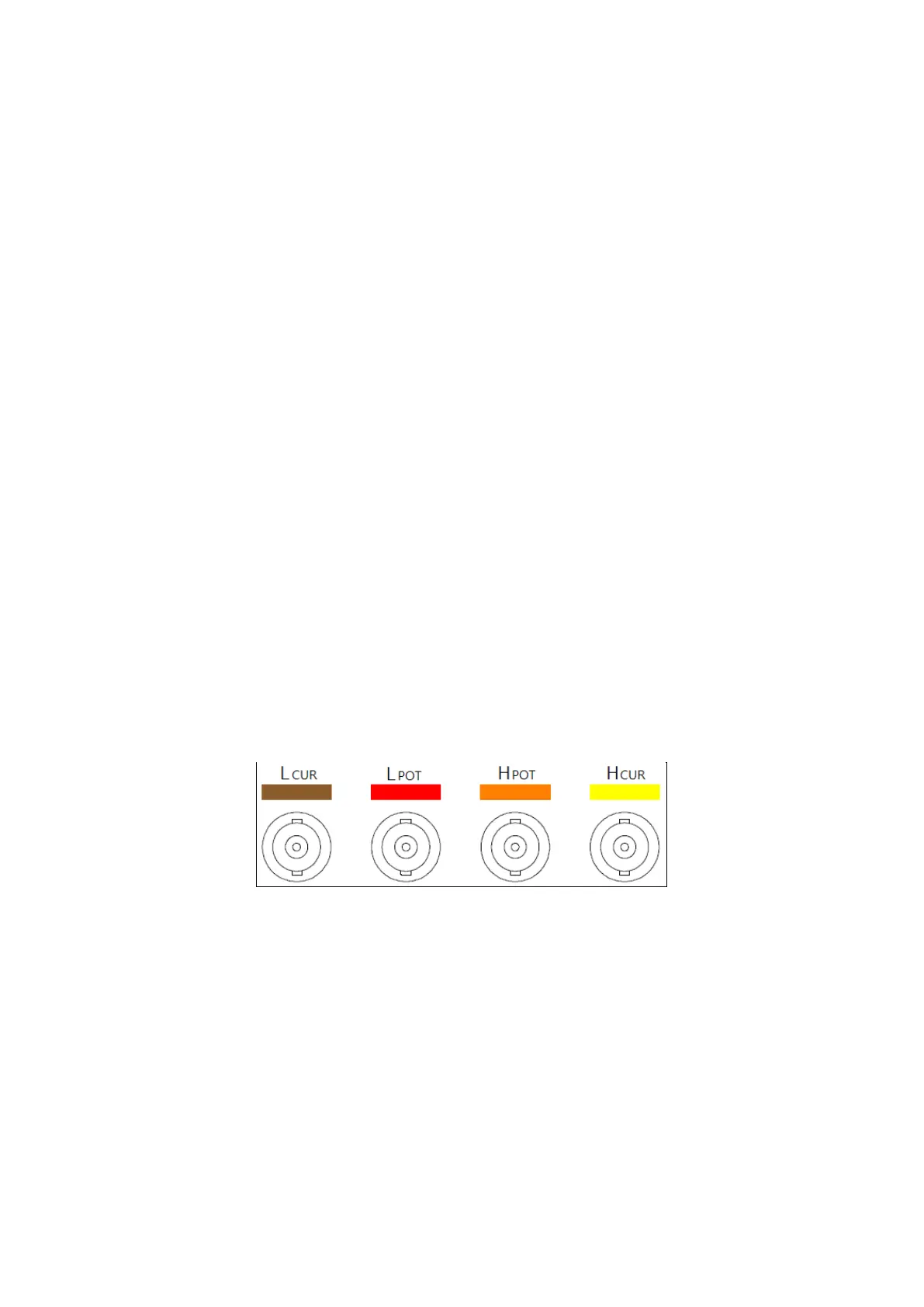
Measurement Terminals:
LCUR Receives the test current source; it is connected to thenegative pole (-) of the
DUT.
LPOT Negative terminal for voltage measurement; it is connected to the negative
pole (-) of the DUT.
HPOT Positive terminal for voltage measurement; it is connected to the positive pole
(+) of the DUT.
HCUR Receives the test current source; it is connected to the positive pole (+) of the
DUT.
The figure above is a 6365 four-wire measurement connector; please connect the
four-wire measurement fixture head at the end of the fixture test line here.
1. Please discharge the DUT properly before connecting the fixture.
2. Connect the fixture terminals to the BNC terminal on the front panel according to
the different colors.
3. Connect the DUT to the fixture; if the DUT is directional, connect the H side of the
fixture clip to the positive end of the DUT and the L side of the fixture clip to the
negative end of the DUT. Please make sure that the position of the fixture clip is as
close to the DUT itself as possible.



 To Next Page