79
3.7 Create LAN Communication Interface (NI VISA)
Once you have completed the LAN related configurations for the instrument terminal, you can
communicate with the instrument using a computer through the network. The following is
the introduction to establishing communication with the instrument through NI VISA.
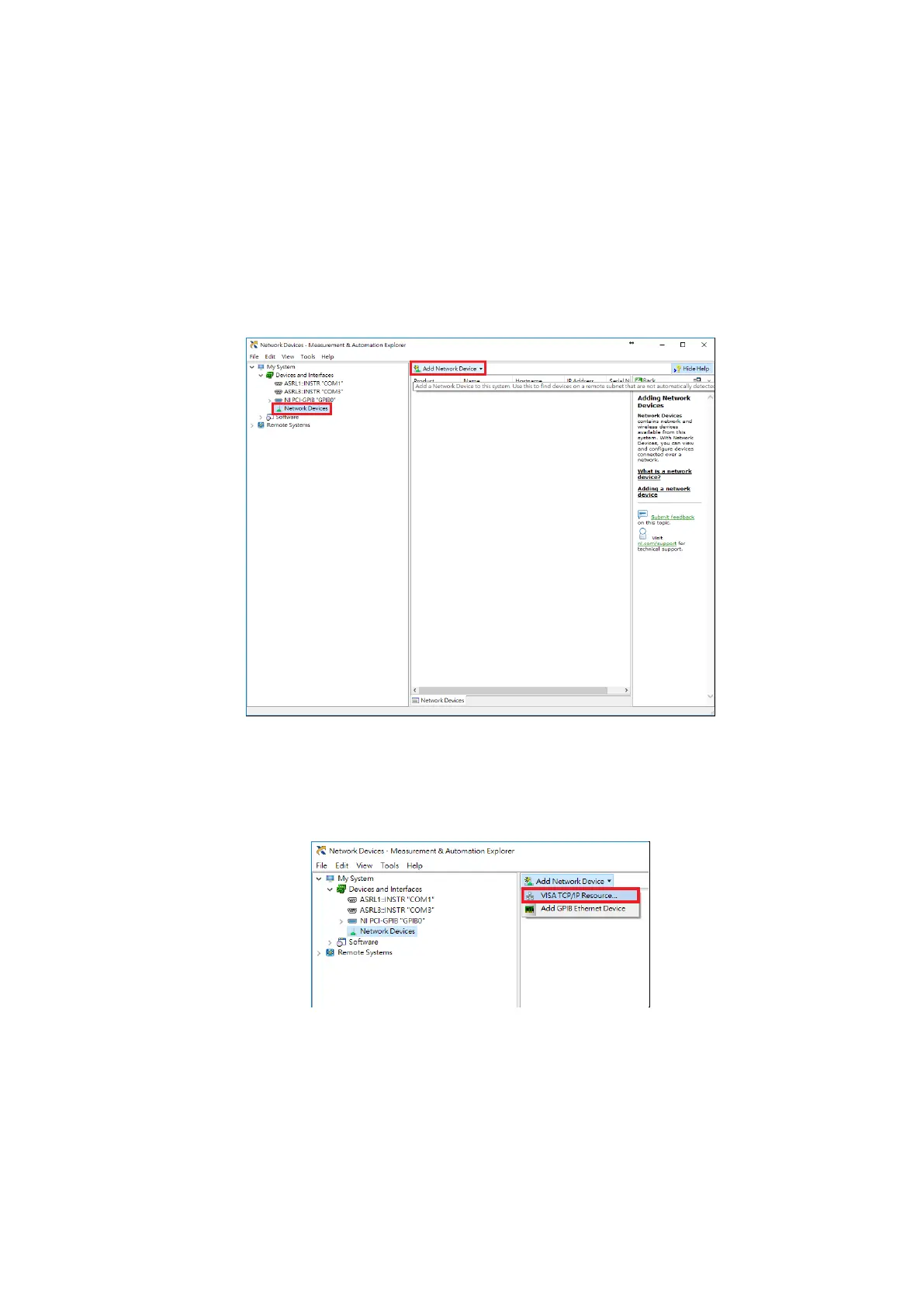
First start the NI Measurement & Automation Explorer program on the computer; the screen
is as shown in the figure below. Press Network Devices under Devices and Interface on the left
and then select Add Network Device from the top-right of the screen to add the instrument.
The screen is as shown in the figure below:
Figure 3-7-1 NI Measurement & Automation Explorer
After clicking Add Network Device, a pull-down window will appear; select the VISA TCP/IP
Resource item. The screen is as shown in the figure below:
Figure 3-7-2 Add Network Device



 To Next Page