80
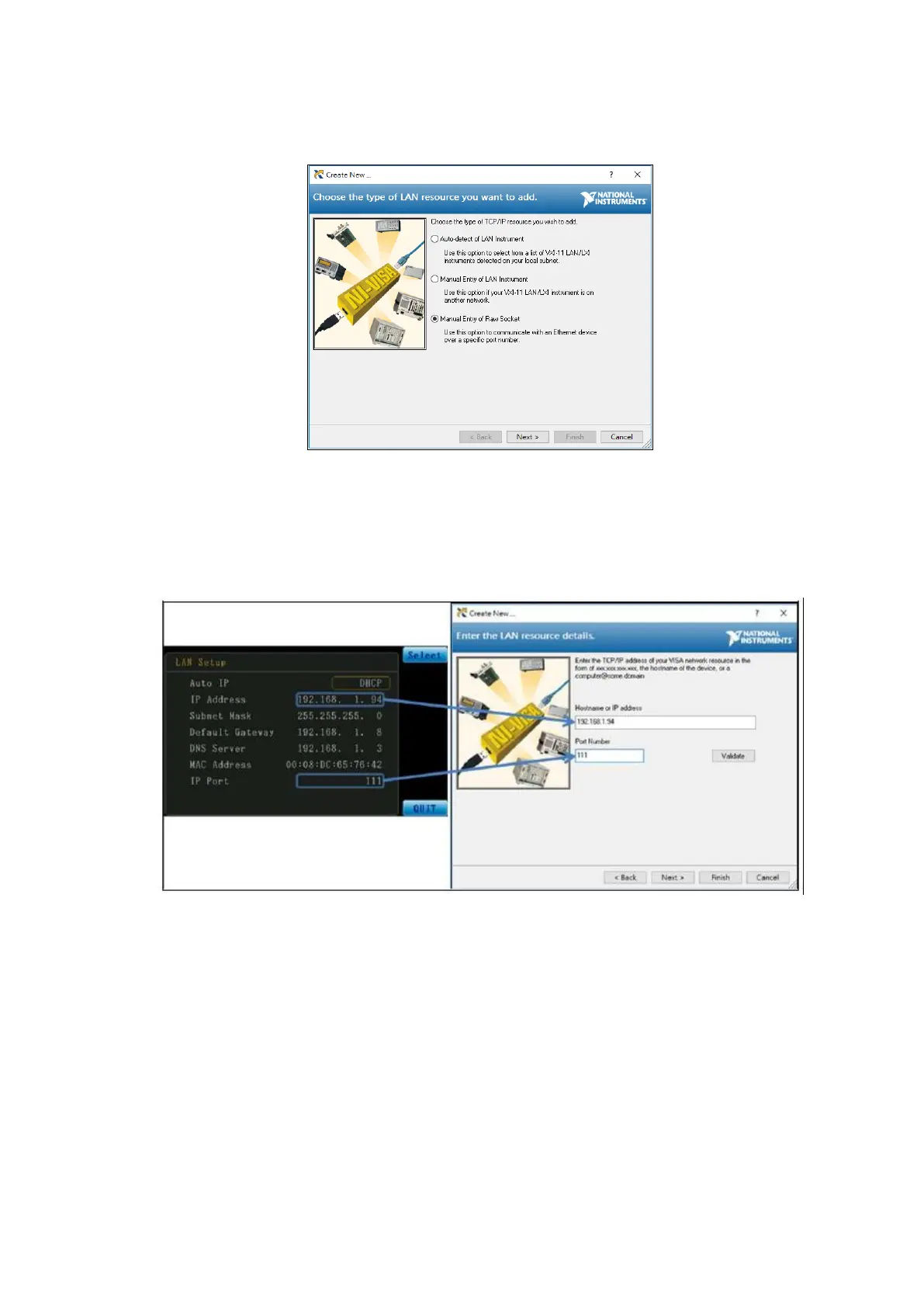
After entering the Choose the Type of LAN Resource You Want to Add window, select the
Manual Entry of Raw Socket item and then click Next to enter the next step; the screen is as
shown in the figure below:
Figure 3-7-3 Choose the Type of LAN Resource
After entering the Enter the LAN Resource Details window, enter the IP address displayed on
the instrument screen in the Hostname or IP address field, and enter the IP Port value in the
Port Number field. The screen is as shown in the figure below:
Figure 3-7-4 Enter the LAN Resource Details



 To Next Page