18
2.9 Hardware Structure Settings
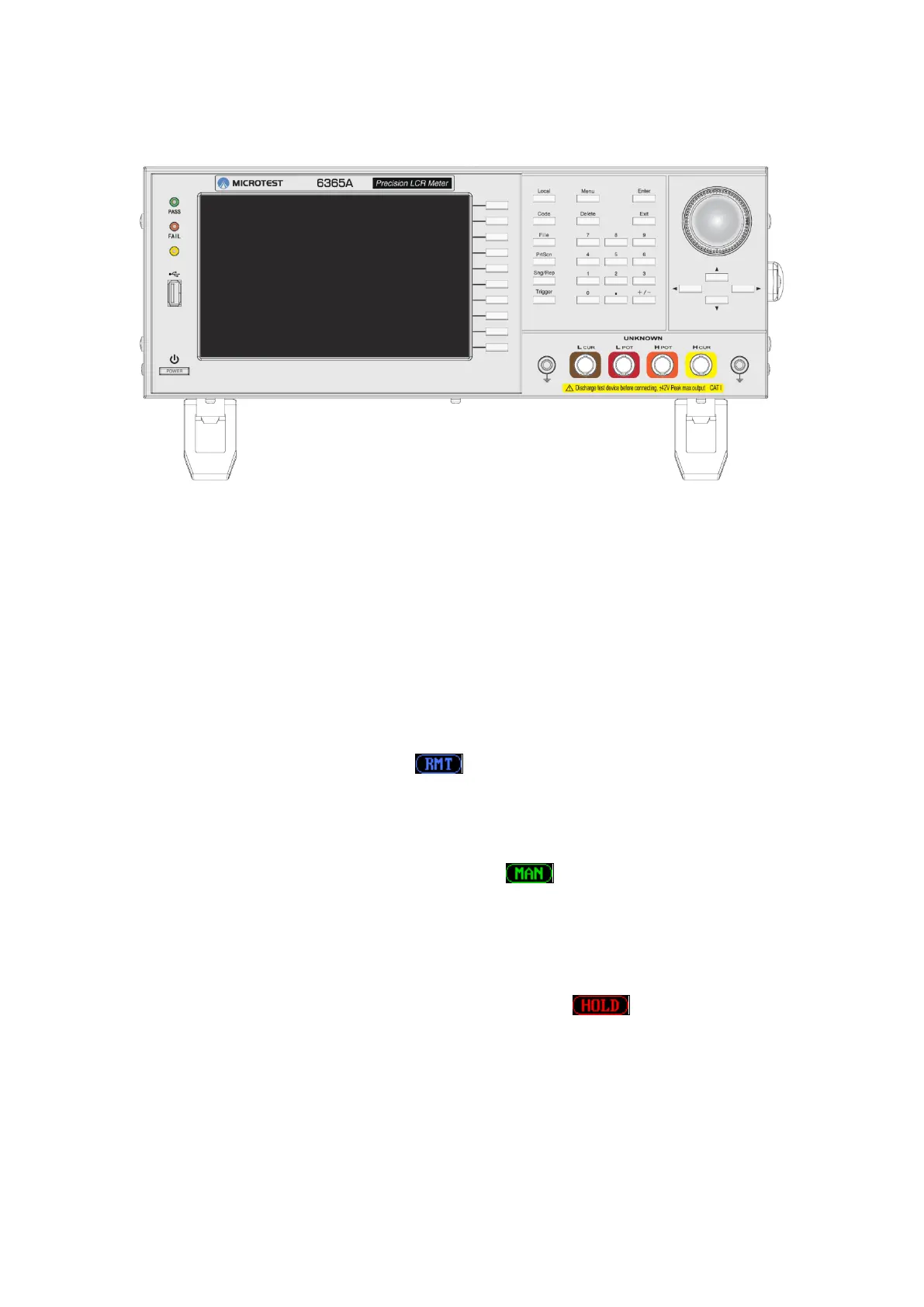
LCR-6365 Tester Main Structure
Figure 2-7-1 LCR-6365 Tester Front View
Front Panel Descriptions:
Monitor: Resolution 800x480, LED backlight monitor.
PASS/FAIL: Test indicators of good/bad parts. Display the test result when compare mode
is on or under multi-step mode.
Function Key: Selects the functions on the right of the screen.
Menu: Switches the screen to the Main Menu page.
Local: When the instrument is under remote control mode, this key can be pressed to
release the key lock status. The icon will be displayed on the top of the screen
when the instrument is under remote control mode.
File: Enters the File Management screen.
Sng/Rep: Allows switching of the Meter Mode under Meter Mode; it can switch between
Single Mode and Repeat Trigger Mode. The icon will be displayed on the top of
the screen when the Meter Mode is Single Mode.
Trigger: Measurement trigger key.
When under Meter Mode, if the Meter Mode is Single Mode, this key is the
measurement trigger key; if the Meter Mode is Repeat Trigger mode, then this key
is the “Pause/Resume” measurement key. The icon will be displayed on
the top of the screen when measurement stops.
Under multi-step test mode, this key is the test trigger. Press to activate the test.
PrtScn: Press this key to save the screen image on a USB flash drive.
Please insert a USB flash drive in advance when using this function; the image is
in BMP format.
The device supports a USB flash drive with FAT32 format and a capacity smaller



 To Next Page