CHAPTER
CHAPTER CHAPTER
CHAPTER Ⅱ
ⅡⅡ
Ⅱ System Function & Configuration
System Function & Configuration System Function & Configuration
System Function & Configuration
P 15
II.1.C.c
II.1.C.c II.1.C.c
II.1.C.c
Insulation
Operation Procedure
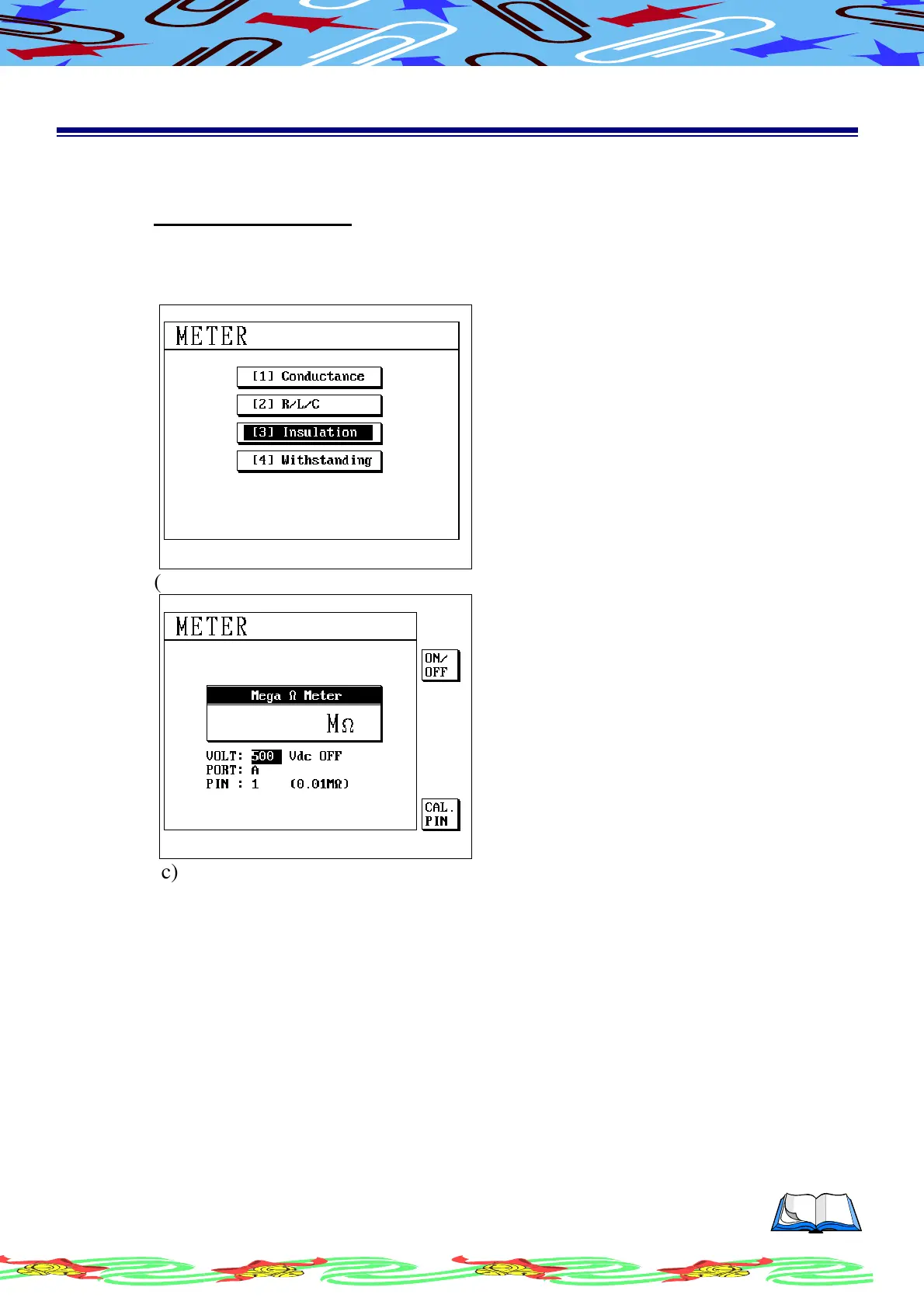
(a) The operation is the same with conductance, in the subordinate menu of
meter mode using [↑] or [↓] to select (3) Insulation, LCD display as
following
(b) Press [Enter] LCD display as following
(c) Press the S2 [ON/OFF] to turn ON/OFF the H/V output
(d) Press the S6 [CAL.PIN] to run calibration function
(e) Press the [Exit] to return to the meter select menu



 To Next Page