CT
CTCT
CT-
--
-8700
87008700
8700 User
User User
User’s Guide
s Guides Guide
s Guide
P 46
III.3.B
III.3.B III.3.B
III.3.B
Open New File
Operation Procedure
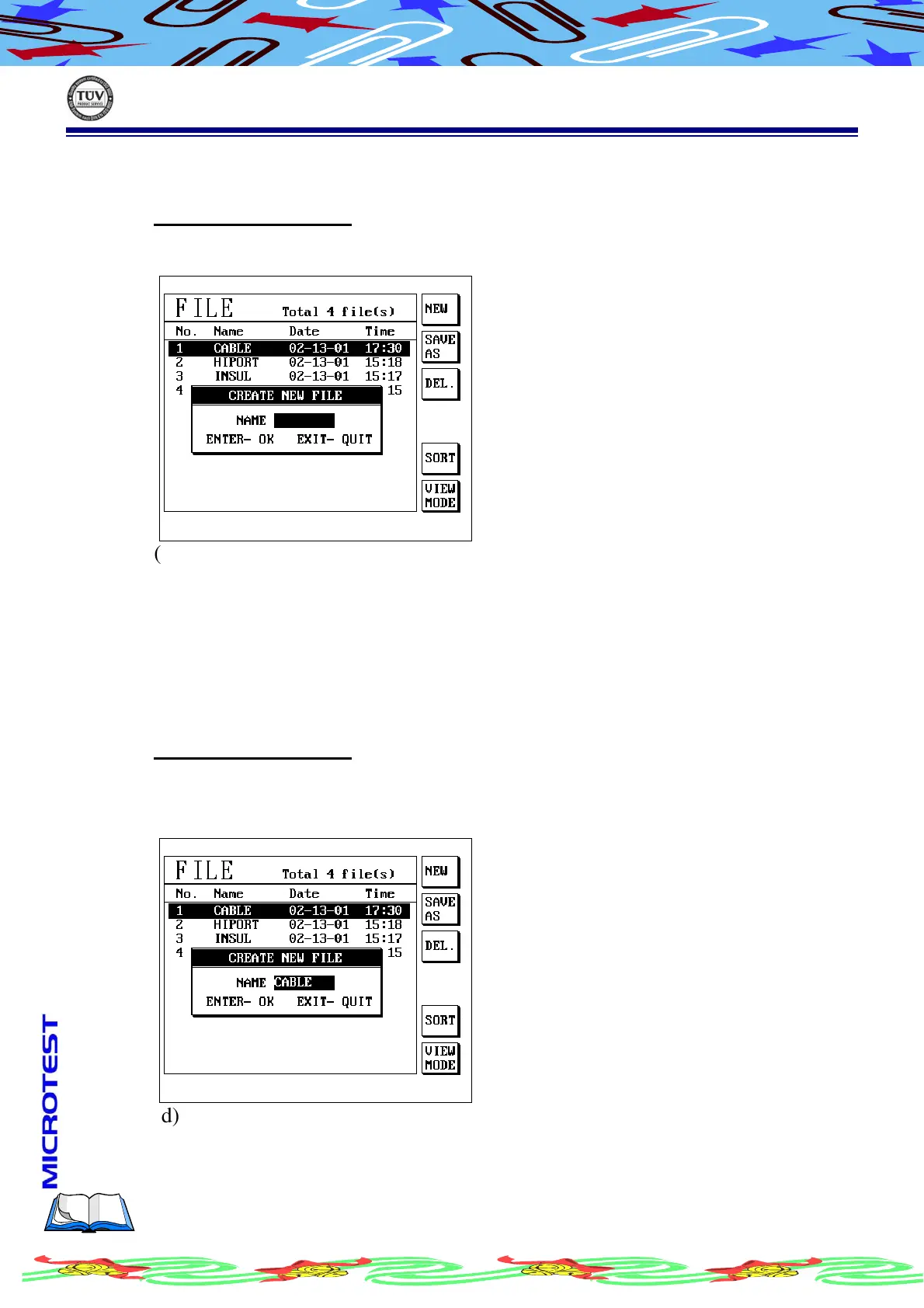
(a) Press [File], and press S1[NEW] to open an new file
(b) LCD display as following
(c) Enter an name for new file
(d) Confirm the file which you are going to setup and press [Enter] the
file has been done.
III.3.C
III.3.C III.3.C
III.3.C
Delete File
Delete File routine is to delete the file in storage memory parentally to save
the space of storage memory.
Operation Procedure
(a) Press [File] and use [↑] or [↓] to select the item you want to delete.
(b) Press S3 [DEL.] to delete file
(c) LCD display as following
(d) Confirm the file’s name and press [Enter], the file will be deleted.



 To Next Page