CHAPTER
CHAPTER CHAPTER
CHAPTER Ⅱ
ⅡⅡ
Ⅱ System Function & Configuration
System Function & Configuration System Function & Configuration
System Function & Configuration
P 21
II.1.D.d
II.1.D.d II.1.D.d
II.1.D.d
AC H/V Calibration
Operation Procedure
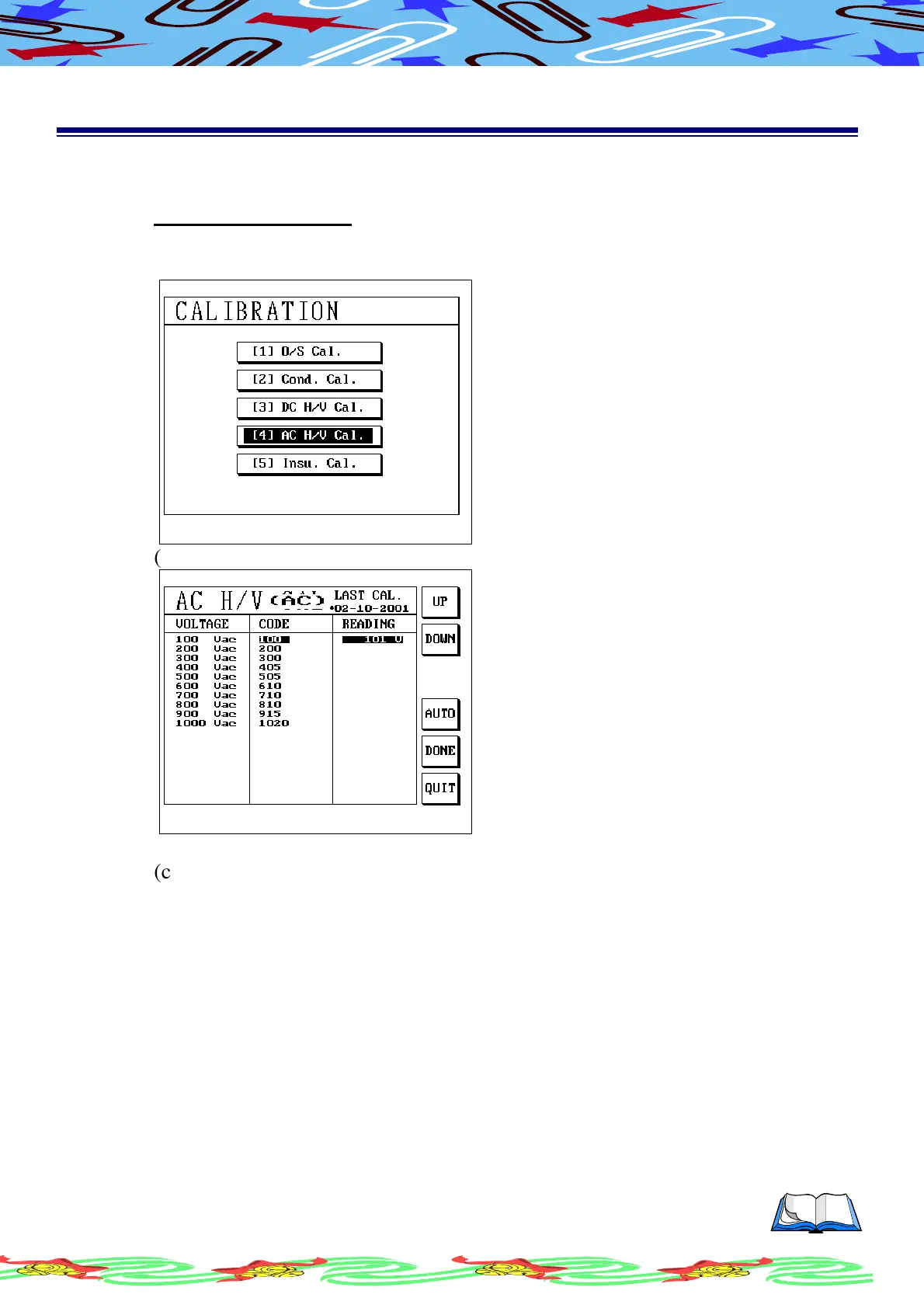
(a) Operation is the same before, in the subordinate menu of calibration, use
[↑] or [↓] to select (4) AC H/V Cal. LCD display as following
(b) Press [Enter] LCD display as following
(c) Press S1 [UP] or S2[DOWN] to adjust code, let the reading value match or
closer to the standard voltage as much as possiable
(d) Also you can press S4[AUTO] to automatica setup code
(e) After setup finished, press S5[DONE] to save
(f) If you want to abandon data, press S6[QUIT] to exit from this screen



 To Next Page