CHAPTER
CHAPTER CHAPTER
CHAPTER Ⅱ
ⅡⅡ
Ⅱ System Function & Configuration
System Function & Configuration System Function & Configuration
System Function & Configuration
P 23
II.1.E
II.1.E II.1.E
II.1.E
Pin Search
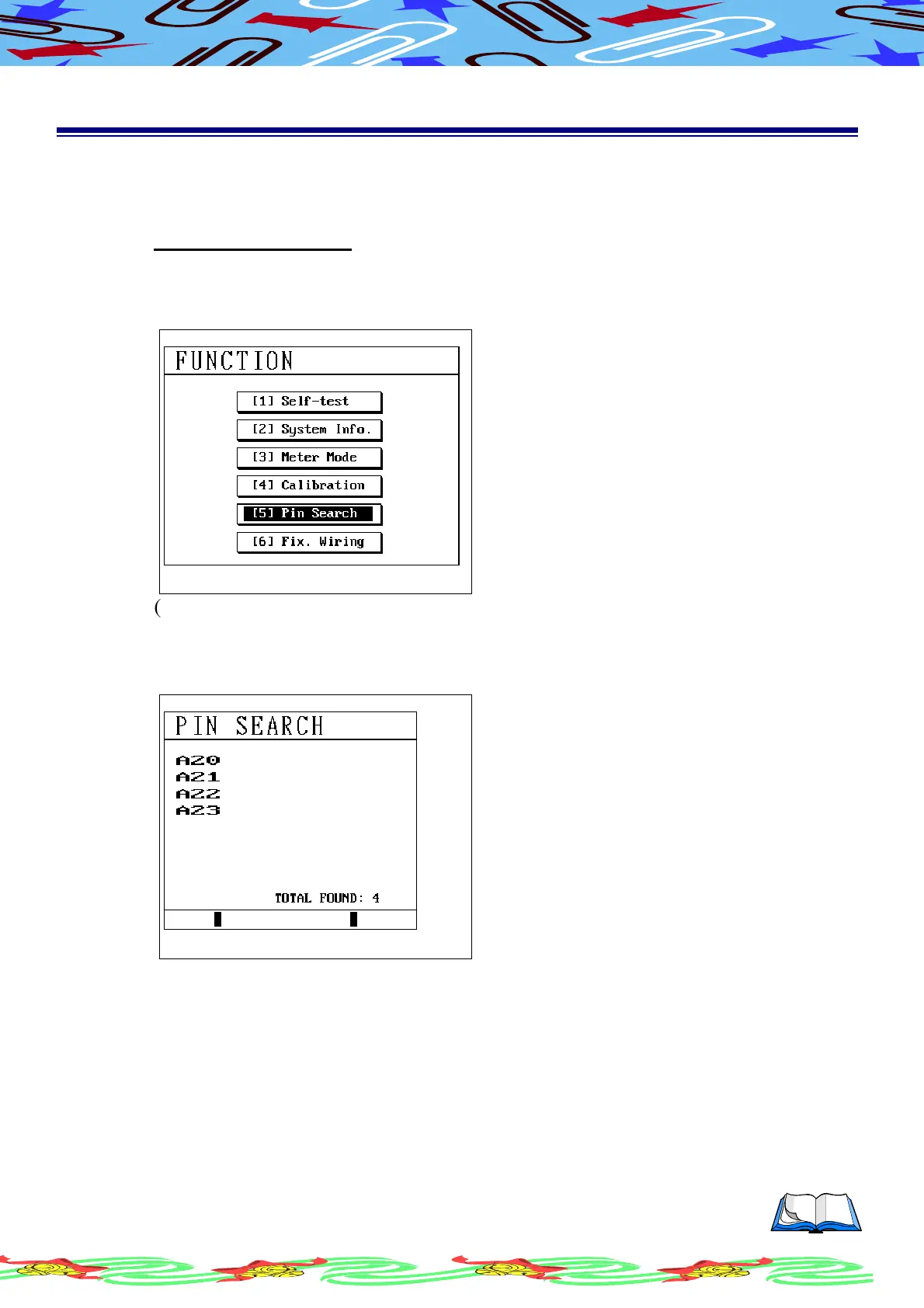
The function can automatic show the pin address contacted that we select
Operation Procedure
(a) Press [Func]
(b) Using [↑] or [↓] to select this item
(c) LCD display as following
(d) Press [Enter] to start search for pin
(e) Connect with Pin Search Probe, fixture or cable, instrument will automatic
detect pin location
(f) LCD display as following, the A08/A09/A10/A25 locations were detected



 To Next Page