CT
CTCT
CT-
--
-8700
87008700
8700 User
User User
User’s Guide
s Guides Guide
s Guide
P 26
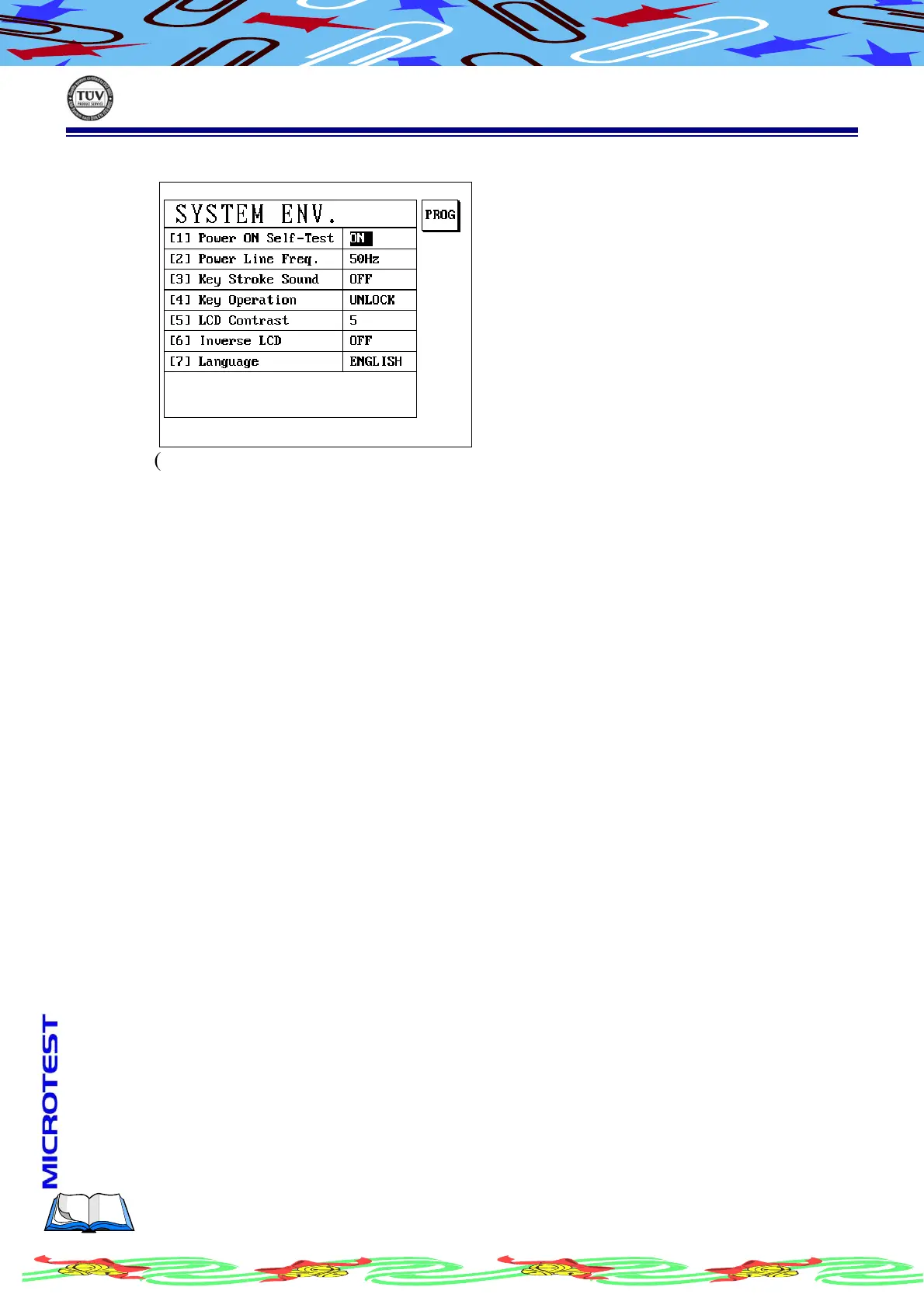
(d) LCD display as following
(e) Use [↑] or [↓] to select a setup item
(f) If need, press S1[PROG] to change, after setup finished, press [Enter]
(g) Complete setup, press [Exit] to leave
II.2.A.a
II.2.A.a II.2.A.a
II.2.A.a
Power ON Self-Test
There are 2 selections, press S1[PROG] to shift, the pre-code is│ON│
YES Power On Self-Test function is turn on
NO Power On Self-Test function is turn off
II.2.A.b
II.2.A.b II.2.A.b
II.2.A.b
Power Line Frequency
There are 2 selections, Press S1 [PROG] to shift, the pre-code is│60Hz│
50Hz Power Line Frequency setup is 50Hz
60Hz Power Line Frequency setup is 60Hz
II.2.A.c
II.2.A.c II.2.A.c
II.2.A.c
Key stroke Sound
This instrument can follow requirement to shift key sound to be ON/OFF,
the pre-code is |ON|
ON Sound performed when any key pressed
OFF Sound do not performed when any key pressed



 To Next Page