CT
CTCT
CT-
--
-8700
87008700
8700 User
User User
User’s Guide
s Guides Guide
s Guide
P 22
II.1.D.e
II.1.D.e II.1.D.e
II.1.D.e
Insulation Calibration
Operation Procedure
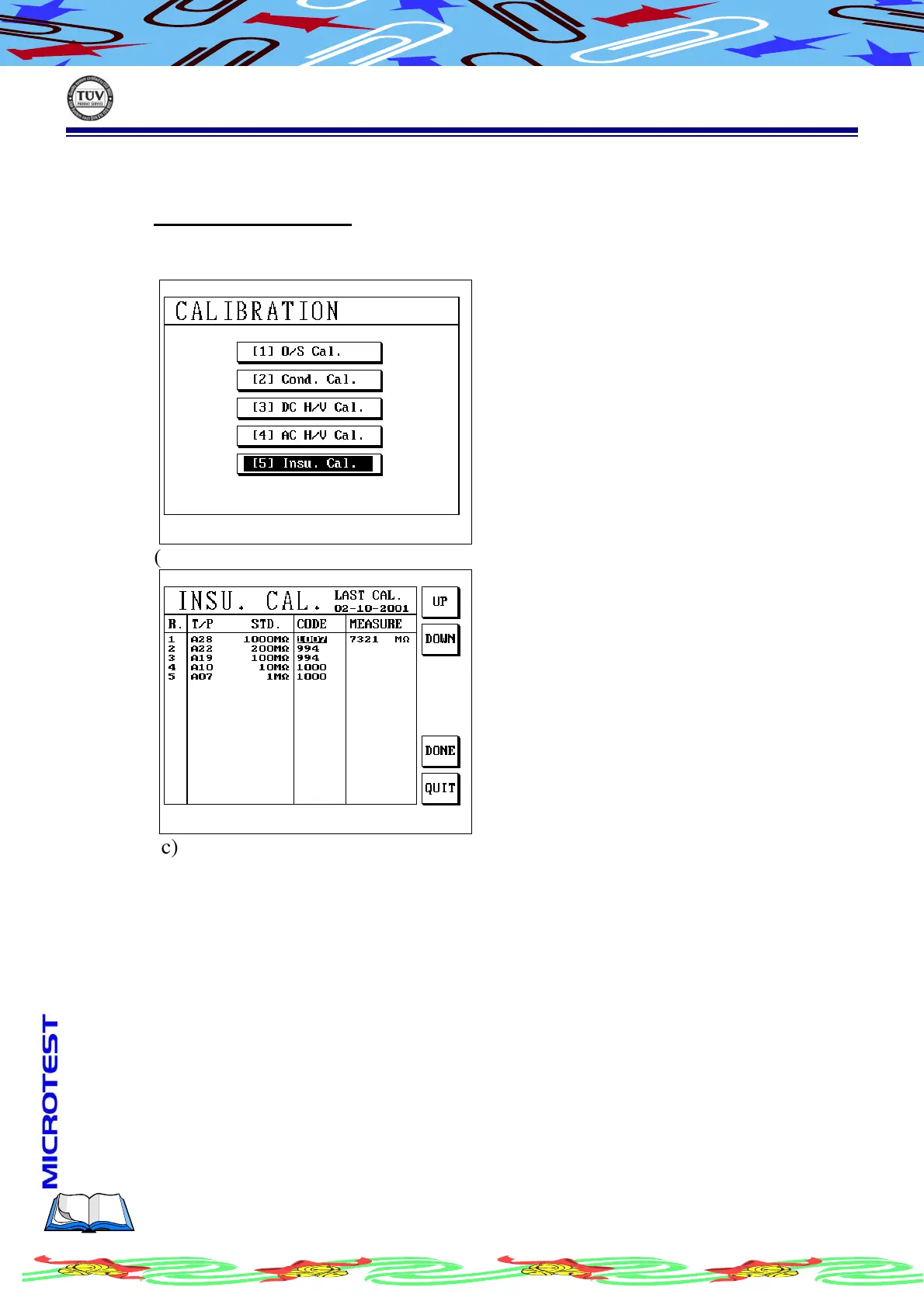
(a) Operation is the same before, in the subordinate menu of calibration, using
[↑] or [↓] to select (5) Insu.Cal. LCD display as following
(b) Press [Enter], LCD display as following
(c) Press S1[UP] or S2[DOWN] to adjust code, let the reading value match or
closer to the standard voltage as much as possiable
(d) After setup finished, press S5 [DONE] to save
(e) If you want to abandon data, press S6[QUIT] to exit from this screen



 To Next Page