Classic Manual Rev L
23 | P a g e 1 0 - 0 0 1 - 1 R E V L
Network Setup through the MNGP
The Classic’s Ethernet capabilities may be configured using the NET menu on the MNGP. From the
main menu, select NET. There are three screens that configure network settings. Table 4 decodes
the descriptions from the MNGP’s small screen.
Wireless enabled
computer
Wireless Router/
Access Point
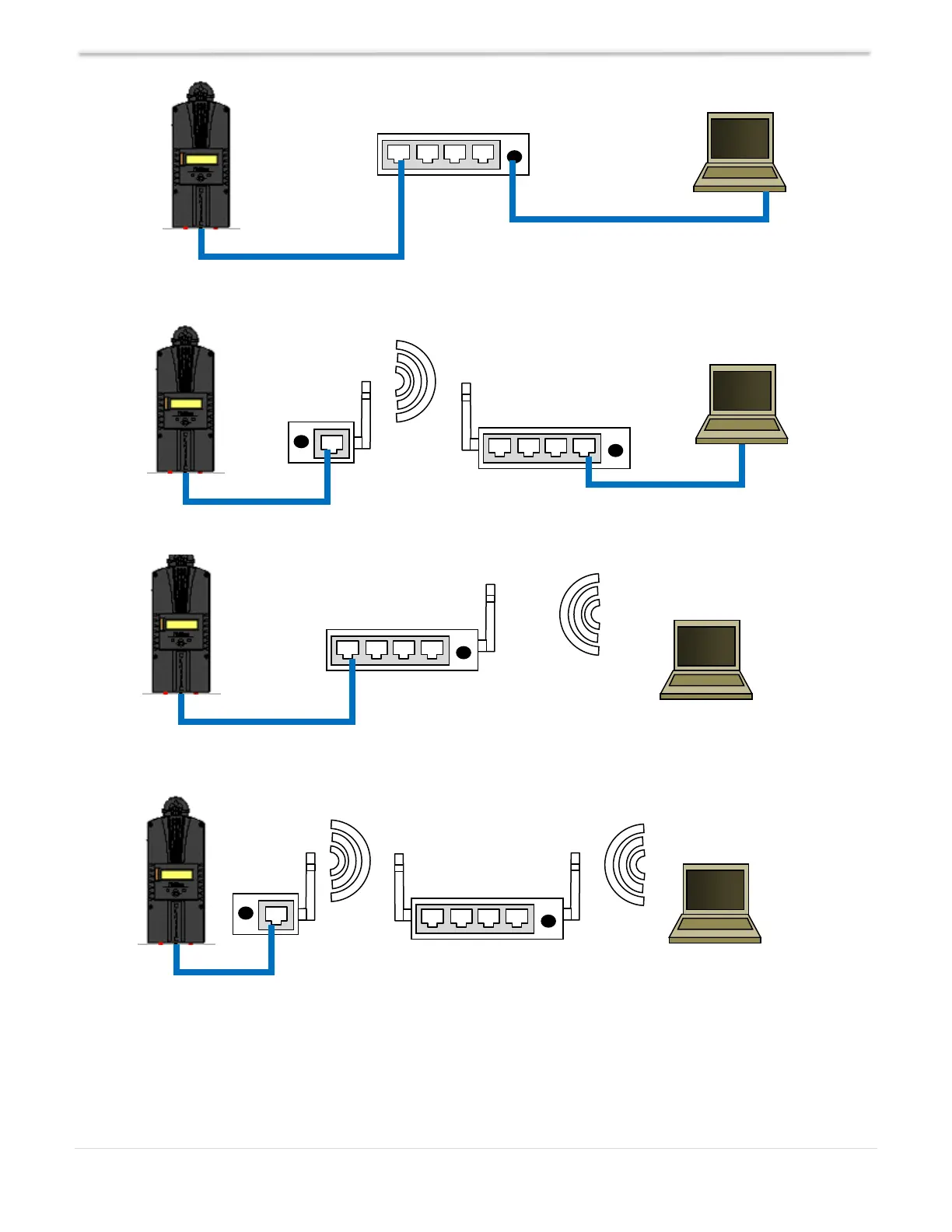
Example 4 - Local wireless network through wireless bridge
Example 1 - Local network through switch. We do NOT recommend direct-connect between Classic and computer.
Wireless Router/
Access Point
Wireless enabled
computer
Wireless Router/
Access Point
Example 3 - Local wireless network
Example 2 - Local network through wireless bridge



 To Next Page