Classic Manual Rev L
45 | P a g e 1 0 - 0 0 1 - 1 R E V L
rises to 52.1V, AUX 2 will turn OFF.
Waste Not Hi
This mode will turn AUX 2 OFF when the Classic reaches a certain voltage set point (V Low)
for each charging stage (Absorb, Float, EQ) and turn AUX 2 ON when battery voltage exceeds
the set point. This mode will allow maximum diversion while maintaining 3-stage charging.
V Low is the number of volts above or below the charging set points that you want to turn
AUX 2 OFF: A negative value means the change of state occurs below the set point and a
positive value means the change of state occurs above the set point. Set Width to 1.0V unless
specifically instructed to do so by our Support Team.
Example:
1. Float programmed in Classic at 54V.
2. Classic is currently in Float.
3. AUX 2 V Low is set at -2.0V
4. Then …. when battery voltage drops to 52V, AUX 2 will turn OFF. When battery
voltage rises to 52.1V, AUX 2 will turn ON.
Diversion Lo
When battery voltage rises above set point volts, a PWM signal will turn ON. It will
automatically turn OFF if battery voltage falls below the set point volts. Set WIDTH to 1.0V.
Diversion Hi
When battery voltage drops below set point volts, a PWM signal will turn ON. It will
automatically turn OFF if battery voltage rises above set point volts. Set WIDTH to 1.0V.
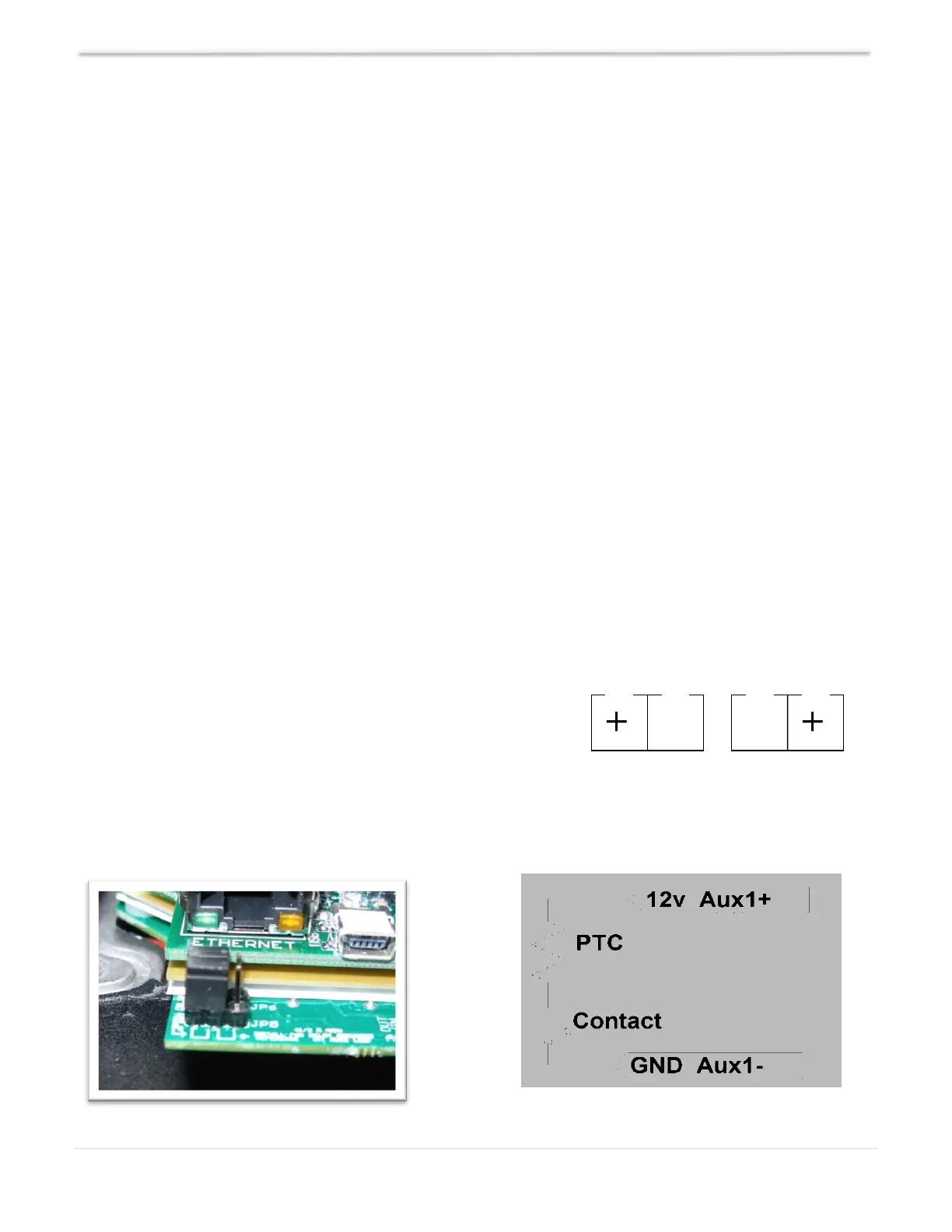
AUX 1 and AUX 2 Jumpers
Figure 20 shows the two AUX port terminals with their
respective polarities. These terminals are located at the
bottom of the Power Board, below the battery temperature
jack. Use a mini flat head screwdriver to tighten the screws.
The jumpers are described in the section below.
AUX 1 - 12V Out
Figure 20 Diagram 6



 To Next Page