Classic Manual Rev L
35 | P a g e 1 0 - 0 0 1 - 1 R E V L
When you have the power curve the way you want it, select MEM.
There are nine memory spaces for you to save a custom power curve (Do not use MEM
location 1, it is corrupt). Use the UP and DOWN ARROW keys to select a location 2
through 9 to save it, then select SAVE.
Depress ENTER to save it to the Classic's memory.
The MidNite Local Application software can be used to program the wind curve and make real-time
adjustments to the curve while your turbine is operating. The Local Application can be downloaded
from the MidNite webste, www.midnitesolar.com, under Software. Wind programming videos are
also available under Documents.
Equalization
Manual EQ
To initiate a manual equalization charge, go into the CHARGE menu and highlight EQ, then
depress the ENTER key. “EQ Stopped” will be highlighted. Depress UP ARROW key to select
“EQ Started.” Depress the STATUS key to return to the home screen. To stop a manual EQ in
progress, simply reverse the steps above. A manual EQ, when started, will last for that day
unless the Classic is in Hydro or Wind and the controller never goes to Resting that night. In
this case, it will stay in EQ until it completes, or the controller goes to Resting.
Set the EQ Timer (Charge/ChgTime) for the amount of time you want to EQ. This EQ Timer
pertains to both manual and auto EQ. One hour is common for most applications.
NOTE: Check with your battery manufacturer to determine if EQ is required and/or allowed
for your batteries.
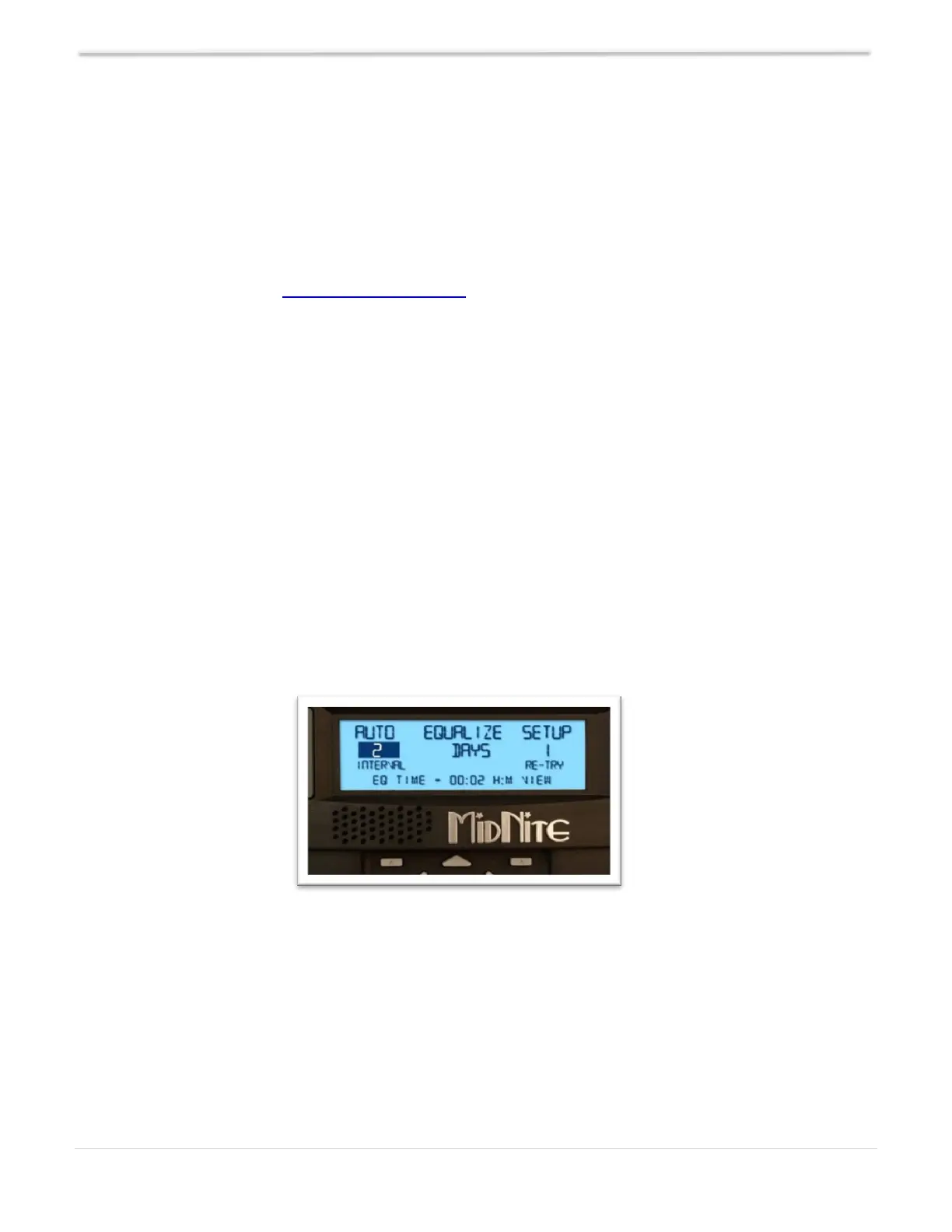
Figure 127 – AUTO EQ Menu
Auto EQ
The Classic can be set up to automatically equalize your batteries periodically, programmed
as days between Equalization and the number of days the Classic will try to finish the
programmed equalization charge cycle. To set up Auto EQ, go into the CHARGE menu and
highlight EQ and depress ENTER. Now depress the SOFT RIGHT key labeled "AUTO EQ."
Depressing the AUTO EQ soft key enters the AUTO EQ setup menu screen. The left side of the
EQ setup menu will show the number of days, or "interval,” between auto EQ charge cycles. If
set to zero, it will display MANUAL which is the same thing as DISABLED.



 To Next Page