Classic Manual Rev L
53 | P a g e 1 0 - 0 0 1 - 1 R E V L
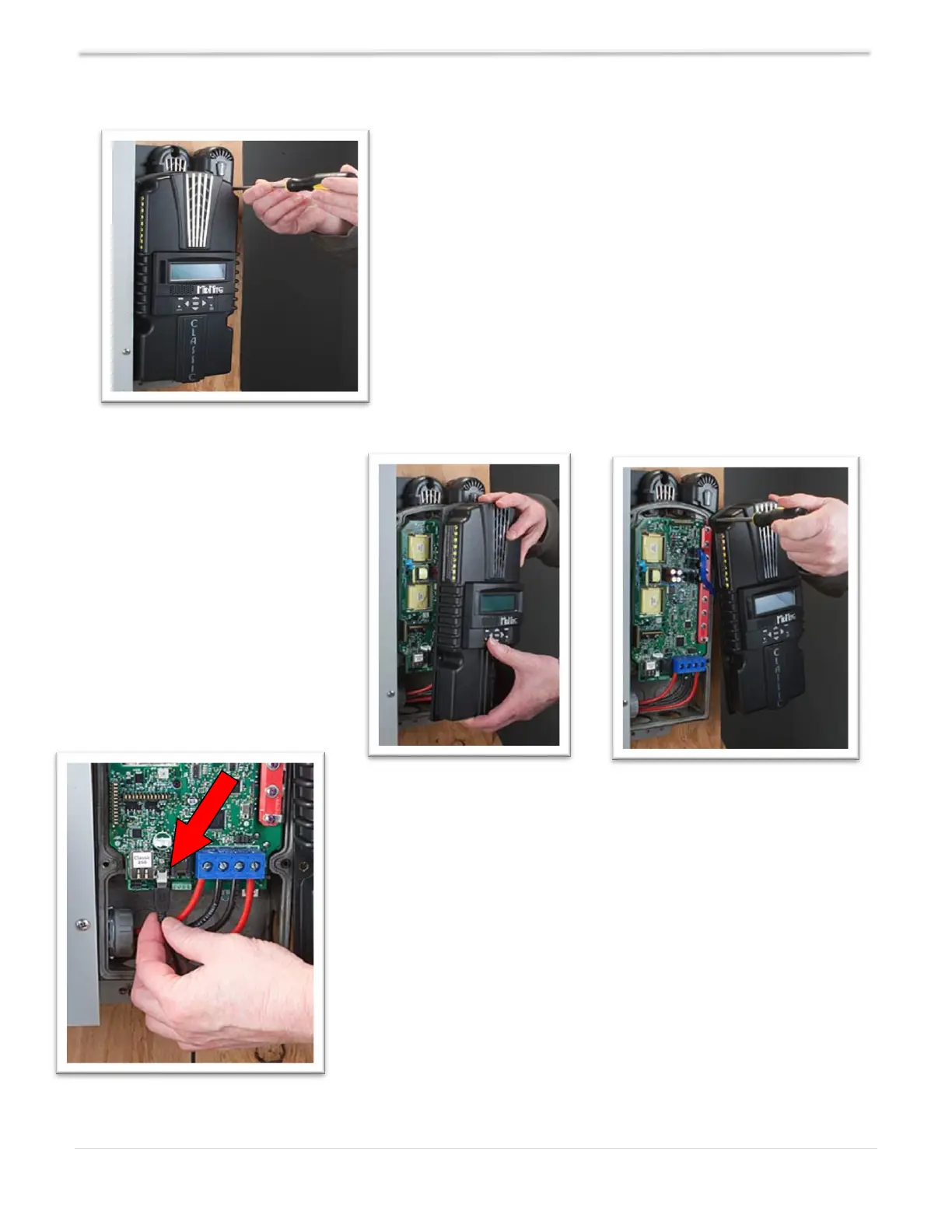
Remove the four screws holding the front cover of the
Classic charge controller (see Figure 27).
NOTE: Do not let the front cover hang by the cable.
Holding the front cover with one
hand, place a screw in the top left
hole of the front cover and screw
it into the top right hole of the
back casting (see Figures 28 &
29).
Use any Standard-to-Mini B USB cable to connect the Classic to
the PC. The smaller terminal connects to the USB port on the
Classic. The USB port is located on the right side of the Ethernet
jack in the lower part of the Classic (see Figure 30).



 To Next Page