Temperature Control Units : MFC with G Series Instrument
Page: 40
Milacron Process Support Business
4165 Halfacre Road Batavia, Ohio 45103
Phone: 513-536-2584
www.milacron.com
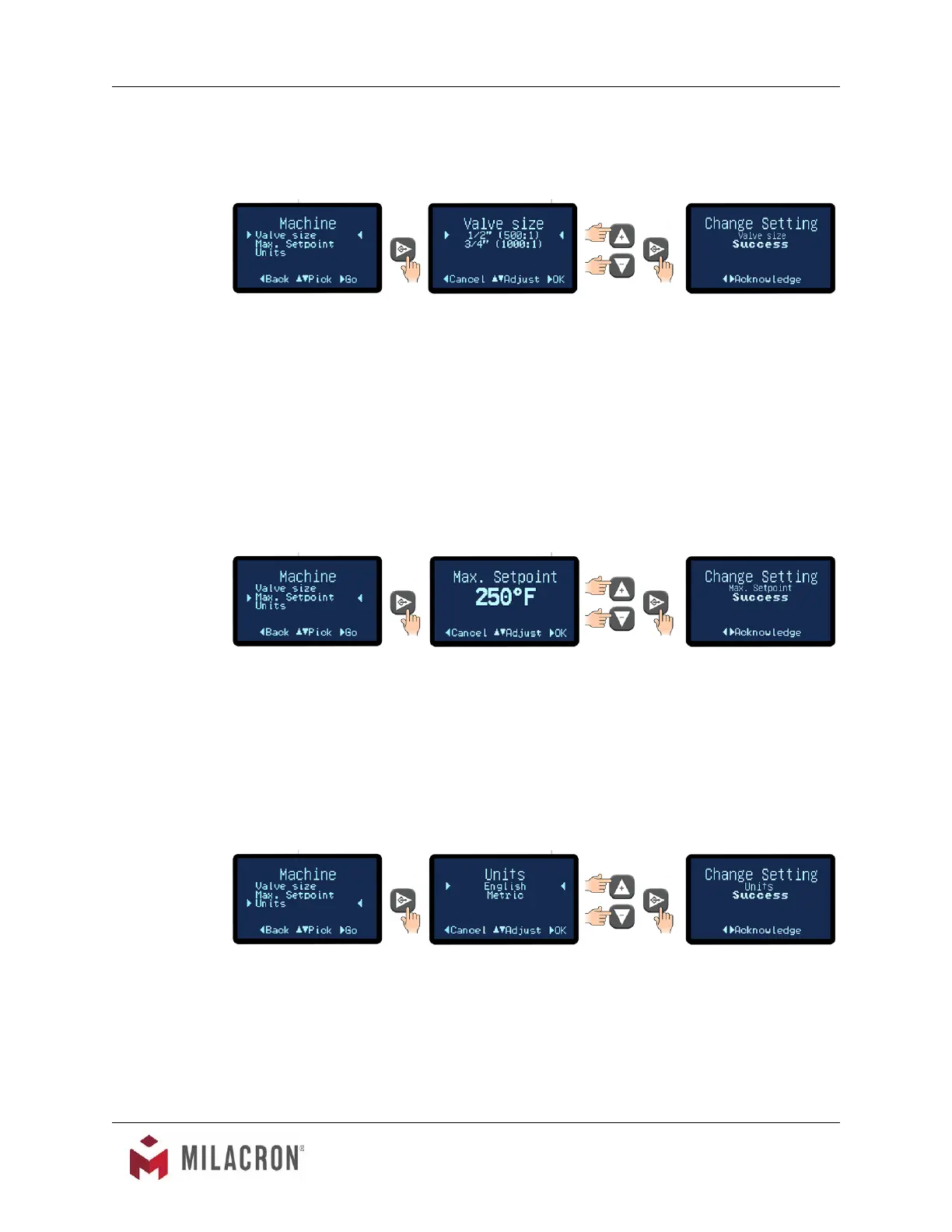
A. The Machine Menu allows the units to set values for the Cooling Valve Size, Max.
Setpoint and Units.
B. Cooling Valve Size.
1. For the best temperature control, the microprocessor must know the cooling
valve size installed in the unit. This screen allows the user to input this value. The
parameter is preset at the factory for the valve that is installed in the unit from
the factory. However, if the valve is replaced with a larger or smaller valve, this
parameter must be set to correlate with the replacement valve.
2. Select 500:1 for 1/2” modulating cooling valve or 1000:1 for the 3/4” modulating
cooling valve. Press the Select button to save the value and conrm success.
C. Max Setpoint. This feature is useful in some application where the setpoint must never
be changed above a certain temperature. The Maximum Setpoint can never exceed
250°F in the unit.
1. Use the Up or Down arrow keys to select the Max Setpoint and then press the
Select button to save and conrm success.
2. The value range for the Max Setpoint is 32°F to 250°F. The factory default is
250°F.
D. Units. This screen controls how the temperature is displayed. The options are English
(°F) or Metric(°C). Also, when the optional ow meter is installed, the ow will display in
GPM if English is selected or LPM if Metric is selected.
1. Use the Up or Down arrow keys to select the Unit display and then press the
Select button to save and conrm success.
2. The factory default value is English.



 To Next Page