Temperature Control Units : MFC with G Series Instrument
Page: 34
Milacron Process Support Business
4165 Halfacre Road Batavia, Ohio 45103
Phone: 513-536-2584
www.milacron.com
1. Select the Software Version item from the Utilities Menu to advance to the
software version screen.
2. Press the Back button to return to the Utilities menu.
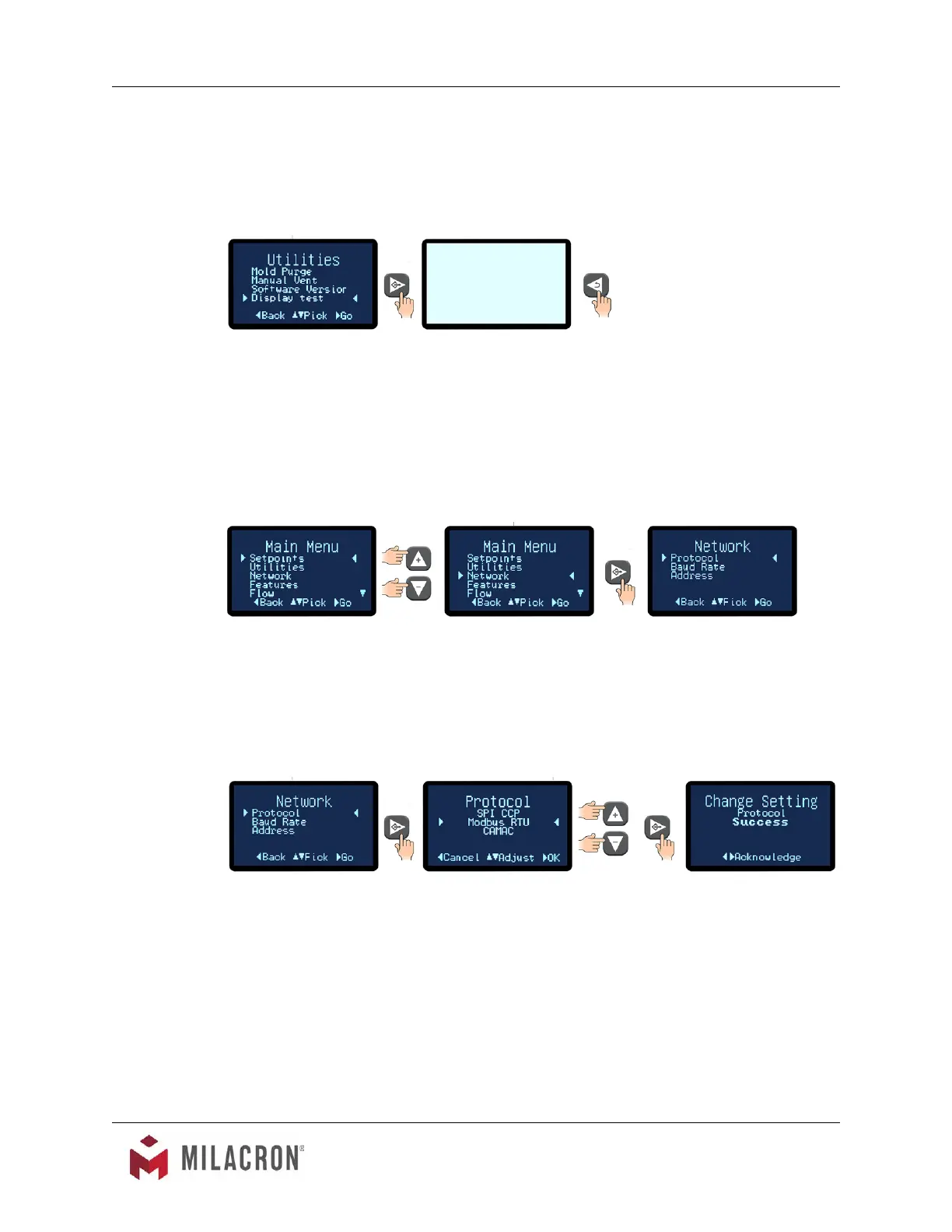
E. Display Test. The Display Test will test the entire for bad pixels or sectors.
1. Select the Display Test item from the Utilities Menu to advance to the Display
Test screen.
2. The test will show a blank screen. If any bad pixels or sectors are detected, those
pixels or sectors will be dark. If dark pixels or sectors are indicated, contact the
factory repair or replacement options.
3.10 INSTRUMENT : NETWORK MENU
A. Items in the Network menu include Protocol, Address and Baud Rate
B. Protocol: This is the data format for communication between the unit and the host
computer. Available values are SPI CCP, Modbus RTU and CAMAC. SPI is the standard
Society of Plastics Industry, Inc. protocol. CAC is the CAMAC protocol used on older
Milacron machines. Modbus RTU is used in serial communication and is a common serial
communications protocol for industrial equipment.
1. Press the Select button to select Protocol.
2. Use the Up or Down arrow buttons to select the preferred protocol.
3. Use the Select button to save the selection and conrm success.
C. Baud Rate: This is the data transfer rate of between the unit and the host computer.
1. Press the Select button to select Baud Rate.



 To Next Page