Temperature Control Units : MFC with G Series Instrument
Page: 82
Milacron Process Support Business
4165 Halfacre Road Batavia, Ohio 45103
Phone: 513-536-2584
www.milacron.com
8.4 REMOTE AND AUTO START FEATURE CONFIGURATION
A. The G-Series control instrument is designed to require a manual restart should an
interruption in power occur.
B. The On/off button is a momentary switch. Some users require that the unit must start
automatically after an interruption in power or must be started from a remote, customer
supplied on/off signal. The G-Series control instrument can be congured in this manner
by following the instructions below. The unit may be congured this way by the factory if
the unit is ordered with this option or it can be congured in the eld.
C. Caution: When congured with auto start as described here the normal on/off button
will no longer function to turn the unit on and off. The unit must be turned off using the
installed remote on/off switch.
D. Factory installed remote or auto start feature:
1. If the G-Series control instrument has been factory congured with the remote or
auto start feature the standard on/off buttons will no longer function. A separate
on/off switch has been added to the unit.
2. Use this switch to turn the unit on and off. When in the on position, any time
power is applied the unit will start.
E. Field installed remote or auto start feature:
1. The factory recommends a manual on/off operator be added to the unit for local
control.
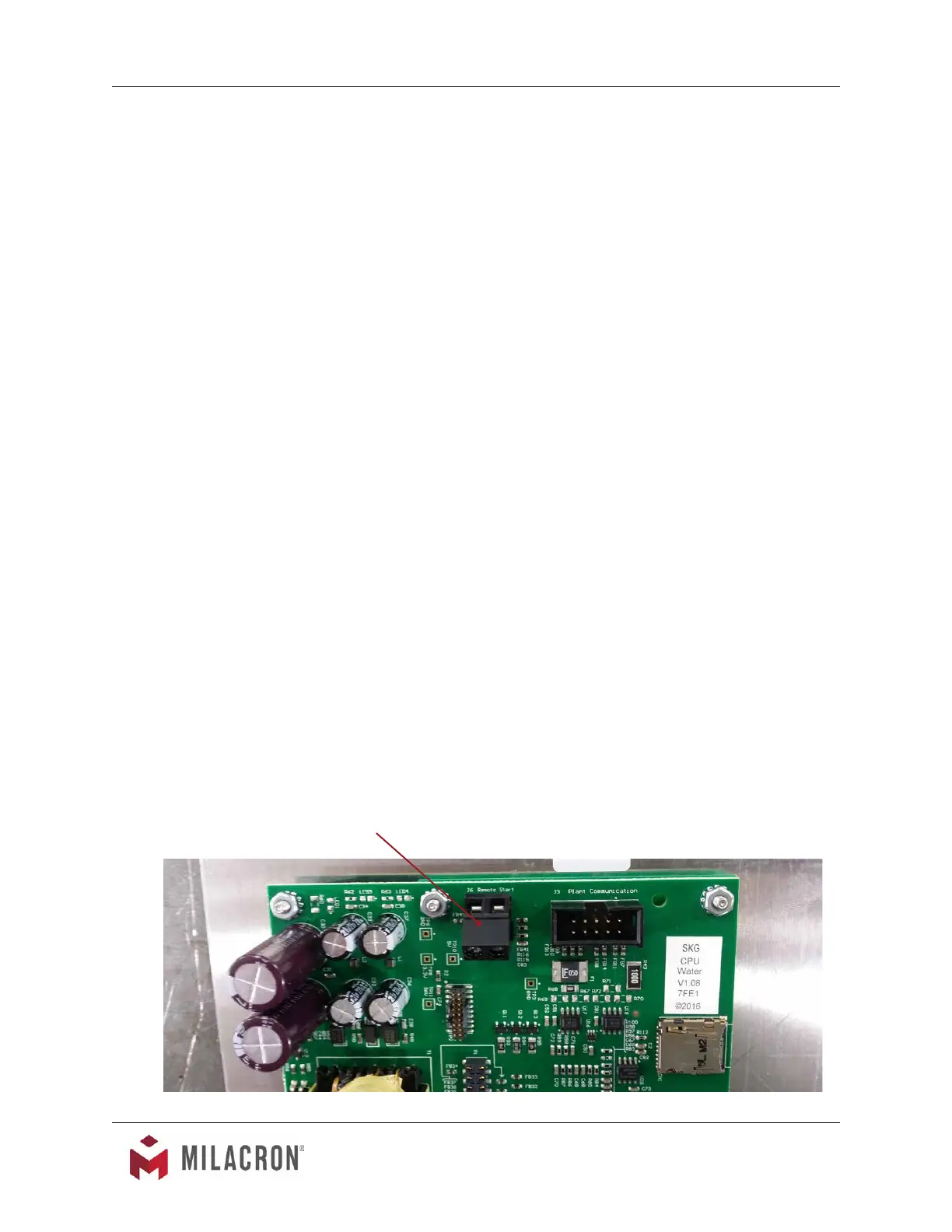
2. Install operator and wire to terminals on back of controller (see picture).
3. Note: operator should be on the on position to utilize remote start/stop.
Remote Start Contacts



 To Next Page