Temperature Control Units : MFC with G Series Instrument
Page: 83
Milacron Process Support Business
4165 Halfacre Road Batavia, Ohio 45103
Phone: 513-536-2584
www.milacron.com
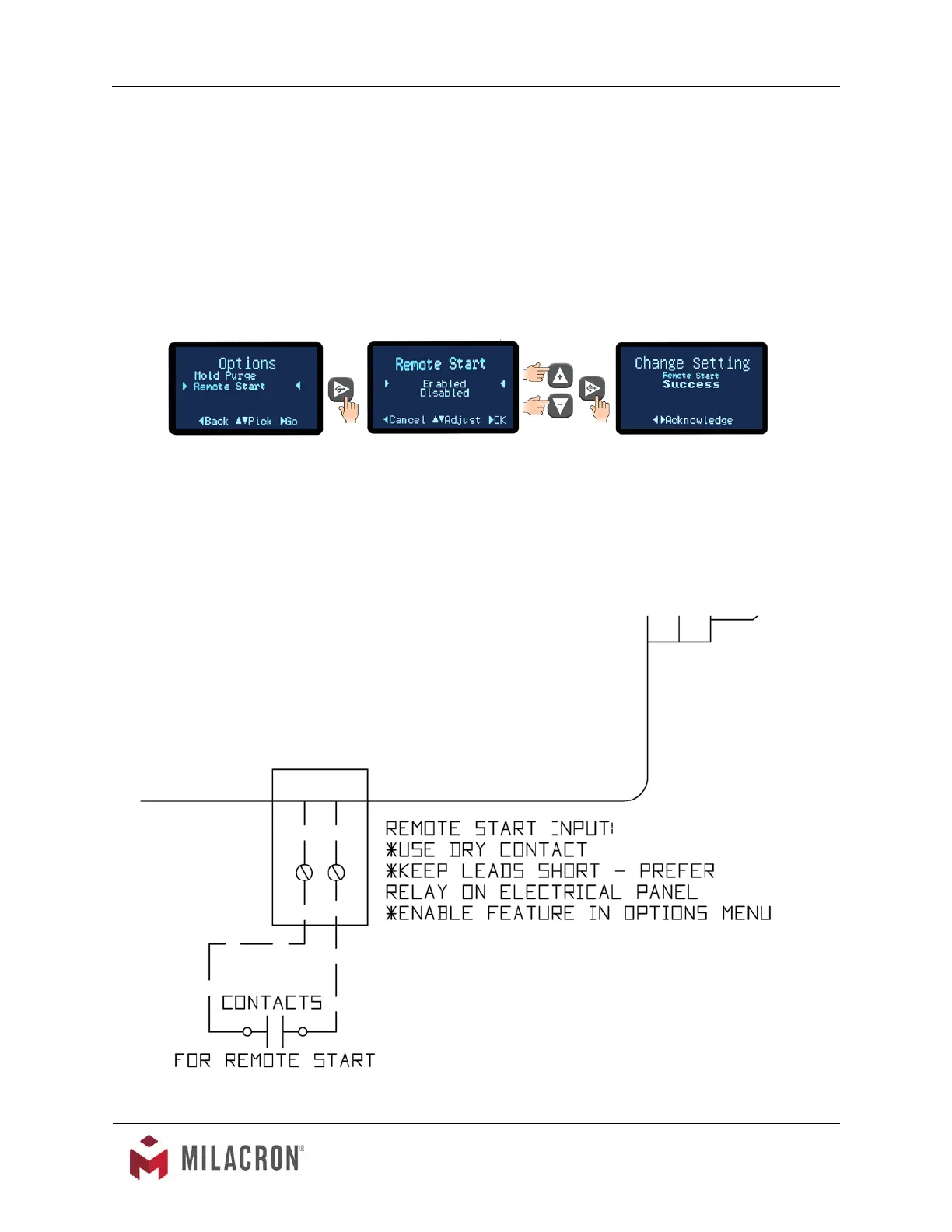
F. To active the Remote Start features :
1. Access main menu and advance to the Options menu.
2. From the Options menu, select Remote Start.
3. Press the Select button to advance to the Enabled/Disables screen.
4. Select Enabled to enable the Remote Start.
5. Press the Select button to acknowledge and save the selection.



 To Next Page