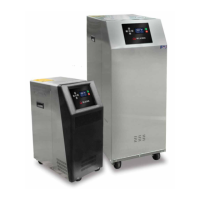
Temperature Control Units : MFC with G Series Instrument
Page: 64
Milacron Process Support Business
4165 Halfacre Road Batavia, Ohio 45103
Phone: 513-536-2584
www.milacron.com
5.8 TEMPERATURE PROBE CALIBRATION
A. Equipment Needed:
1. Potentiometer adjustment tool / at-blade screw driver (tip width of 0.050” or less
works best
2. Temperature reference (ice water bath)
3. 1/2” plug
4. Digital thermometer
5. Screwdriver (chassis disassembly)
B. Setup:
1. Disengage process operations according to the procedure outlined in the unit
manual. The operator must be certain all system pressure is relieved and unit
pressure gauges read “0”.
2. Disengage main power supply.
3. Remove the “to process” temperature probe and insert a ½” plug in its place.
4. Prepare an ice bath (a cup of water with lots of ice). You should place a digital
thermometer in the ice bath to read the temperature of the bath. Place the probe
in the ice bath.
C. Procedure:
1. Restart the instrument according to the procedures outlined in the unit manual.
2. Reduce the unit’s setpoint to its lowest setting.
3. The “to process” temperature on the display should equal the temperature of the
ice bath as indicated by the digital thermometer. If not, change the calibration.
4. The calibration potentiometer is located on the top of the CPU board. To access
it, open the electrical cabinet panel door. Caution must be employed when the
electrical panel door is open since power is applied to unit.
5. Locate the “to process” calibration potentiometer using Figure 1 as a guide. Use
the small screwdriver to turn the potentiometer.
WARNING: Electrical power is engaged and caution should be employed while the cabinet is
open.



 To Next Page