AN-49-011 © 2023 Mini-Circuits
Rev. D | ECO-016581 | 25-Jan-2023 Page 10
3 - Software Setup
3.1. System Requirements
The minimum requirements for the installation of the Mini-Circuits multi-channel programmable attenuator software package
and API on the host PC are:
• Microsoft Windows 7 or later (32- or 64-bit).
• Intel i3 or equivalent (recommended).
When using the supplied power adaptor, a power source of 110-220V
AC
(with a socket matching one of the two pin plugs provided)
is also needed.
3.2. Software Downloads & Resources
The full programmable attenuator software package (including GUI, API and documentation) is available for download from:
• https://www.minicircuits.com/softwaredownload/patt.html
3.3. Software Installation
• Save all work in progress and close any other programs that may be running.
• Download the programmable attenuator software from the Mini-Circuits website.
Extract the downloaded zip file and begin the installation process and double-click the Setup.exe icon.
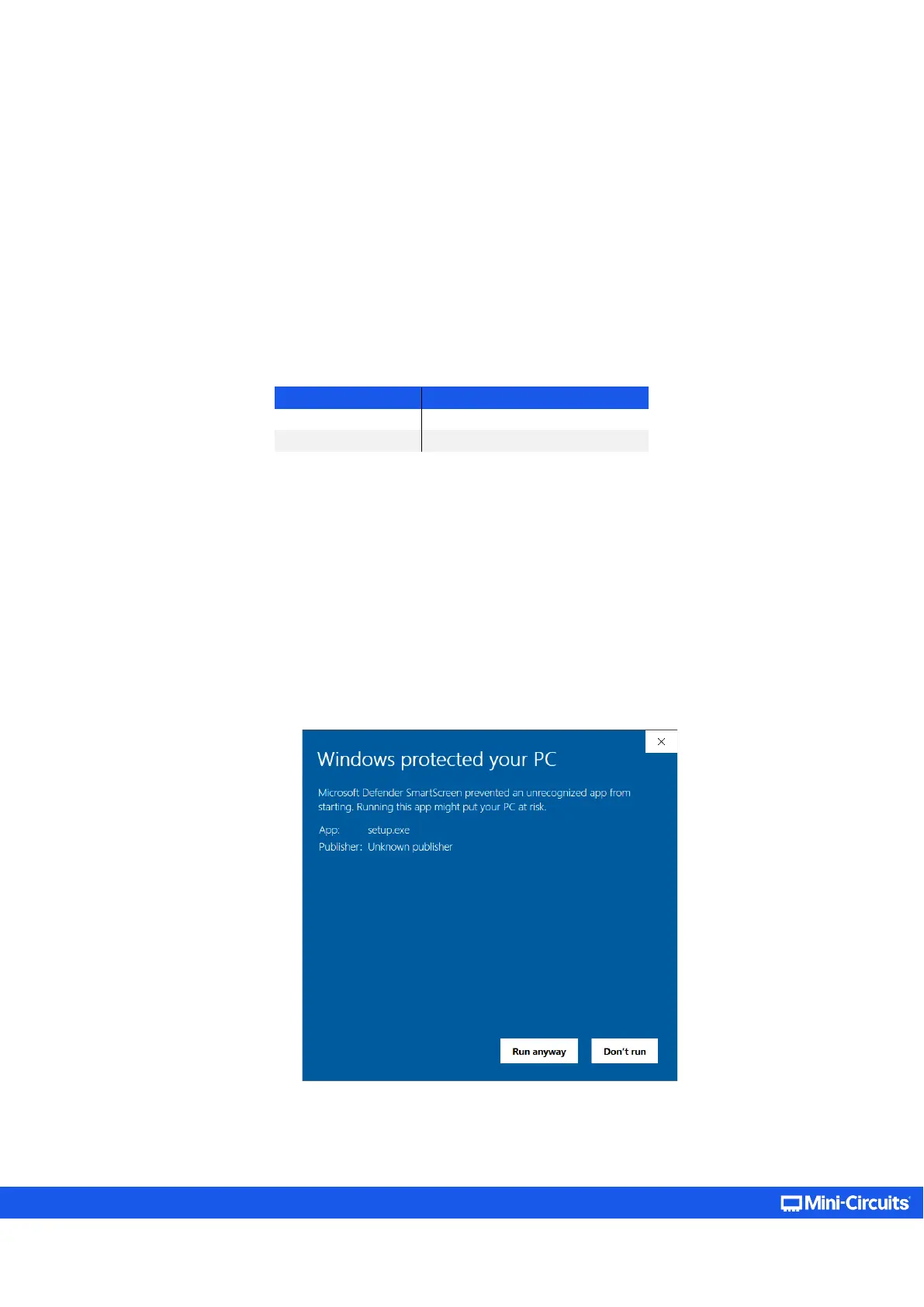
• If Microsoft Defender SmartScreen provides a warning about an unrecognized app, select More Info and then Run Anyway.
• If prompted by Windows User Account Control, enter user credentials for an account allowing software installation.



 To Next Page