AN-49-011 © 2023 Mini-Circuits
Rev. D | ECO-016581 | 25-Jan-2023 Page 27
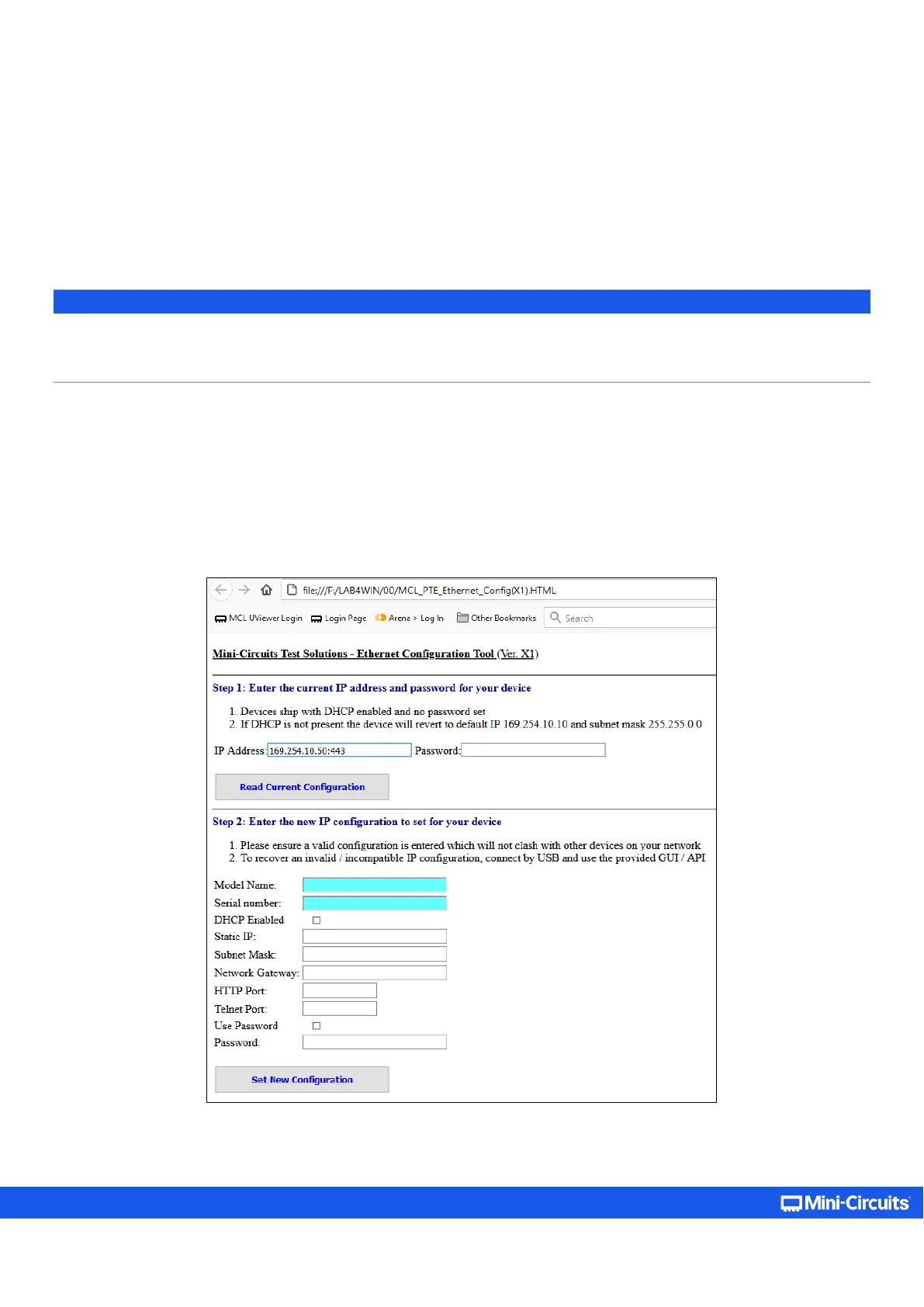
5.3.6. Ethernet Configuration Tool
The Ethernet configuration can also be changed via Ethernet control. To make changing the Ethernet configuration easier for users
operating in a non-Windows environment or otherwise can’t use the provided GUI, Mini-Circuits created the Ethernet
configuration tool.
https://www.minicircuits.com/softwaredownload/MCL_PTE_Ethernet_Config.zip
Note:
• Javascript must be enabled in your browser to use the configuration tool.
• This feature requires firmware H7 or later for attenuators with the current controller and firmware F1 or later for attenuators
with the legacy controller. Refer to section 5.8 to determine which controller is present in your device by serial number.
To use the configuration tool:
• Type the IP address in the field in step 1 (if you assigned a password for the unit type it as well).
• If you set the device to some port other than 80, enter the port as well in the same field, then click Read Current Configuration.
• The fields in step 2 will be populated with the current state of the device. Enter the updated information in the relevant fields.
• Click Set New Configuration to end the process.



 To Next Page