AN-49-011 © 2023 Mini-Circuits
Rev. D | ECO-016581 | 25-Jan-2023 Page 33
5.7. Firmware Update
All units are shipped with the latest available firmware and an update is usually not required. Mini-Circuits occasionally makes
firmware update files available as a courtesy to add additional features or correct known issues.
Please contact testsolutions@minicircuits.com for details.
• The firmware update process has the potential to render the device inoperable in the event of communication
failure. Updates should only be carried out with a stable PC and USB connection, and in-line with Mini-Circuits’
guidelines.
• A recovery option is available to restore units rendered inoperable by an incorrect upgrade process (see section
5.8
for details).
5.7.1. Requirements
To update a unit’s firmware, a Windows computer with an installation of Mini-Circuits’ Programmable Attenuator software is
required. Additionally, a suitable upgrade file provided by Mini-Circuits’ Test Solutions department needs to be available on hand.
5.7.2. Process
The following firmware upgrade instructions apply to both current and legacy controller versions, but with some visual differences
(as highlighted below):
• Connect only the unit to be upgraded to the PC via USB (see section 4.1) and start Mini-Circuits’ Programmable Attenuator
GUI program.
• After selecting USB connection, click the Firmware button on the left side of the program.
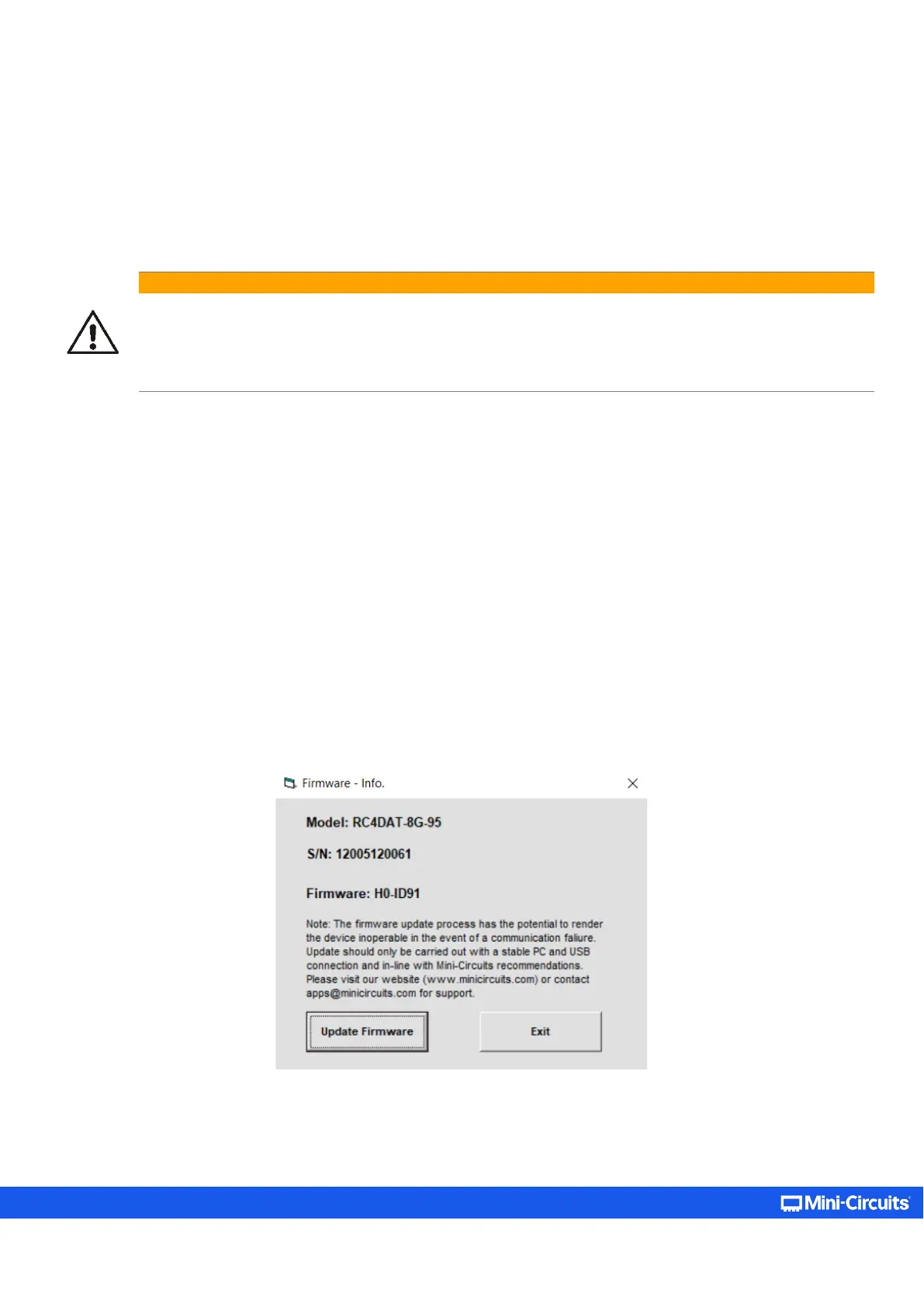
• The “Firmware – Info” window will list the currently installed firmware revision. Chose Update Firmware to proceed or Exit
to cancel the process.
Figure 5.7.2a: Firmware - Info window



 To Next Page