AN-49-011 © 2023 Mini-Circuits
Rev. D | ECO-016581 | 25-Jan-2023 Page 34
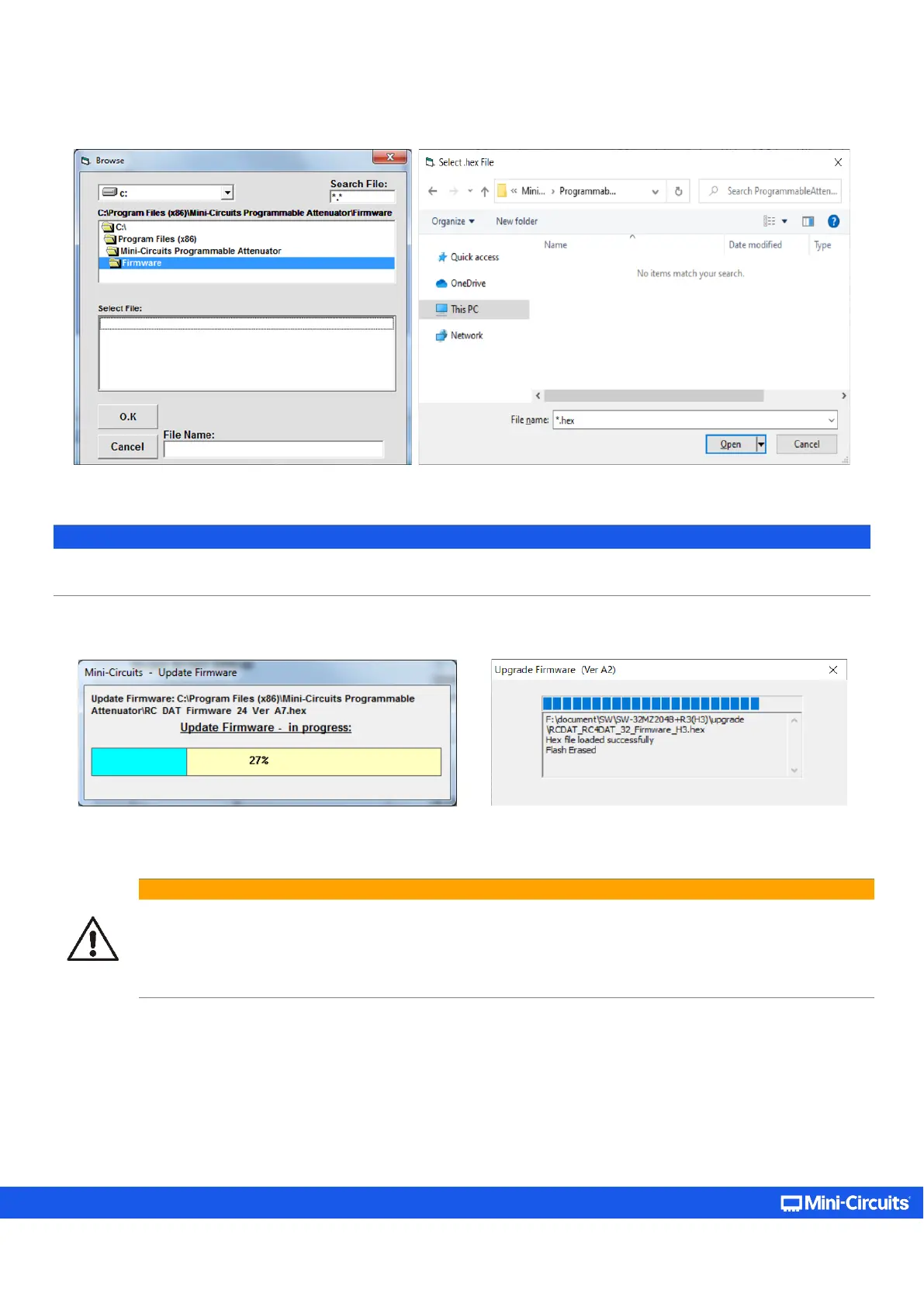
• Navigate to the location of the upgrade file you received from Mini-Circuits’ Test Solutions and choose it.
Figure 5.7.2b: Firmware - Browse window (Legacy – left, Current – right)
Note:
• If the file name of the .hex file is changed it will not be recognized as a valid firmware file.
• The firmware upgrade file must be in a directory you have read and write access to, otherwise an error message will appear
.
• The selected file should now be installed on the attenuator with the process taking up to a minute.
Figure 5.7.2c: Firmware - Progress Bar window (Legacy – left, Current – right)
Caution:
• Do not disconnect the attenuator or shut down the program while the firmware is being updated. Doing so may
damage the attenuator.
• Attempting to start a second GUI session while the firmware is being updated may cause the firmware to be
corrupted. It is therefore recommended not to attempt to start any additional GUI sessions until after the
firmware upgrade has been completed.
• After the firmware has been updated a confirmation alert will appear. Click OK to shut down the program and restart it
normally.
• If the firmware upgrade was interrupted, this can result in partial installation rendering the device inoperable. Refer to section
5.8 to start the firmware recovery process.



 To Next Page