AN-49-011 © 2023 Mini-Circuits
Rev. D | ECO-016581 | 25-Jan-2023 Page 35
5.8. Firmware Recovery
Mini-Circuits models feature a firmware recovery option for cases where the unit’s firmware has become corrupted rendering it
no longer accessible (for example, due to an interrupted firmware upgrade).
Before starting, consult the table below to determine which recovery process to follow (legacy controller vs. current controller):
Model name
Legacy Controller
Current Controller
(with SSH Support)
From S/N 12004280001 and up
From S/N 11910300001 and up
From S/N 12007130001 and up
From S/N 12009250001 and up
Caution:
• Ensure you have the firmware file ready before attempting a recovery process.
• Contact testsolutions@minicircuits.com if you do not have the .hex firmware file.
5.8.1. Recovery Steps (Current Controller)
Follow the below recovery steps for models with the current micro-controller (refer to table in section 5.8 to determine your unit’s
controller):
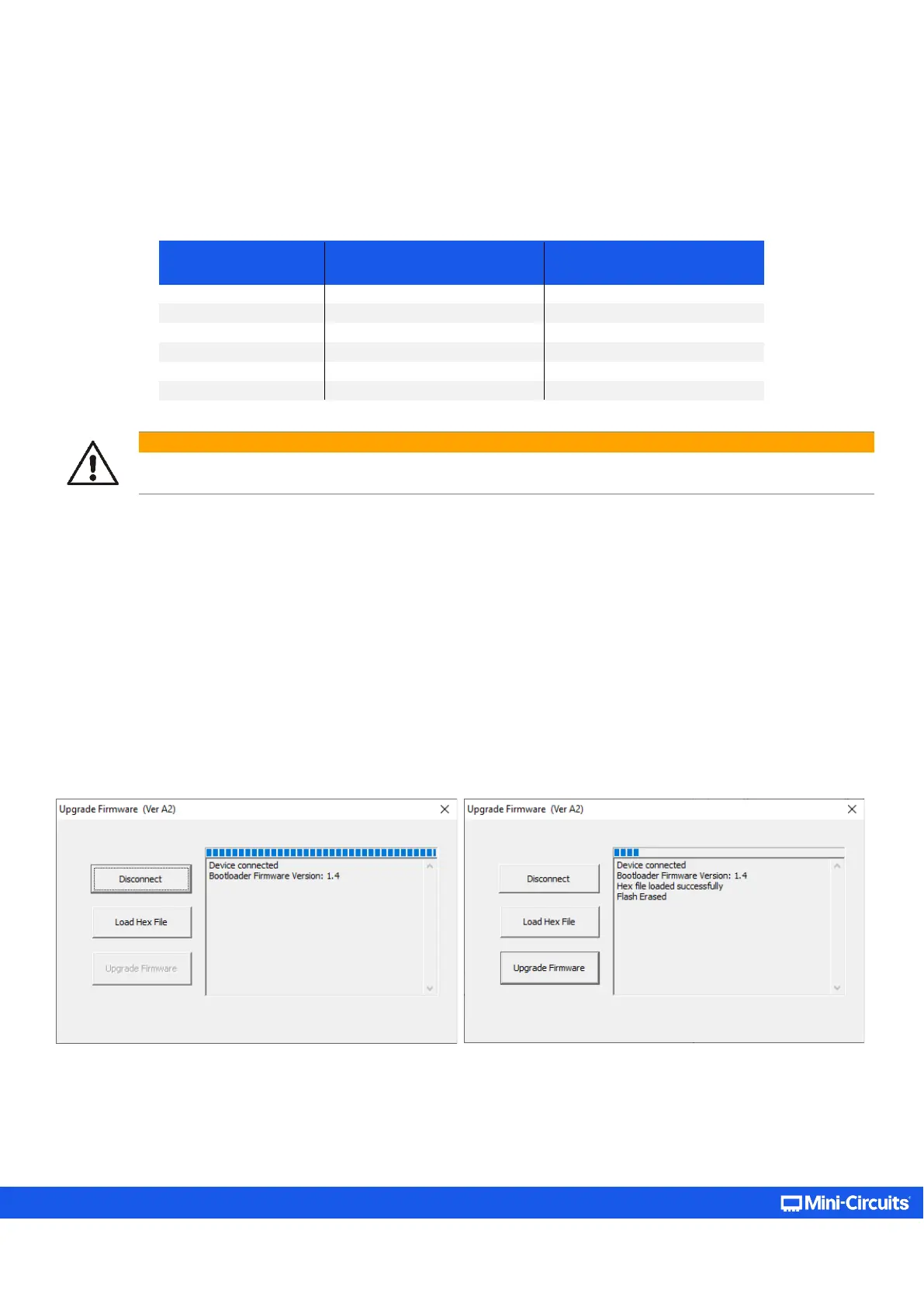
• Connect the unit to the PC via USB.
• Navigate to the directory where the Programmable Attenuator GUI has been installed.
• Locate and run the “UpgradeFirmware.exe” utility program.
• Click Connect / Disconnect and wait for the device to be connected.
• Click Load Hex File and navigate to the firmware’s (file ending with .hex) location on your PC.
• Click Upgrade Firmware and wait for the program to finish.
Figure 5.8.1: Left – Unit connection step; Right – Firmware upgrade step



 To Next Page