AN-49-011 © 2023 Mini-Circuits
Rev. D | ECO-016581 | 25-Jan-2023 Page 25
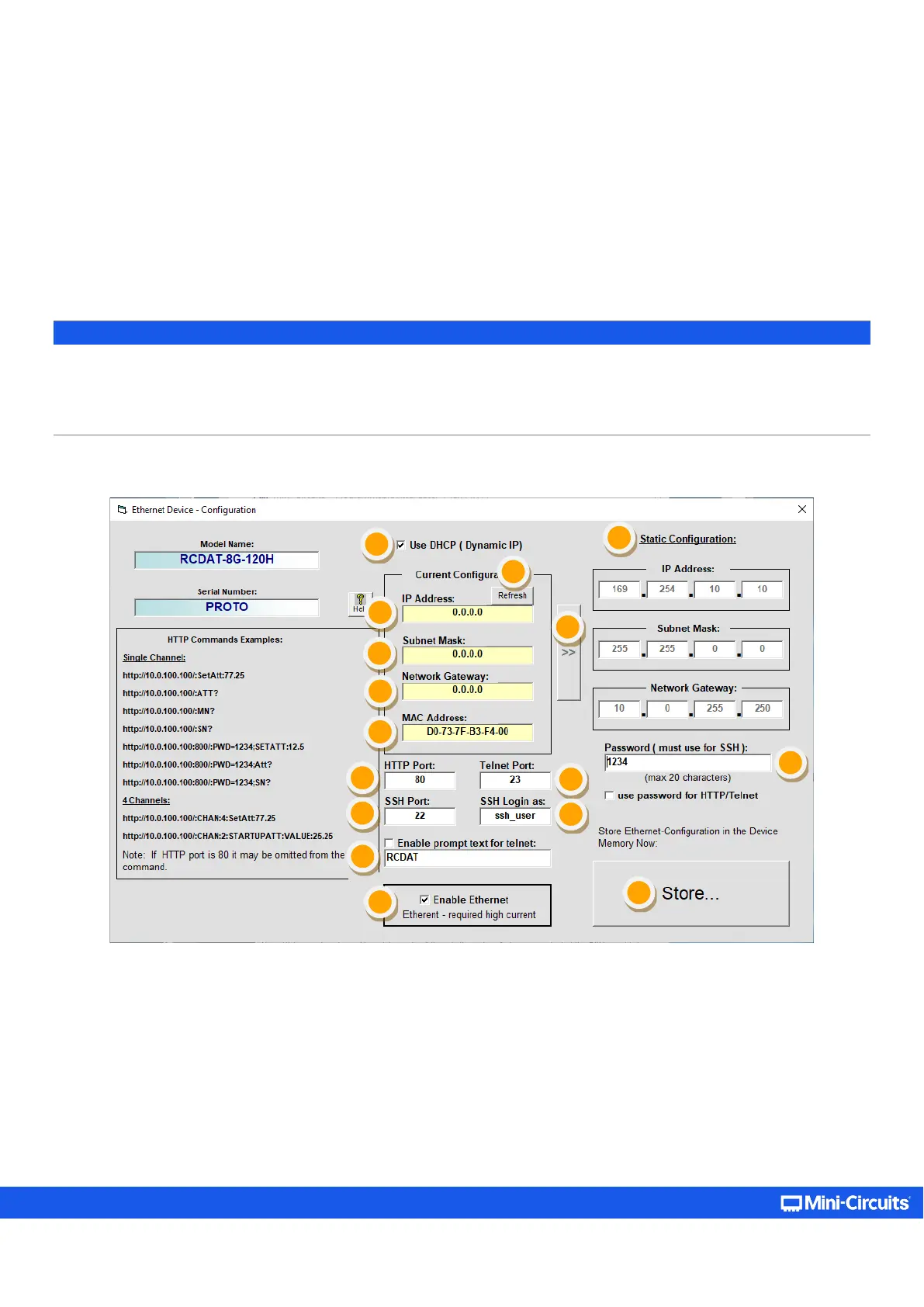
5.3.5. Ethernet Settings Screen
The Ethernet Settings screen will open showing the current configuration. Figure 5.3.5 shows the factory default of the
programmable attenuators.
If these settings are appropriate for your local network, then you do not need to access the setup before connecting the attenuator
to the network and can connect to the attenuator via Ethernet as described in section 4.2.
After making the changes you want, click on Store and the changes will be saved to the attenuator's memory.
Note:
• For units with older firmware revisions (pre-H7 for current controller or pre-F1 for legacy controller, refer to section 5.8 for
details), user will need to change Ethernet configuration via USB control to match their network setup if no DHCP server is
available.
• It is not advised to set the HTTP, Telnet, and SSH ports to use the same port
.
Figure 5.3.5: Ethernet Settings screen (showing factory default state)



 To Next Page