AN-49-011 © 2023 Mini-Circuits
Rev. D | ECO-016581 | 25-Jan-2023 Page 23
5.2.7. Configuration Settings
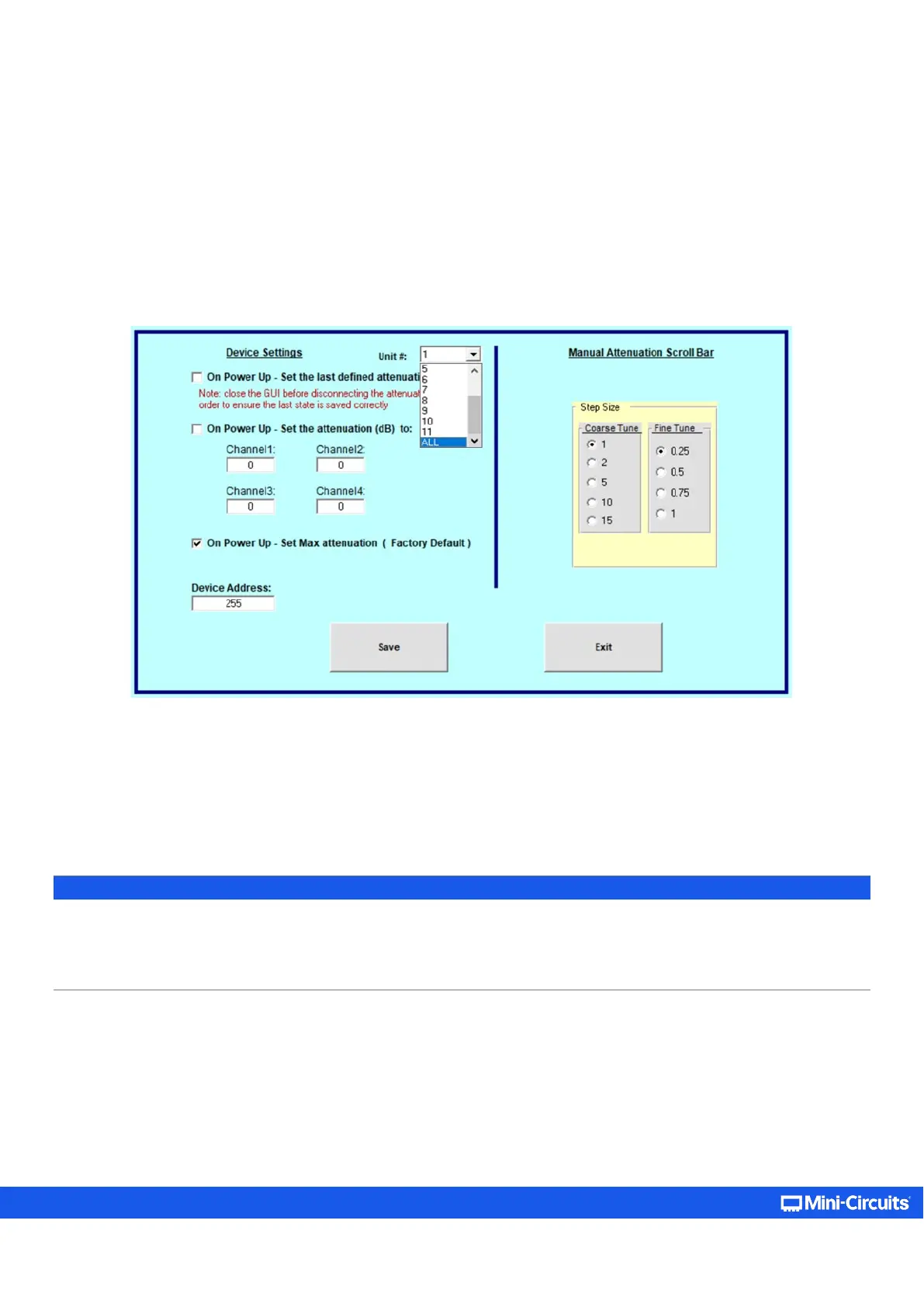
Clicking on Configuration Settings opens a pop-up window which allows the user to set the following parameters:
• On Power Up State – The attenuator can be configured to power up with max attenuation setting (factory default), a user
defined attenuation value for each channel separately, or the last attenuation value set for each channel.
• Device Address – Set the device's USB address in the 1 – 255 range (factory default 255).
• Manual Attenuation Scroll Bar – Coarse tune is the step size for each click on scroll bar; Fine Tune is the step size for the
arrows.
Figure 5.2.7: Configuration settings screen showing unit selection option for daisy-chained units
Units connected in daisy-chain configuration can be configured just as when connected individually to the PC. Simply select the
unit you wish to configure from the dropdown menu, or select ALL to set the configuration of all units, then proceed to configure
it as described above.
Note:
• If the GUI is not shut down before the attenuator is disconnected the last attenuation state will not be saved and if “set last
defined attenuation” was selected the attenuator will start up in max attenuation state.
• Shutting down and then starting up the GUI repeatedly in less than 3 minutes while “set last attenuation” is enabled may
result in attenuator resetting to max attenuation state at power up due to last attenuation state not being recorded correctly
.



 To Next Page