AN-49-011 © 2023 Mini-Circuits
Rev. D | ECO-016581 | 25-Jan-2023 Page 31
5.5.2. Dynamic Addressing Functions
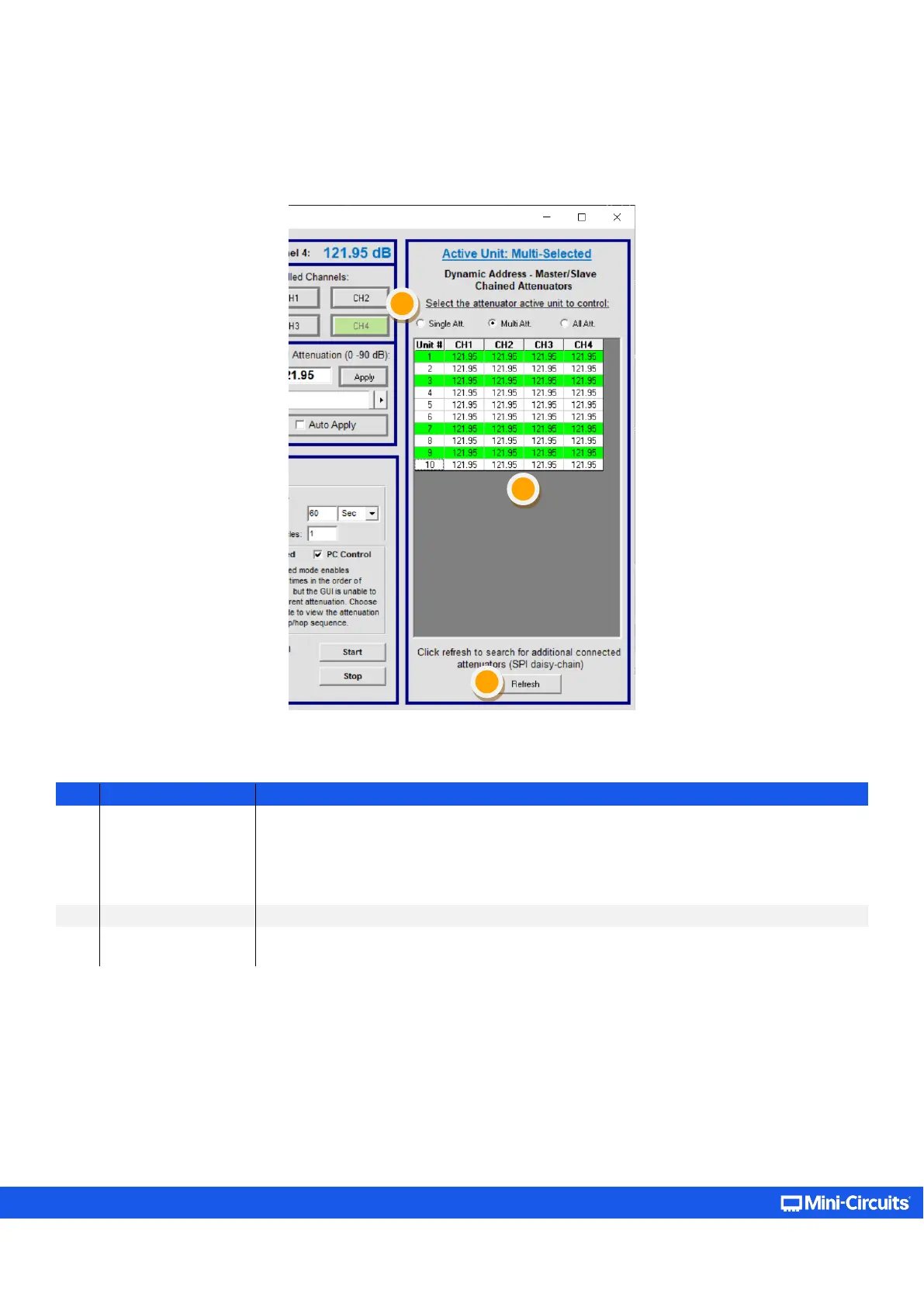
The center control panel will apply the attenuation settings to whichever combination of attenuators is selected in the “Dynamic
Address” panel.
Figure 5.5.2: List of connected units on the daisy-chain section of the GUI (appearing for supporting models only)
1
Select the attenuator
units to control
Select one of three options:
• Single attenuator – control one attenuator at a time.
• Multi attenuator – select a number of attenuators by clicking on them to send them the
same command (selected units appear in green).
• All attenuator – all connected attenuators will be selected.
Table showing current attenuation setting of all connected attenuators
3 Refresh
Refreshes the addresses for the dynamic addressing daisy chain. Click on this after connecting
additional units, or changing the units connected.



 To Next Page