AN-49-011 © 2023 Mini-Circuits
Rev. D | ECO-016581 | 25-Jan-2023 Page 13
4.3. Daisy-Chain Control
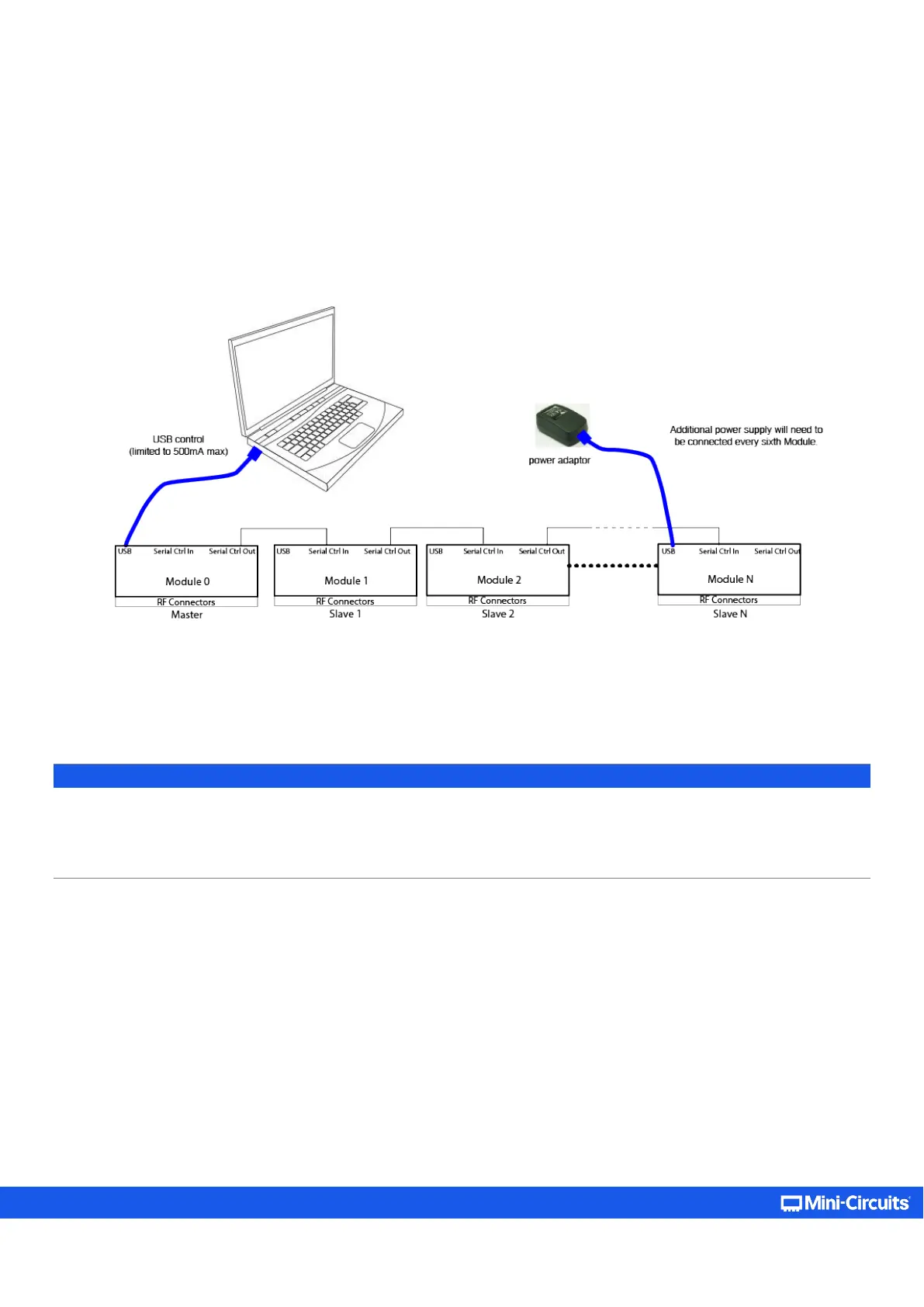
Some models include Mini-Circuits’ novel dynamic addressing daisy-chaining interface which allows multiple modules to be
connected together into a master/slave chain, with independent control of each module through the single USB connection of the
master unit (see section 2.4 for models supporting this function).
The serial master/slave bus allows connecting modules of different types to the same daisy-chain as long as they all support Mini-
Circuits’ dynamic addressing setup. To add a new module, simply connect it to the daisy-chain and refresh the address listing -- no
need to reset any of the existing modules or assign addresses manually.
Modules will have their addresses assigned automatically when the USB connection from the PC to master is established, or when
a refresh address command is issued. The module connected to the computer USB port will be assigned address 0 (master), and
subsequent modules connected through it will get incrementing addresses, starting from 1 to N. All control will be through the
master module (address 0) which is the only one communicating with the PC.
Note:
• It is possible to connect up to 99 units in a single setup as long as power considerations are taken into account. Refer to model
datasheets for number of units tested in series of a given model.
• It is recommended to disable the Ethernet function (see section 5.3.5
) of the slave units before connecting them in series to
reduce power consumption.



 To Next Page