AN-49-011 © 2023 Mini-Circuits
Rev. D | ECO-016581 | 25-Jan-2023 Page 18
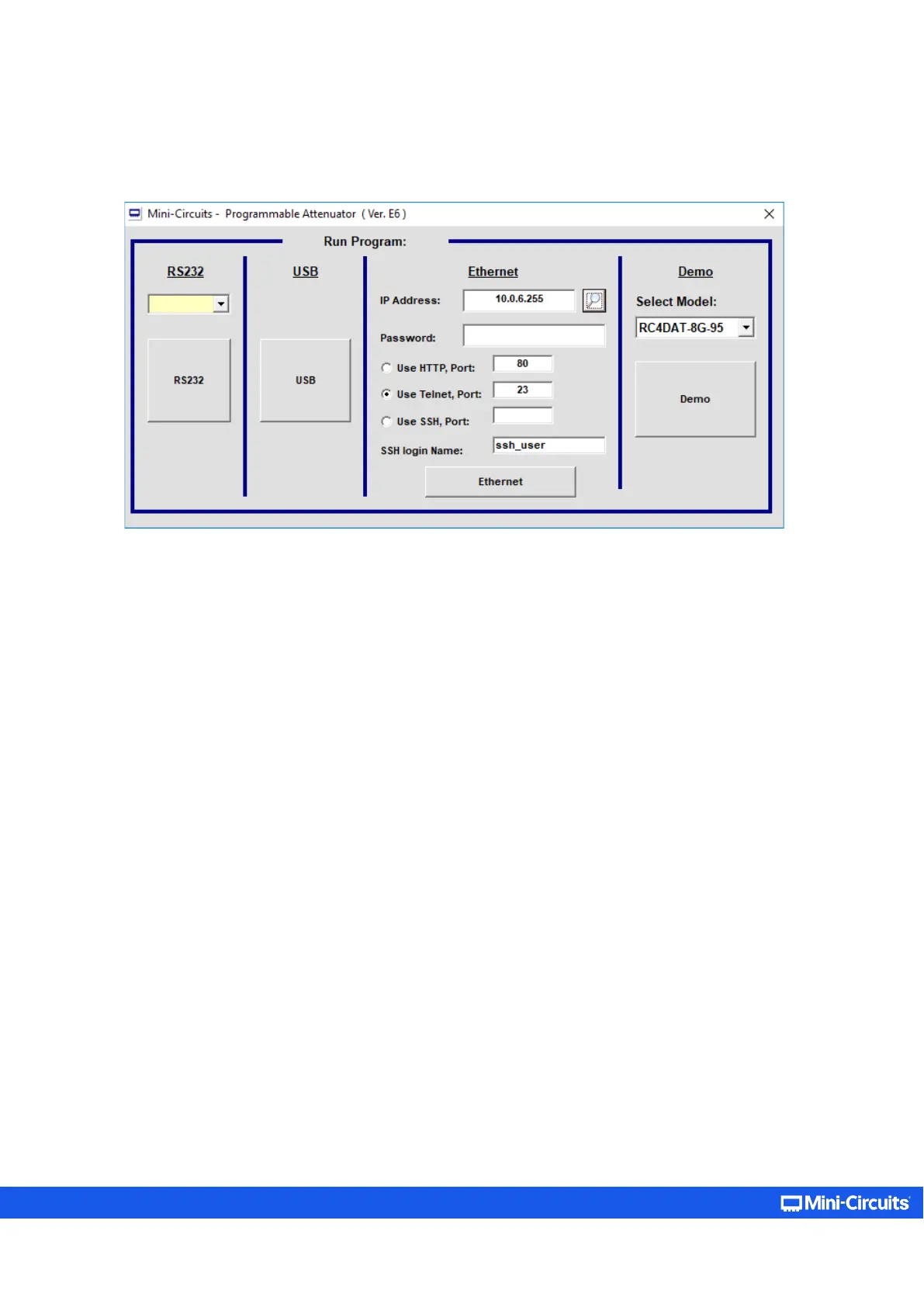
Once the IP address has been entered, input the password if one has been set (see section 5.3). Proceed to select the
communication protocol you wish to use (HTTP, Telnet, or SSH) and click on the Ethernet button to begin.
Figure 5.1.2b: Startup screen with Ethernet fields filled
Telnet or HTTP text commands can also be used to control the attenuator. This can be achieved in one of the ways below:
• Type the command in the address field of your internet browser.
• Implement a Get/Post HTTP function in your selected application (for HTTP).
• Establish a Telnet connection.
A full list of the possible commands and queries is available in Mini-Circuits Programming handbook, and in a text file on the
downloaded software (see section 3.3), in the Ethernet directory.



 To Next Page