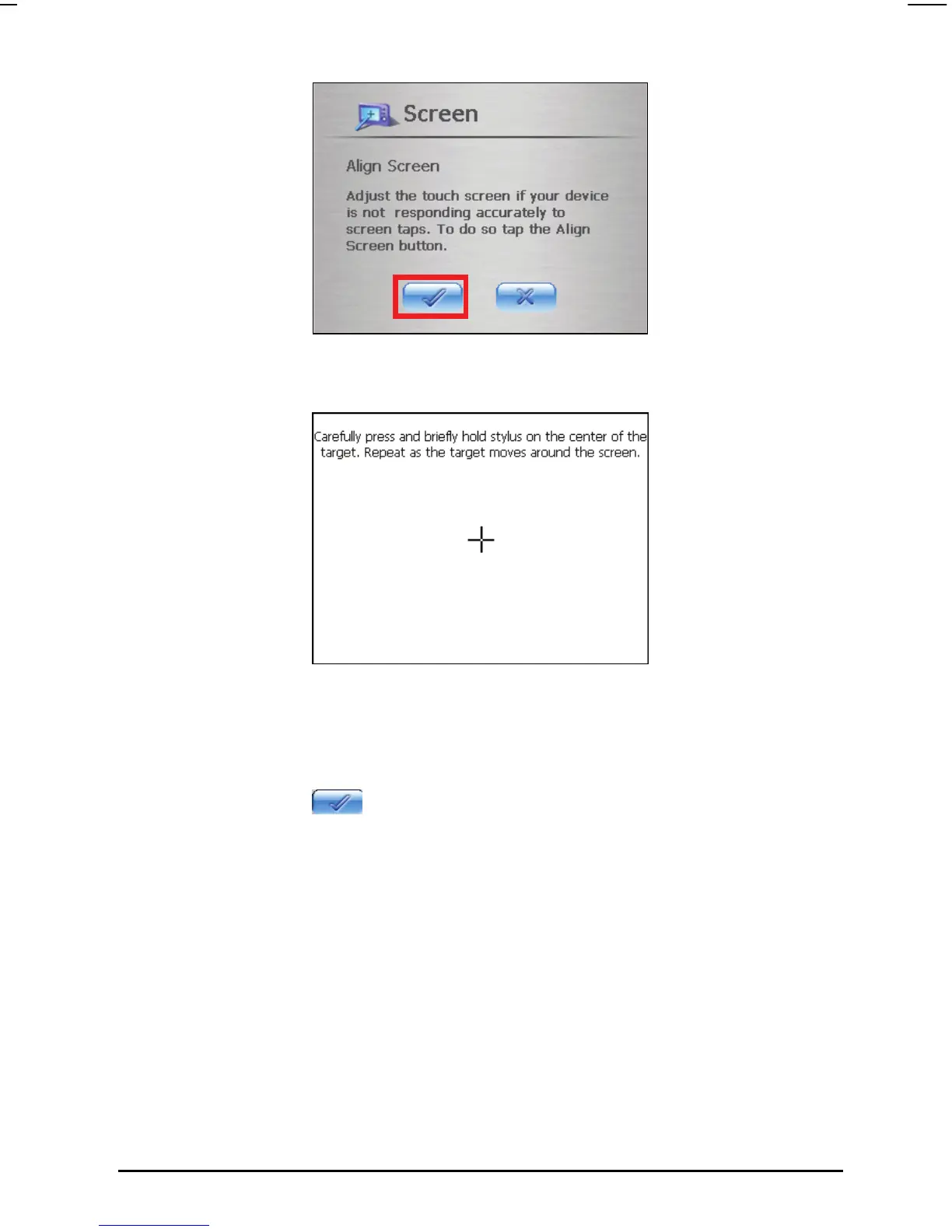
4. Tap and hold the center of the target.
5. When the target moves to another position, tap and hold again. Repeat the
same step to complete the adjustment.
6. Once the calibration is complete, the message “Calibration succeeded!”
will appear. Tap
button to return to the Settings screen.
3.5 Power
To check the remaining power level of your battery:
1. Tap the
Settings button on the Home screen.
2. Tap the
Power button.
23



 To Next Page