To exit Calculator, tap
at the bottom right corner of the screen.
8.2 Using Calculator Mode
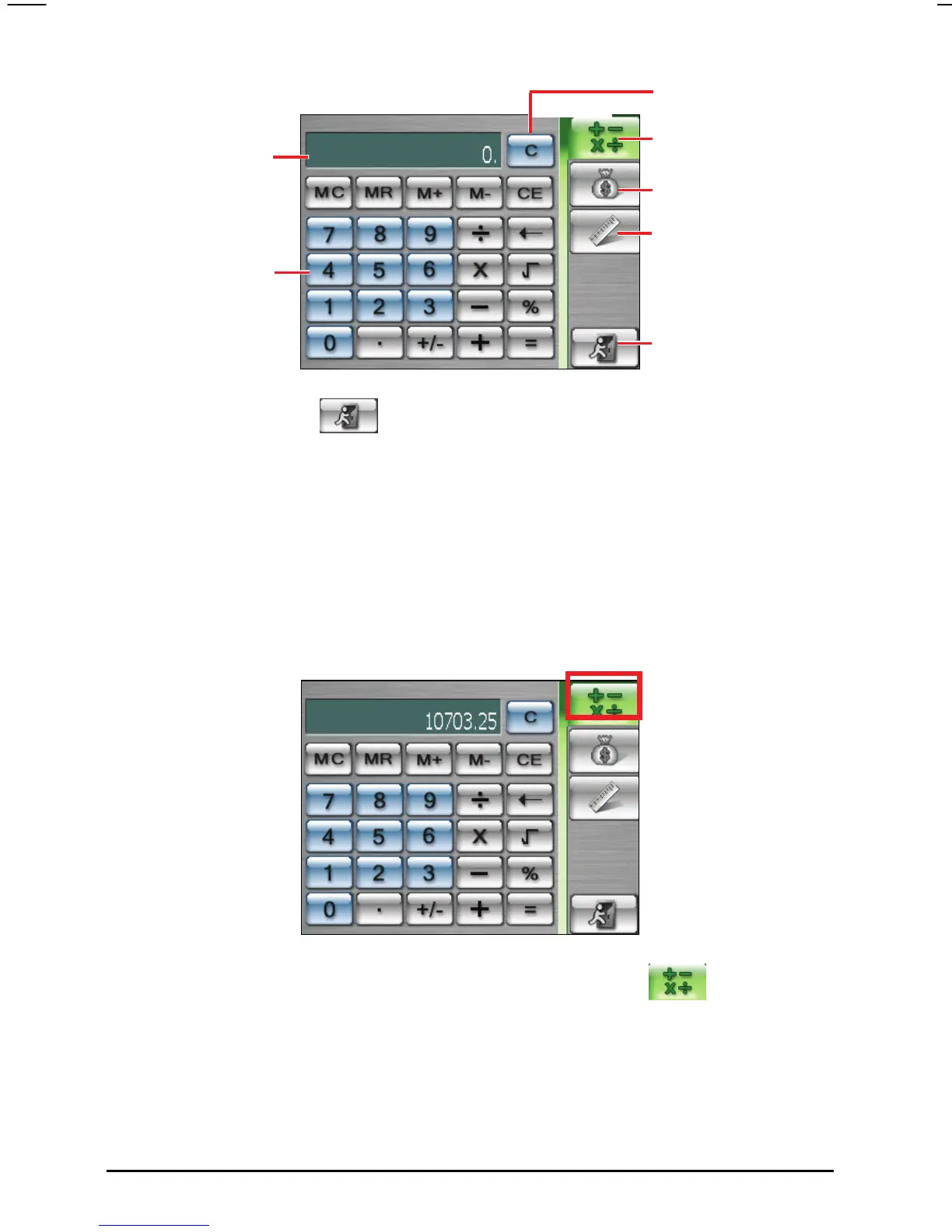
Calculator mode allows you to perform any of the standard operations for which
you would normally use a handheld calculator. It performs basic arithmetic,
such as addition, subtraction, multiplication, and division.
1. Tap
Tools Calculator to start Calculator.
Tap to switch to
Calculator mode.
Tap to switch to
Currency mode.
Tap to switch to
Metrology mode.
Tap to return to the
Tools screen.
Clear the current data
Display field
Numeric keypad
2. By default, the calculator screen will appear. If not, tap
button on the
calculator screen.
3. Tap the numeric keypad to enter numbers and mathematical symbols.
62



 To Next Page