Editing Exchange Rate
Before performing the currency conversion, you can edit the exchange rate to
the most up-to-date one.
1. Tap
Tools Calculator to start Calculator.
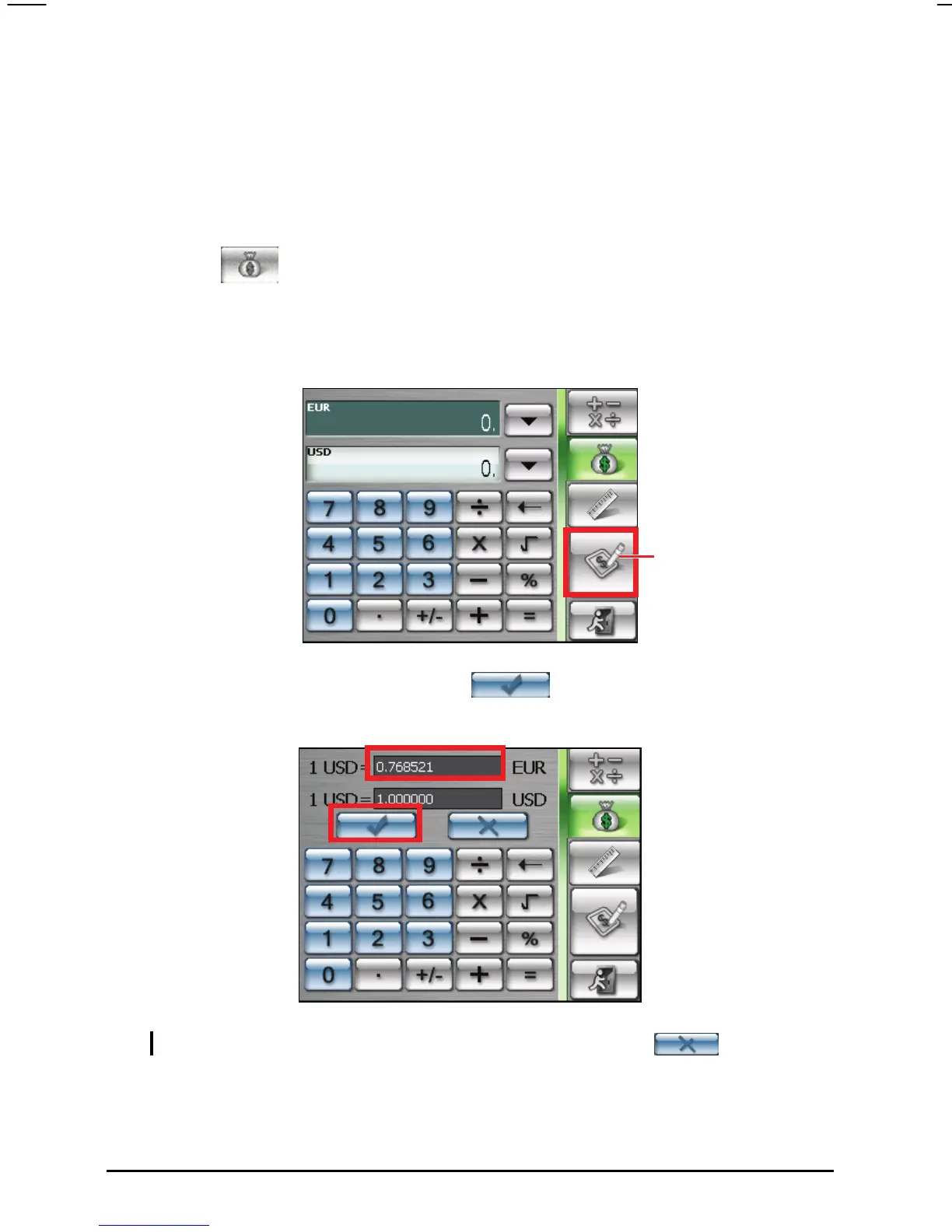
2. Tap the
button on the calculator screen.
3. Select the source and target currency.
4. Tap the
Edit button on the currency screen. The editing screen will appear.
5. Enter the exchange rate and tap the
button to save and go back to
the currency screen.
Tap to go to the editing
screen.
NOTE: To go back to the currency screen without saving, tap the button.
66



 To Next Page