4.2 Starting and Exiting Mio Transfer
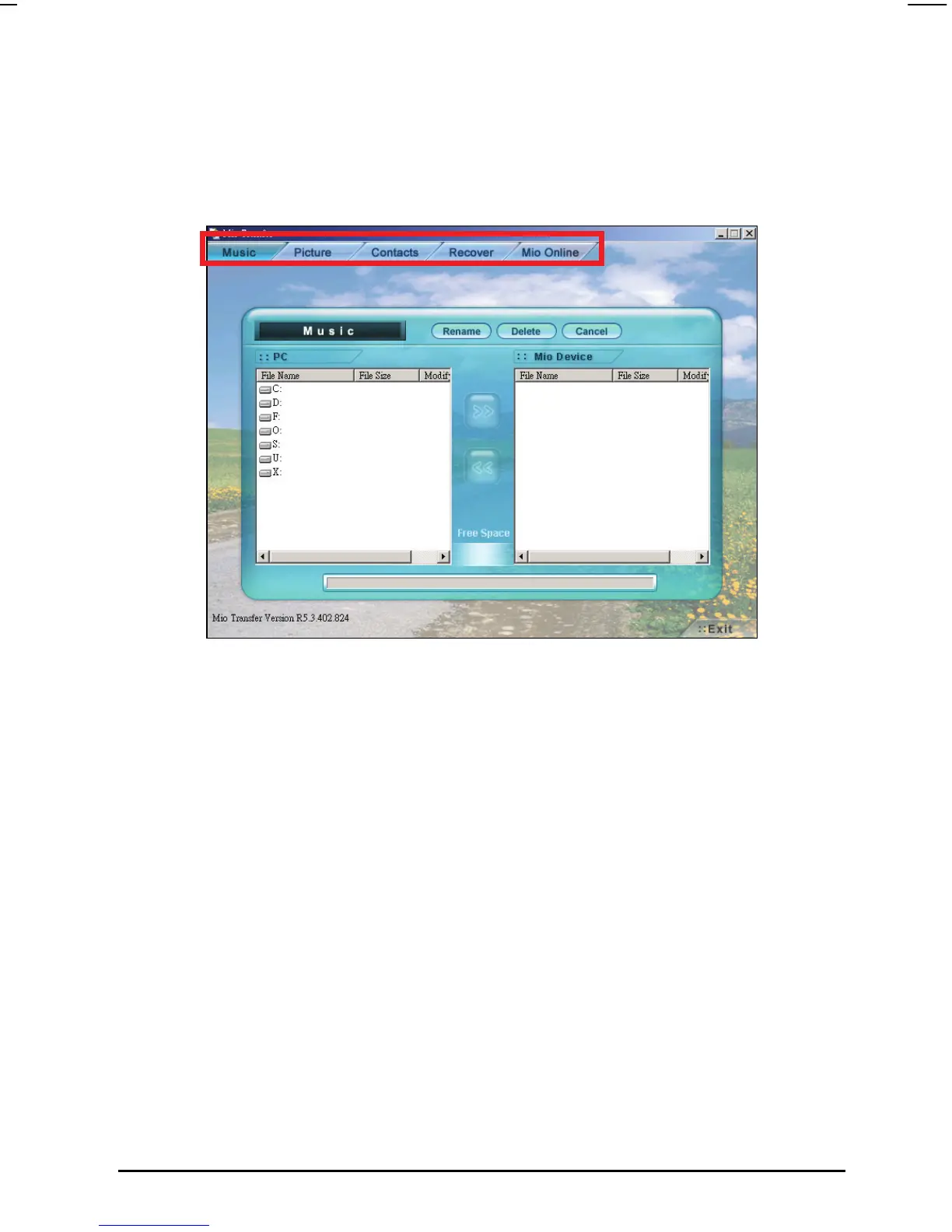
Click Mio Transfer icon on the Windows Desktop to start the program. The Mio
Transfer screen appears.
Mio Transfer contains five tabs, including: Music, Picture, Contacts, Recover
and Mio Online.
Music
allows you to transfer the MP3 files between your device and your
computer. (See Section 4.3 for details.)
Picture
allows you to transfer pictures between your device and your computer.
(See Section 4.3 for details.)
Contacts
allows you to synchronize the contacts data between your computer and
your device. (See Section 4.4 for details.)
Recover
allows you to recover the map data and the navigation software if the data is
lost or damaged. (See Section 4.5 for details.)
31



 To Next Page