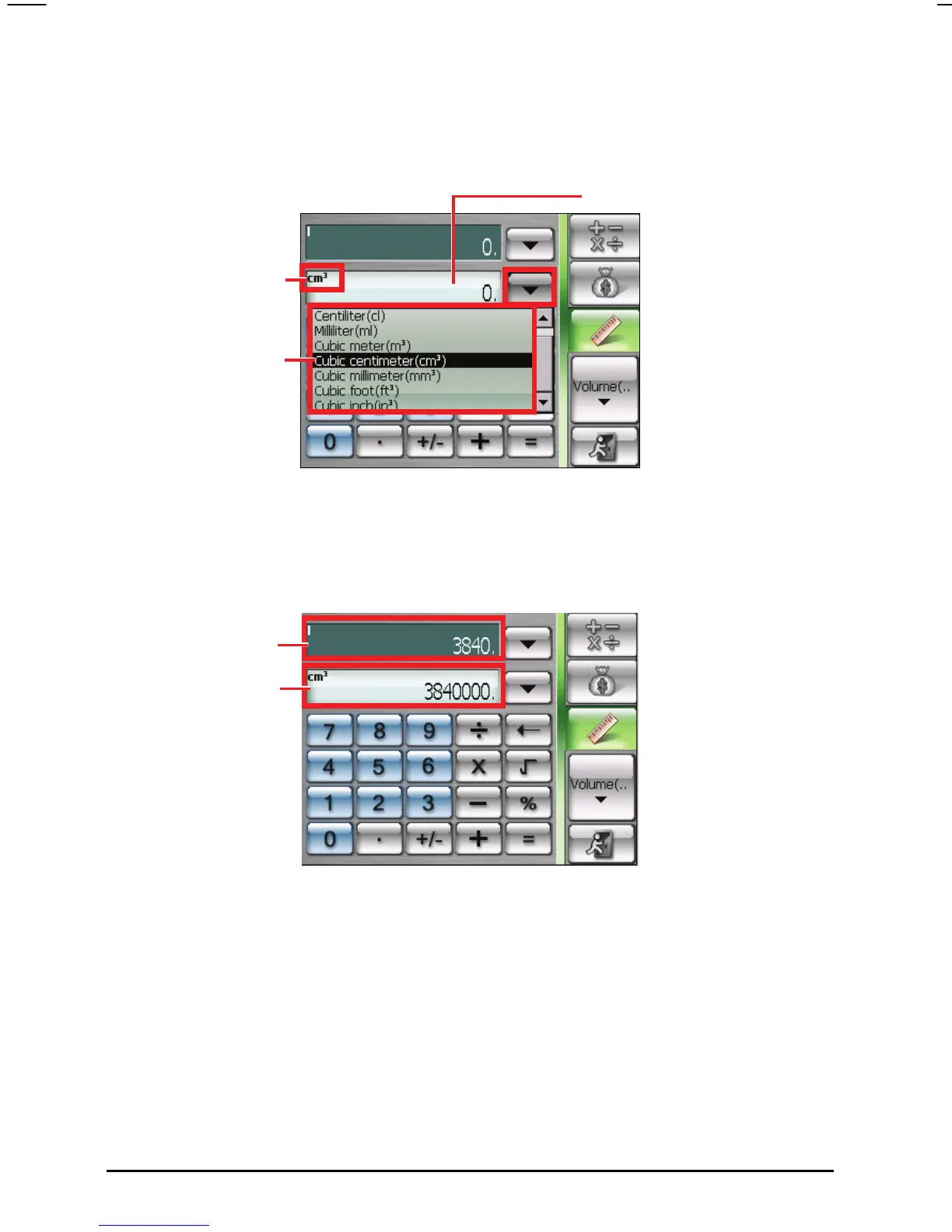
5. Tap the down arrow next to the output field to display a list of units and
select the unit to convert to. When a unit is selected, the abbreviation of the
unit will be displayed on the upper left corner of the output field.
6. Enter the value in the input field by tapping the number buttons on the
numeric keypad. You can also perform basic arithmetic in the input field.
The converted value immediately appears in the output field.
Output field
Input valu
Output value
Unit scroll lis
Unit indicato
68



 To Next Page