MIOX RIO Series Operators Manual
P/N: 102-00076-G Page 48
Routine Operations
Turn On Disconnect Switch
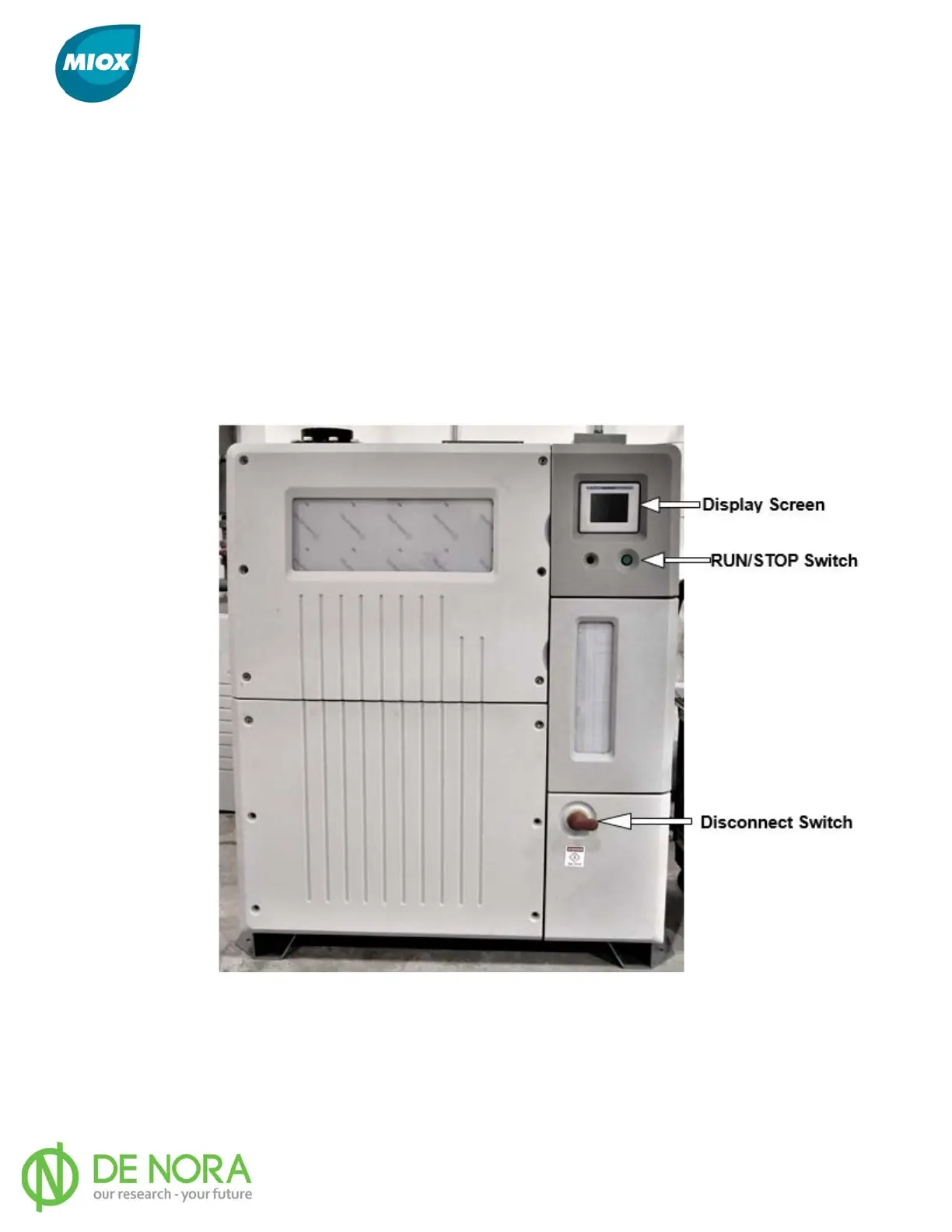
The disconnect switch is located on the outside of the switch gear compartment (Figure 31).
Once the disconnect switch is moved to the ON position, the display and OSG will power up.
Push Run/Stop Switch
Push the RUN/STOP switch in and press the “START” button on the display screen (Figure 32)
to power up the cell. The OSG monitors the oxidant level switch. If the oxidant tank is empty,
the OSG will attempt to initiate the startup sequence and then begin to run. If the solution
tank is full, the OSG will go into standby.
Figure 31 Display Screen, Run/Stop Switch, and Disconnect Switch



 To Next Page