181
Install and Replace Units
3. Remove the four screws that secure the Analog Main Board (AMB) to
the bottom of the chassis.
4. Replace the screws removed above with the standoffs included with
the AOB.
5. Attach the flex and power cables supplied with the AOB to the AMB.
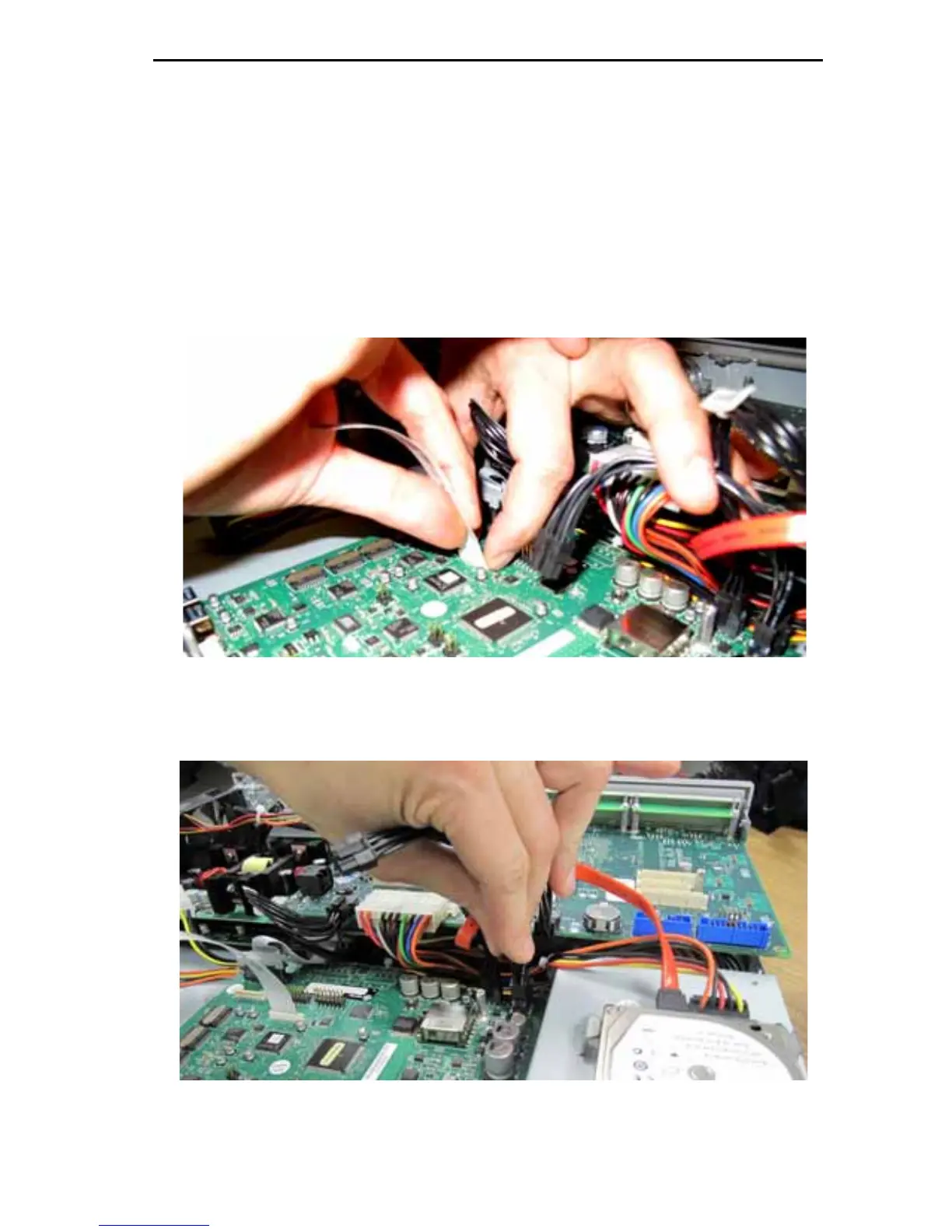
- To attach the flex cable, lift up on the tabs at the end of the
connector to loosen it, insert the cable label side up, and then press
down on the tabs to tighten the connector.
Figure 47: Attach Flex cable to AMB
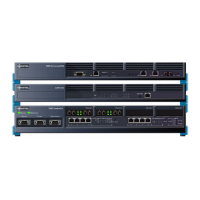
6. Connect the power cable to the connector on the AMB closest to the
edge of the board.
Figure 48: Attach Power cable to AMB





 To Next Page