218
3300 ICP Technician’s Handbook
Fan Complex
MXe/MXe Server
To replace the fan in an MXe or MXe Server:
1. Remove the controller cover (see page 47).
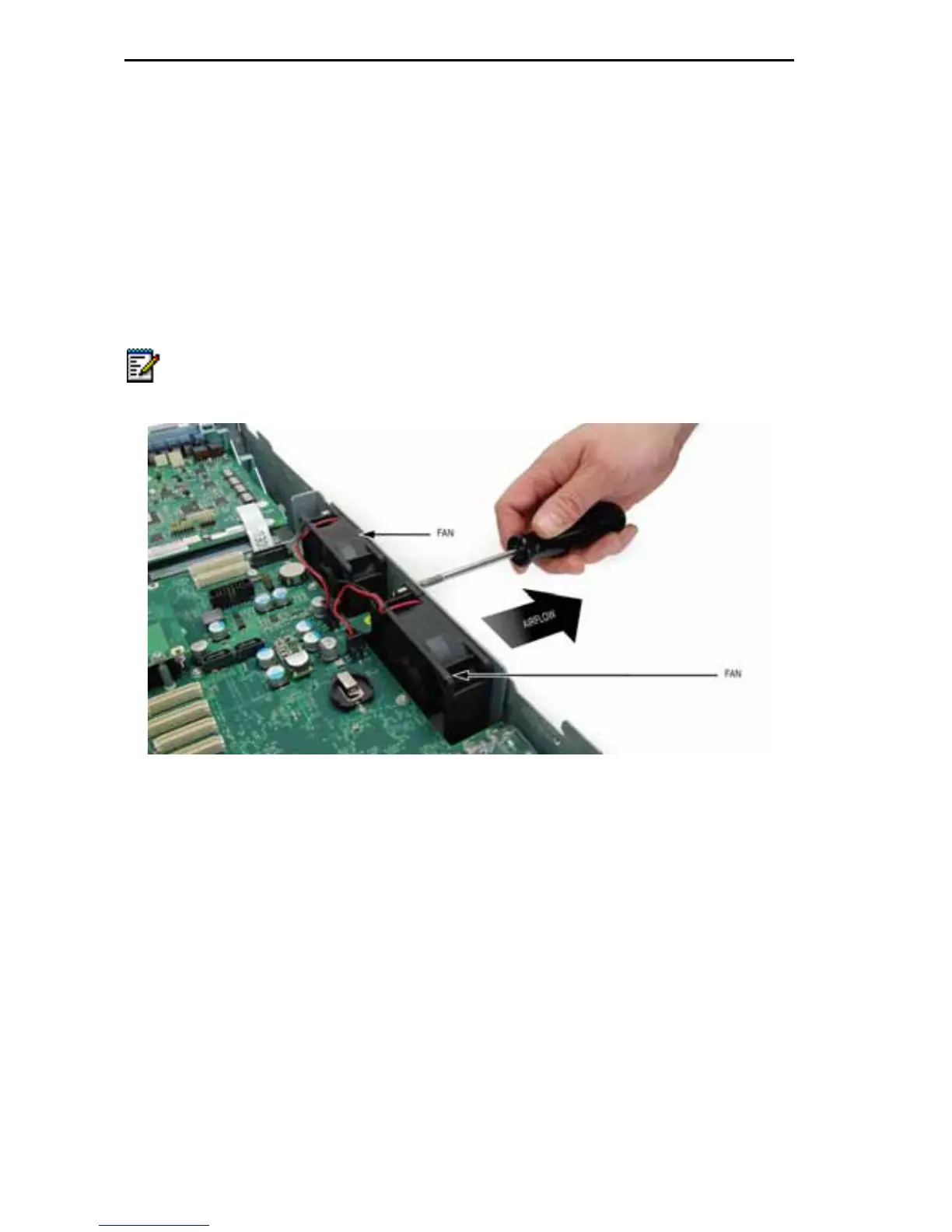
2. Remove the two screws that fasten the fan to the cabinet frame (see
Figure 76).
Figure 76: Fan Removal
3. Remove the fan power connector from the MXe chassis board and
remove the faulty fan.
4. Insert the replacement fan so that
- the power cables exit the fan closest to the fan power connector,
and
- the sticker label on the center of the fan is facing out from the
cabinet towards the grill.
For proper air flow, the fan sticker label must be facing the cabinet grill.
Note: The fan depicted in Figure 76 is the early version. The new version
uses longer cables that must be tied off as shown in Figure 77.













 To Next Page