233
Install and Replace Units
Flash Cards (AX)
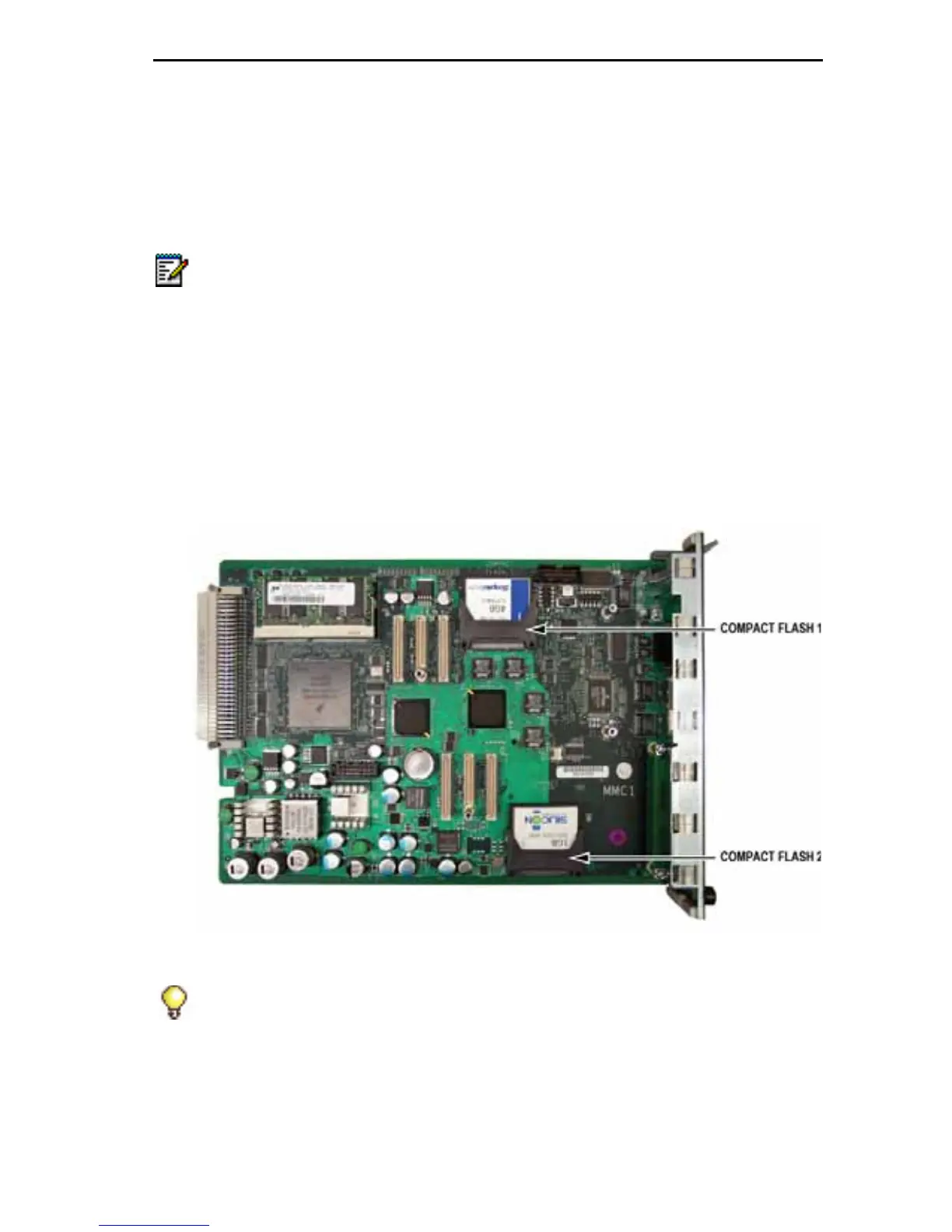
There are two flash cards for the AX controller:
• System flash (labeled Compact Flash 2): under the MMC Slot 1 site
• Voice mail flash (labeled Compact Flash 1): under the MMC Slot 2 site
To add or replace a flash card in the AX:
1. Power down the controller.
2. Turn off the power switches on the power supplies and unplug the
power cords.
3. Remove the controller card (page 232).
4. Remove the MMC from site 1 or site 2, as necessary.
Figure 85: AX Flash 1 and Flash 2 Locations
5. Slide out the defective flash, and insert the replacement flash in the
correct position.
Note: Voice Mail is optional on the AX Controller. As shipped, Flash 1 is used
only for system files. See “To upgrade Flash 1 to add voice mail capability:”
on page 234.
Tip: MMC 2 does not have to be removed for Flash 1 to be removed or
installed.













 To Next Page