50
3300 ICP Technician’s Handbook
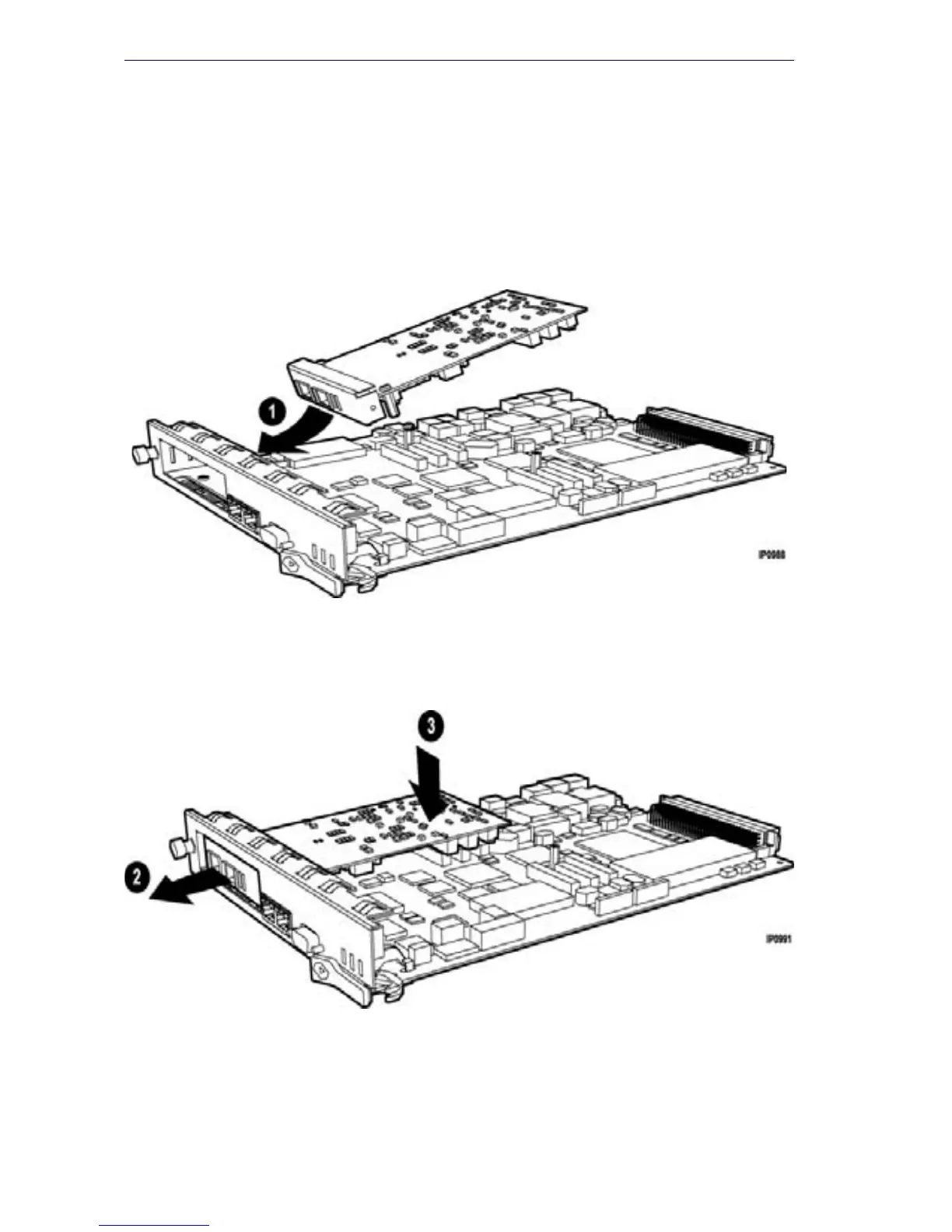
6. Carefully slide the MMC face plate under the lip of the controller face
plate. See Figure 13. Do not push the MMC past the controller face
plate as shown in Figure 14.
7. Re-install and/or re-tighten the screws.
8. Continue with procedure as described in the specific FRU instructions.
Figure 13: Position module at an angle (AX)
Figure 14: Slide in and seat module (AX)











 To Next Page