Configuring Softkeys
101
PRESS-AND-HOLD TO CREATE A SPEED DIAL (APPLICABLE TO
SOFTKEYS, DIALPAD KEYS, EXPANSION MODULE KEYS)
Pressing and holding down a softkey, dialpad key, or expansion module key on the phone
initiates a speed dial feature.
1. Press and hold an non-configured softkey, dialpad key, or expansion module key for three
seconds.
Notes:
1. When creating a Speed Dial key from the IP phone UI, you must select a softkey,
dialpad key, or expansion module key that has no preassigned function (key must
be set to None or Empty).
2. If there are no empty softkeys on the home screen, you can press and hold the More
softkey to configure the next available softkey with speeddial functionality. If a More
softkey is not available, use the Dialing > Speed Dial Edit option in the Options List
to configure a new speeddial key.
IP PHONE UI
Dialpad Key
Softkey/Expansion Module Key
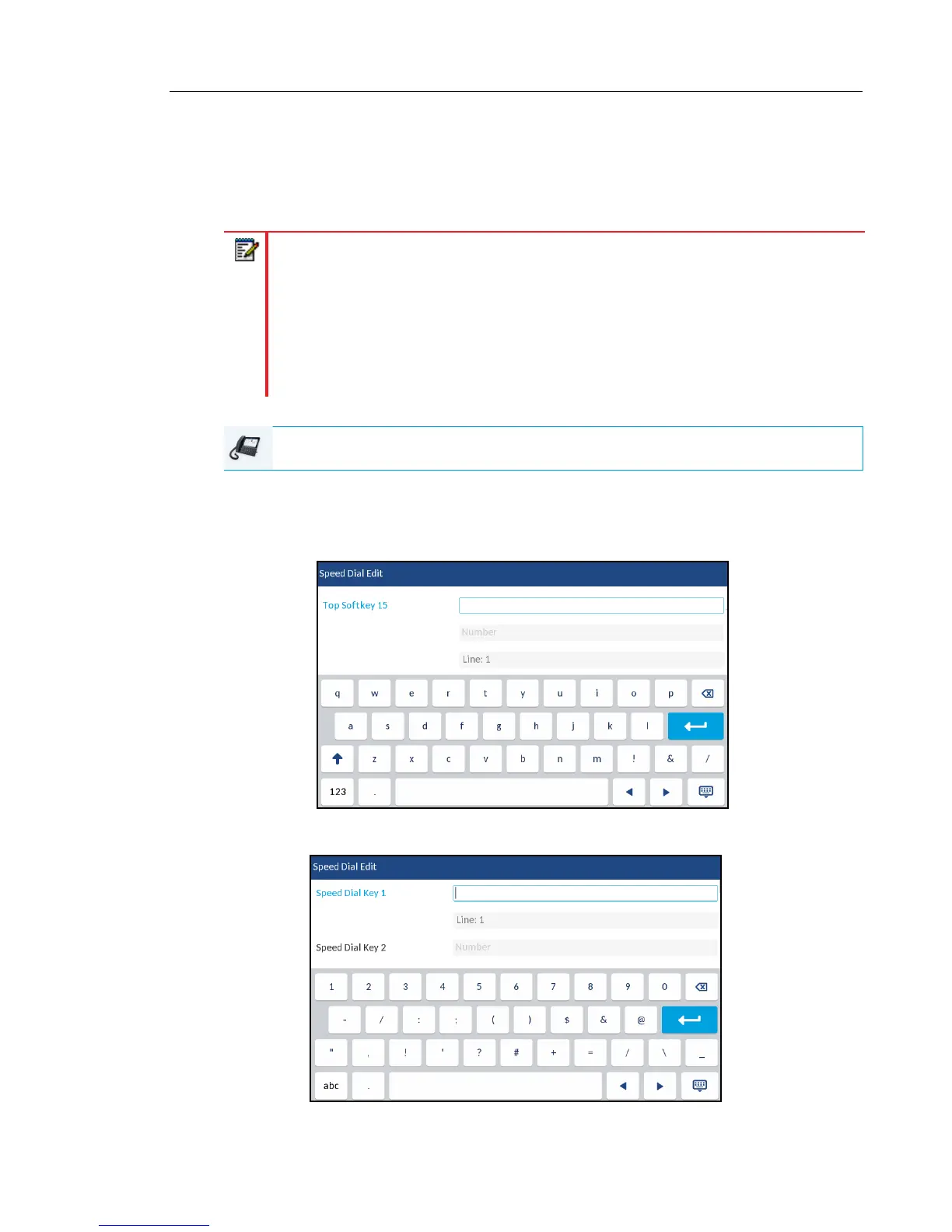
Press-and-Hold Speed Dial Edit Menu
Press-and-Hold Speed Dial Edit Menu



 To Next Page