Mitel 6873i SIP Phone Release 4.2.0 SP2 User Guide
198
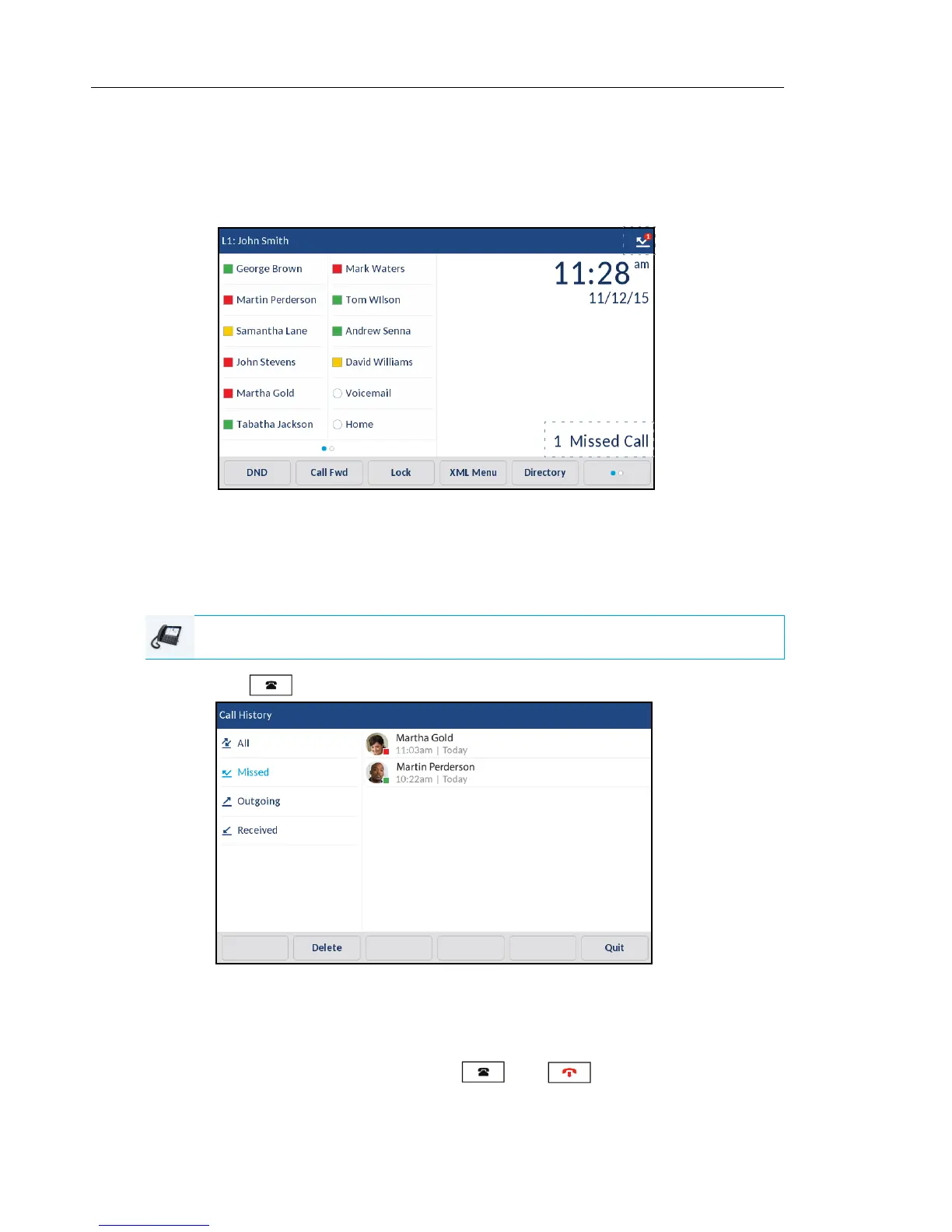
MISSED CALLS INDICATOR
The IP phone has a missed calls indicator and icon that increments the number of missed calls
to the phone. The number of calls that have not been answered increment on the phone’s Home
screen as # Missed Calls.
As the number of unanswered calls increment, the phone numbers associated with the calls
are stored in the Missed Callers List. When the user accesses the Missed Callers List, the
missed calls message on the Home screen is cleared.
Viewing Missed Call Details in the Missed Callers List
1. Press the key.
2. Swipe up and down to scroll through the entries in the Missed Callers List and press an entry.
3. Press the right arrow button or Details softkey to view detailed information about the Missed
Callers List entry.
4. To exit the Missed Callers List, press the key, key or the Quit softkey.
The missed calls message on the Home screen is cleared upon exit.
IP PHONE UI



 To Next Page