Mitel 6873i SIP Phone Release 4.2.0 SP2 User Guide
124
CALL FORWARD KEY
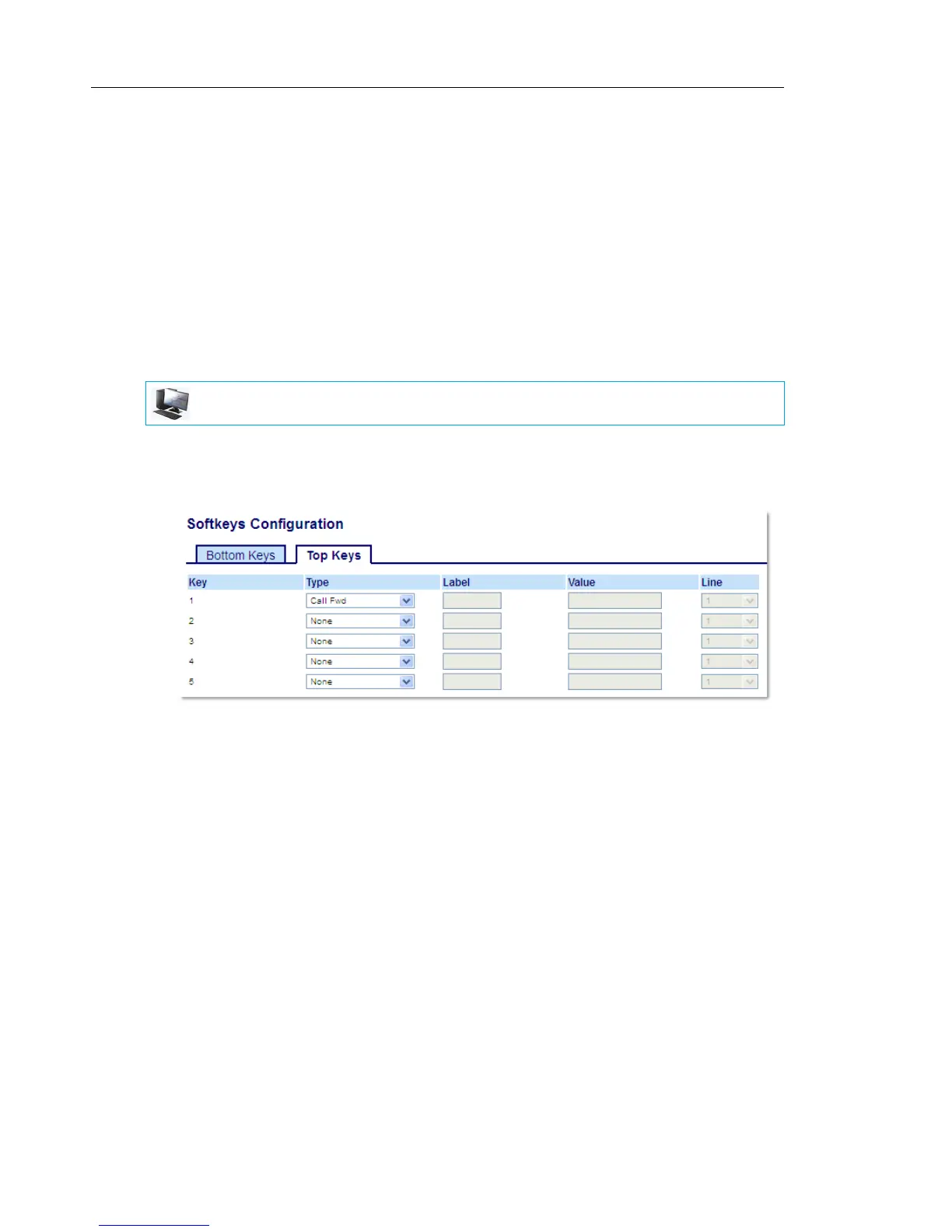
Using the Mitel Web UI, you can configure the Call Forward function on a softkey or expansion
module key. Use call forwarding when you want a specific account on your phone to be
forwarded to another number when your phone is in the busy state or the no answer state, or
both. Pressing the Call Fwd softkey on the phone accesses the Call Forward menus. The menu
that displays is dependent on the Call Forward mode (Account (default), Phone, or Custom)
configured for the phone.
For more information about call forwarding and call forwarding modes, see “Call Forward
Configuration” on page 205.
CONFIGURING A CALL FORWARD KEY USING THE MITEL WEB UI
1. Click on Operation > Softkeys and XML.
or
Click on Operation > Expansion Module <N>.
Softkeys
2. Select from Key 1 through Key 48 on the Top keys.
or
Select from Key 1 through Key 30 on the Bottom keys.
3. In the Type field, select Call Fwd.
4. In the state fields, check (enable) or uncheck (disable) the states you want to apply to this
softkey.
Expansion Module Keys
5. Select from Key 1 through Key 16 (M680i) or Key 84 (M685i).
6. In the Type field, select Call Fwd.
7. Click Save Settings.
MITEL WEB UI



 To Next Page