Configuring Softkeys
127
SPEED DIAL/XFER
The Speed Dial key allows a number to be dialed quickly by pressing one key configured for
speed dialing. The Transfer key allows a call to be transferred to other recipients blindly or
consultatively. The Speed Dial/Xfer key combines the Speed Dial and Transfer keys’
functionality together allowing the user to transfer calls or speed dial with one key.
SPEED DIAL/XFER KEY REQUIREMENTS AND FUNCTIONALITY
The Speed Dial/Xfer key has the following capabilities:
• Speed Dial/Xfer and Speed Dial: When the phone is in the idle state, pressing the Speed
Dial/Xfer key causes the phone to go offhook and dial the predefined extension.
• Speed Dial/Xfer and Blind Transfer: When the phone is connected to a call, pressing the
Speed Dial/Xfer key blind transfers the call to the predefined target.
If transferring a call fails, a message Transfer Failed displays, and you can reconnect the call
(get the call back) by pressing the line key again.
• Speed Dial/Xfer and Call Forward: When the phone is in the ringing state, pressing the
Speed Dial/Xfer key forwards the call to the predefined extension.
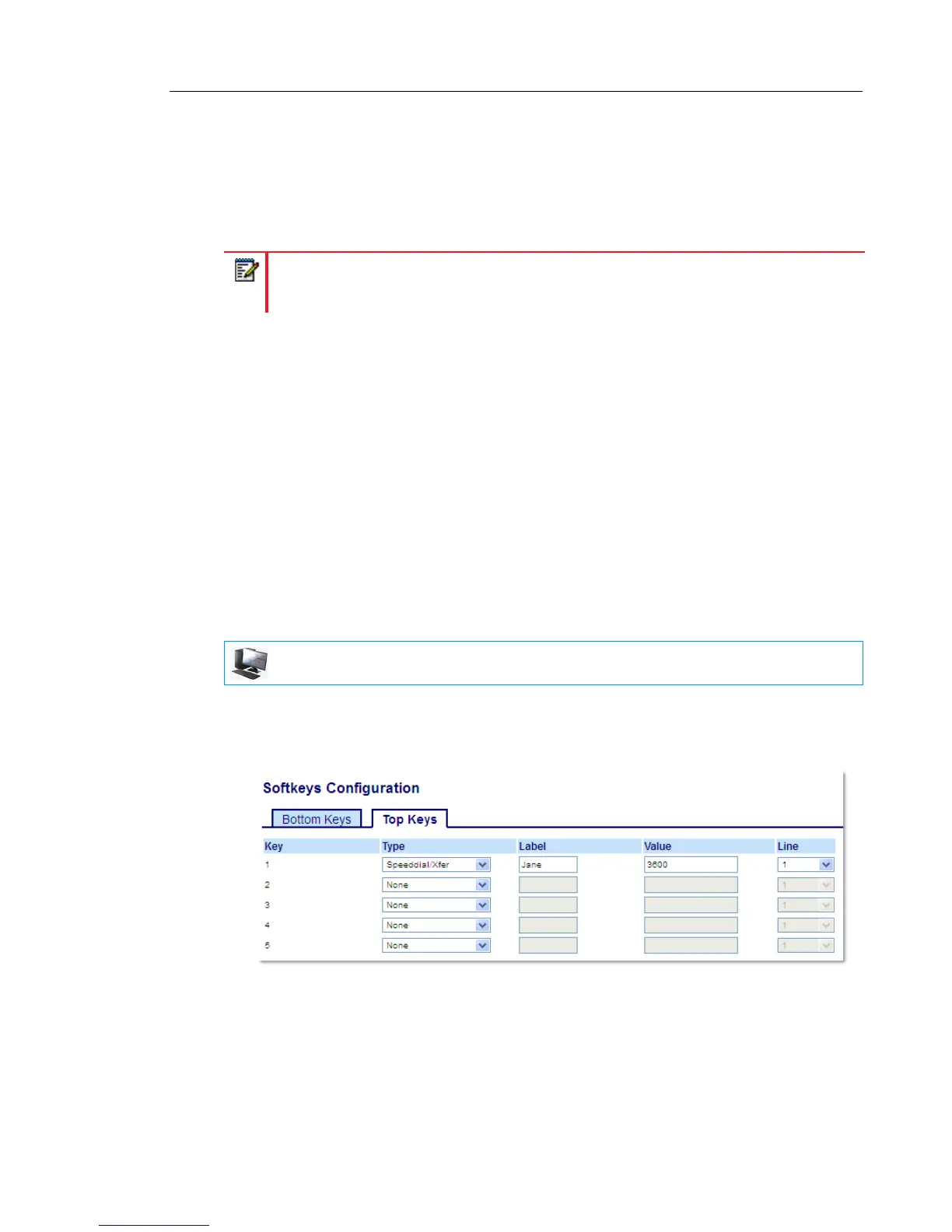
CONFIGURING A SPEED DIAL/XFER KEY USING THE MITEL WEB UI
1. Click on Operation > Softkeys and XML.
or
Click on Operation > Expansion Module <N>.
Softkeys
2. Select from Key 1 through Key 48 on the Top keys.
or
Select from Key 1 through Key 30 on the Bottom keys.
3. In the Type field, select Speed Dial/Xfer.
Note: It is recommended that you enable the Switch UI Focus to Ringing Line
parameter when using the Speed Dial/Xfer feature. For more information about this
parameter, see “Switch UI Focus to Ringing Line” on page 217.
MITEL WEB UI



 To Next Page