Managing Calls
191
When any of these external Directory sources are configured, the contacts from the respective
sources will be loaded into your Directory. From the Directory List, you will be able to search
for any external Directory source contacts, dial out to the contacts, copy the contacts to the
Local Directory, or simply view the external Directory source contact’s details (e.g. title, company
name, numbers, work and home addresses, e-mail addresses, etc...).
Configuring an External Directory Source Using the Phone UI
For details on how to enable/disable the external Directory source, change the default folder
labels, and enter credentials, please refer to Enabling/Disabling Directories and Renaming
Labels Using the IP Phone UI on page 69 and Entering Usernames/Passwords and Connection
Testing Using the IP Phone UI on page 70.
Copying a Contact in an External Directory Source to the Local Directory
Use the following procedure on the phone’s UI to copy an external Directory source contact to
the Local Directory.
1. Press a softkey configured with Directory functionality to enter the Directory.
2. (Optional) Press the search bar to initialize the search function and enter in the name of
the contact.
3. In the respective external Directory source’s folder press the contact you want to edit.
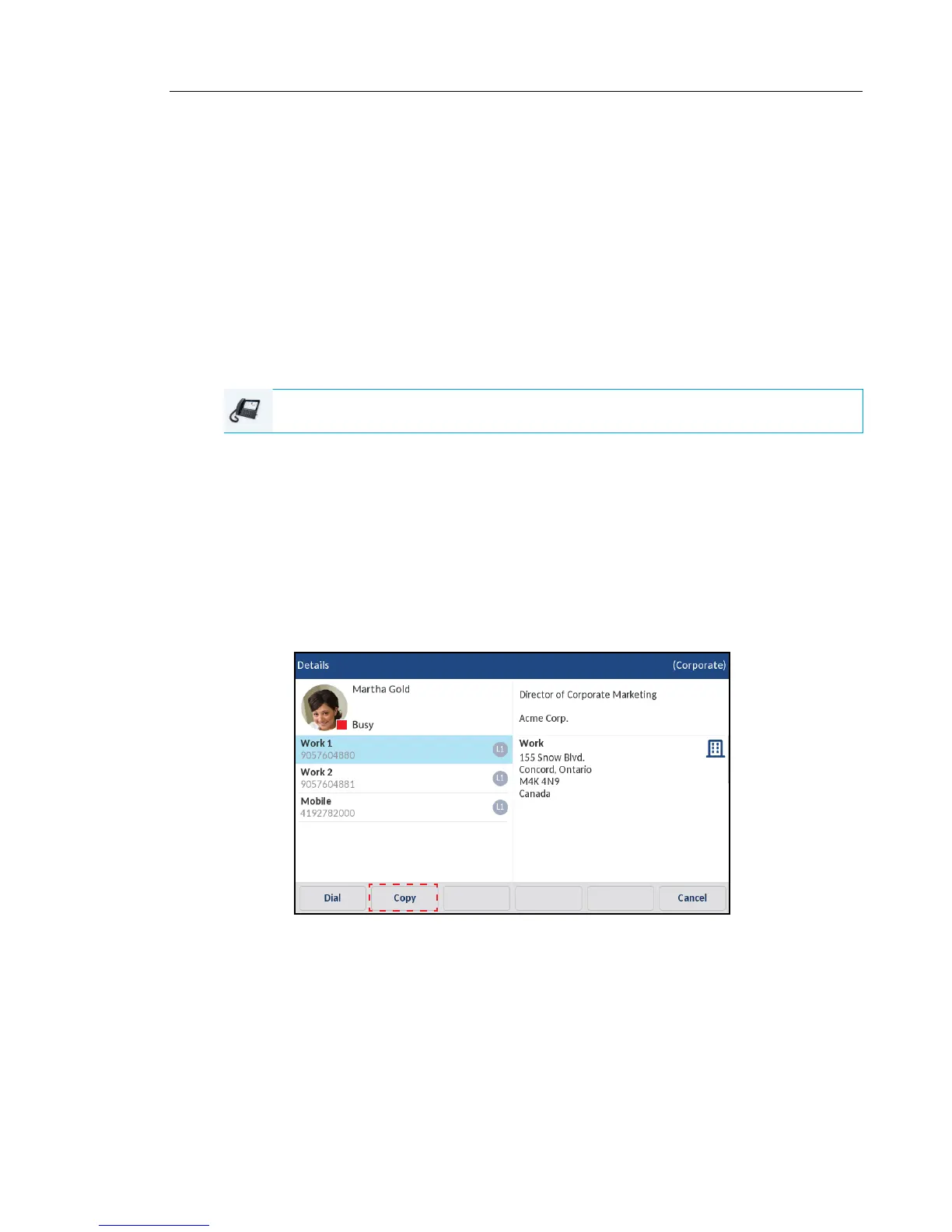
4. Press the right arrow button or Details softkey to view the contact’s Details page and press
the Copy key.
An “Entry copied to Local” message will be displayed indicating the contact was saved to
the Local Directory successfully.
IP PHONE UI



 To Next Page