Mitel 6873i SIP Phone Release 4.2.0 SP2 User Guide
20
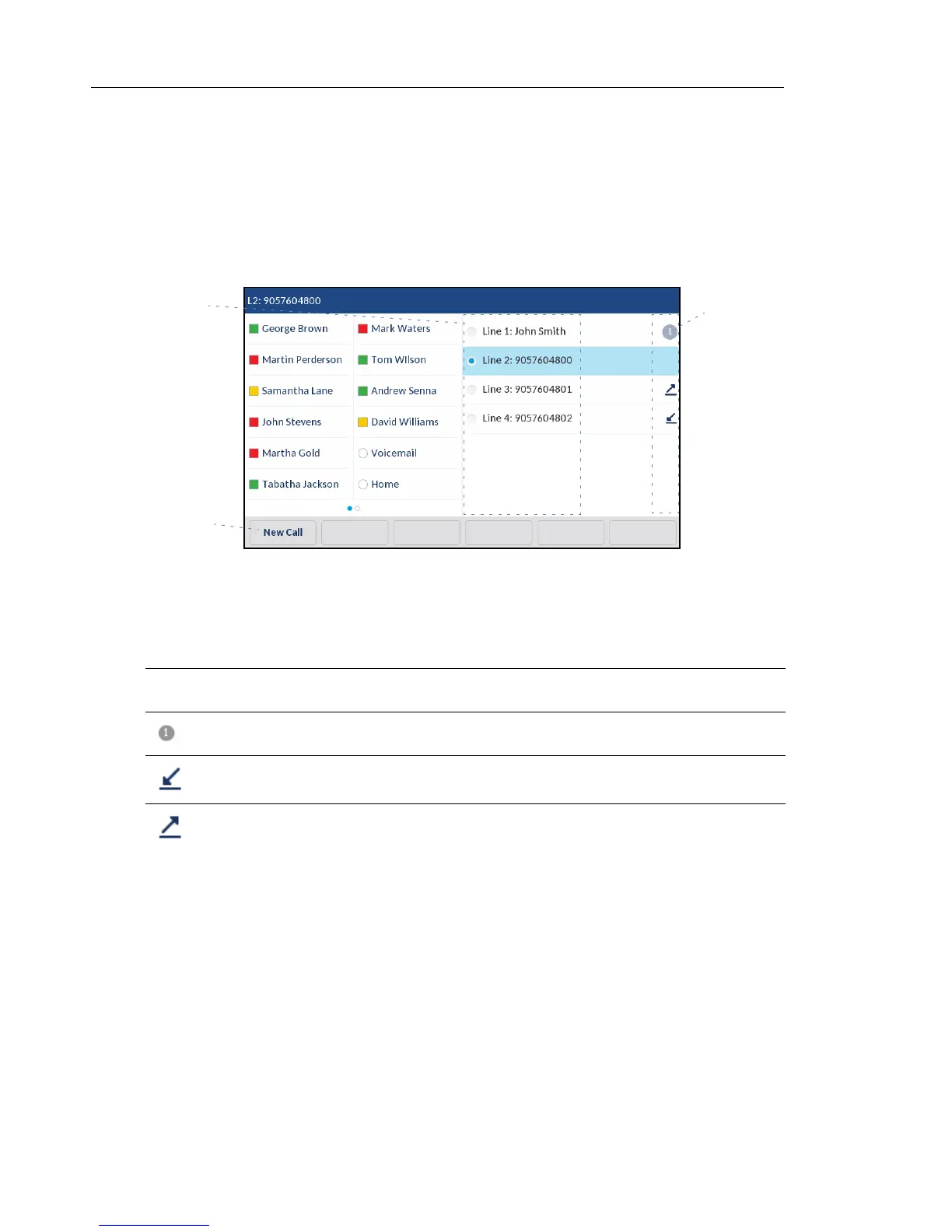
LINE SELECTION SCREEN
The Line Selection screen displays a list of the lines that are available on the phone as well
as line usage indicators that tell you whether or not a line is in use.
It also allows you to easily select a line to act upon. When a line is not in use, a New Call key
is available allowing you to dial out using the selected line. If the line is in use with a call on
hold, a Pickup key is available allowing you to pick up the call on hold on the respective line.
The following table identifies and describes the line usage indicators on the Line Selection
screen.
INDICATOR/
ICON DESCRIPTION
N/A No icon denotes that no calls are associated with the line and the line is available to be
used.
The number denotes how many call appearances are being utilized on the respective
line.
Indicates a call is incoming on the respective line.
Indicates a call is outgoing on the respective line.
Line Usage
Indicators
Available
New Call/
Pickup Key
Lines



 To Next Page