Operator user‟s manual
13/78
3.2 Input of images: Where do you have your pictures?
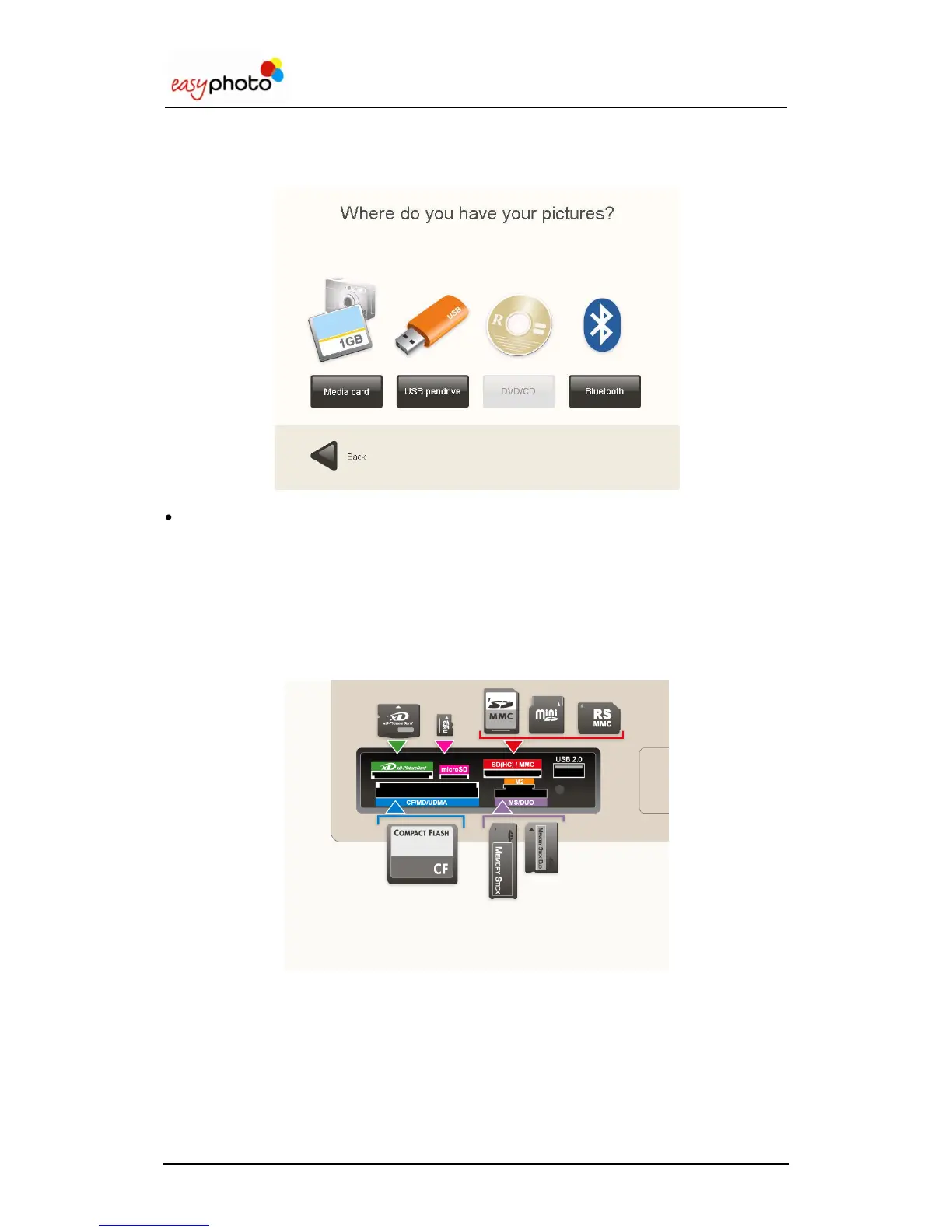
Once any service has been selected, the following screen is displayed:
Choose the option in which your images are saved.
The system can open only these kinds of picture files: JPG, BMP, TIF, PNG and GIF.
3.2.1 Memory Card
If your images are saved in a memory card:
1. Press the “Media card” button.
The following screen appears, indicating how and where to introduce the memory card.
Introduce the memory card as indicated on the screen.
Press “Next”.


 To Next Page
 Loading...