Operator user‟s manual
57/78
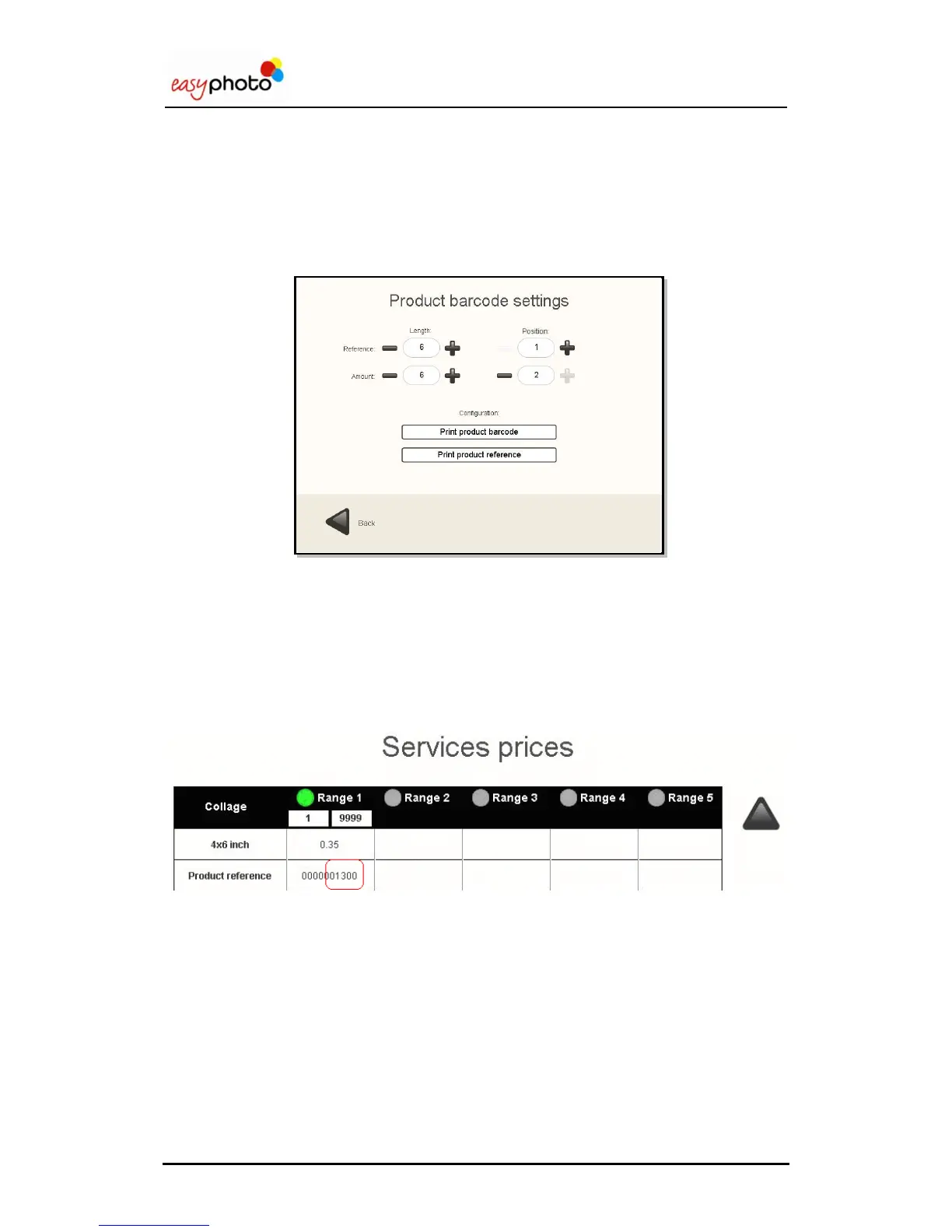
Product barcode settings
This is the barcode that identifies the product among the different available products in the
easyphoto machine.
Print product barcode: When it‟s enabled, a barcode will be printed for each
product.
Print product reference: When it‟s enabled, a different number will be printed per
each product reference, instead of using a barcode.
Length: It allows setting the length of each part that composes the barcode.
o Reference: Number of digits used to show the product reference.
o Amount: Number of digits used to show the product price.
Position: It specifies which field (Reference or Amount) is placed first in the barcode.
The product reference is filled in the screen where prices are set.
(See chapter 4.2.4.1(3) “Prices settings”)


 To Next Page
 Loading...